
Technology
What to Look for When Buying a Next-Day Gaming PC

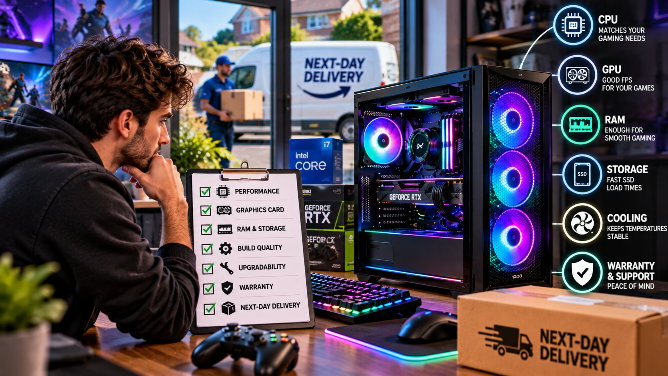
The best next-day gaming PC pairs a strong GPU, a fast SSD, and solid support, so read on before you click buy.
Fast delivery sounds amazing, but it can hide weak parts and poor support. A Next-Day Gaming PC should arrive quickly and perform well for years. Many buyers rush the order and regret it later. This guide draws on how Veno Scorp builds its in-house rigs. You’ll learn which specs matter, which checks protect you, and how to choose a pc for gaming that fits your screen and budget.
Why Fast-Shipping Gaming PCs Beat Weeks of Waiting
Nobody likes waiting on a parcel. You want to play now, not next month. An order for next-day gaming PCs cuts the wait to a single night. It also spares you the stress of sourcing parts on your own.
Prebuilt rigs save you time in other ways too:
- Tested parts: The maker checks that every part works well together.
- One warranty: You deal with one seller, not five different brands.
- Ready to play: You plug in, install your games, and jump straight in.
Still, fast delivery means little if the hardware is weak. So let’s look at the parts that really matter.
Key Specs to Check in a Next-Day Gaming Rig
Specs can sound scary, but the rules are simple. Know your screen. Know your games. Then pick parts that fit both. This simple habit saves you money and regret. Every part should serve the way you play.
Graphics Card (GPU): Your Frame Rate Engine
The GPU drives your frame rates, so spend most of your budget here. An RTX 5060 handles smooth 1080p play. An RTX 5070 or better suits 1440p. Match the card to your monitor. A 4K card is a waste of money on a 1080p screen.
Processor (CPU) and Bottleneck Balance
A weak CPU holds back a strong GPU. Look for a recent Ryzen 5, Ryzen 7, or Intel Core chip. Fast shooters like Fortnite and Valorant love high clock speeds. Pair your CPU with a GPU of a similar tier, and you’ll avoid nasty slowdowns.
RAM and SSD Storage for Fast Load Times
Choose 16GB of RAM at the very least. Pick 32GB if you stream or juggle many apps. Insist on an SSD, because hard drives make games load slowly. Aim for 1TB, since modern titles take up huge amounts of space.
Cooling and Power Supply for Stable Performance
Heat kills speed. Good airflow keeps your frame rates steady during long sessions. Check the case fans and the CPU cooler. Then look at the power supply. A trusted brand with an 80 Plus rating protects your parts. Cheap units can fail right when you need them. Don’t let a tiny part ruin a big purchase.
Monitor and Refresh Rate: The Missing Piece
Your PC can only show what your screen allows. A 60Hz monitor hides the speed of a strong GPU. If you play fast games, look at a 144Hz screen or higher. It feels smoother and sharper. Many buyers forget this step, and they regret it later. A good screen makes every frame count.
Ports, Wi-Fi, and Noise Levels
Small details shape your daily comfort. Count the USB ports on the front and back. Check for built-in Wi-Fi and Bluetooth if you lack a cable. Read reviews about fan noise too. A loud PC gets annoying fast, especially during late-night matches.
Browse the full range of next-day gaming PCs and compare the specs side by side.
Common Mistakes Buyers Make
Even smart shoppers slip up. Watch out for these traps:
- Chasing a big GPU with a tiny SSD: Games then crawl through every load screen.
- Ignoring the monitor: A weak screen hides your PC’s real power.
- Skipping the parts list: Vague specs often hide cheap components.
- Forgetting the cut-off time: Late orders miss the next-day slot.
Pro tip: Write down your top three games. Then check how each PC performs in those titles. Real game results beat marketing claims every time.
Next-Day Delivery Gaming PC Comparison Table
Here’s a quick look at four ready-to-ship options. Each one lists free delivery and “get it tomorrow” on its product page.
| PC | CPU | GPU | RAM | Storage | Best For |
| Spectra | Ryzen 5 5500 | RTX 5060 8GB | 16GB | SSD | Budget 1080p |
| Nemesis White | Ryzen 5 7500F | RTX 5060 8GB | 16GB | SSD | Smooth 1080p |
| NEMESIS 4 | Ryzen 7 7700X | RTX 5070 12GB | 16GB | 1TB SSD | Strong 1440p |
| Nemesis 7 ARGB | Ryzen 7 9800X3D | RX 9070 XT 16GB | 32GB | SSD | High-end 1440p and 4K |
Use the table as a starting point, not a final answer. Find your screen resolution first. Then pick the row that fits it. Spend extra only when your games truly need it.
Smart Checks Before You Order a Next-Day Gaming Desktop
Warranty and UK Support Matter
Hardware can fail, and a clear warranty protects you. Ask how long it lasts and who fixes problems. For a next-day gaming PC in the UK purchase, look for UK-based support. Fast help beats weeks of emails. Peace of mind is priceless. Strong reviews on trusted platforms also show how a seller treats buyers after the sale.
Delivery Cut-Off Times, Returns, and Consumer Rights
Read the order cut-off time first, since a missed deadline can ruin your plans. Miss it, and your PC ships a day later. Check the return policy too. UK rules give you a 14-day cancellation window for most online orders. Your PC must also match its description. Keep your order email and delivery photos, just in case.
Upgrade Path and Case Space
Did you know? Games get bigger and hungrier every year. Your needs will grow with them. Choose standard parts and a roomy case. Then you can swap the GPU or add RAM later. Avoid odd proprietary parts that block upgrades.
Price, Finance, and Hidden Costs
Set your budget before you browse. Some sellers offer Klarna plans of up to 24 months, though credit is subject to approval. Remember the extras, like a monitor, keyboard, and headset. Bundles can trim the total cost, and they get you playing on day one.
Grab Your Next-Day Gaming Desktop!
You now hold the full checklist. Match your GPU to your screen. Pick 16GB of RAM and a fast SSD. Check cooling, warranty, and cut-off times. Then act fast. Veno Scorp ships ready-built rigs the next day from £699, with flexible finance and UK-based support.

Whether it’s an unexpected win, a great achievement, a tough battle, or just a really fun game, there are loads of enjoyable moments in gaming. A lot of people want to preserve those moments and share them with their mates or with the wider online community. With the iTop Screen Recorder, you can easily record your gameplay and then share or rewatch it as a video.
Preserve Unforgettable Gameplay
Sometimes the fun just doesn’t last and is difficult to replicate. A bad level completion, a close win, or a great in-game milestone may be worth saving.
Using iTop Screen Recorder, gamers can record their screen as they play their games. That way, they can go back and rewatch the key moments and maintain their own personal library of gameplay videos.
Create Exciting Highlight Video
A long session may well have its fair share of interesting moments, but the viewer may not necessarily want to watch the whole thing. Gameplay can be recorded and then played back and edited into shorter highlight videos.
Creators can select the sections that are thrilling, the ones that are engaging and exciting. That makes it far more interesting for the user who is after shorter video content.
Share Gameplay with Online Communities
Gaming communities are a place where you can share your experiences, talk about your strategies, and show off your skills. When you’re writing up the details of an event in text form, it’s far easier for the viewer to just watch a screen recording of the game.
Players can upload the appropriate recordings to video-sharing sites or simply share them with friends. The videos can then be used as a springboard for discussion around various aspects of gameplay, including tactics, the difficulty of certain challenges, and the type of play.
Record Gaming Strategies
For some games, you do need to plan and actually do some practice. You can share a particular strategy that you’ve worked up, you can go into some detail about how you’ve pulled off a difficult mission,, or you can show how you’d go about solving a particular challenge.
A screen recording will capture all the steps. The player can go back and look at his or her own play, let the others learn from his or her mistakes, and share some useful tips with the other players of the same game.
Capture Audio Alongside Gameplay
Music is very important in gaming. Recordings can be a lot more informative and entertaining with the inclusion of background music, sound effects, and player commentary.
When recording audio with iTop Screen Recorder, it will record the audio along with the screen activity according to the settings. The user can, of course, set up their mic and sound system before recording to capture the relevant sounds for their content.
Prepare Gameplay Videos for Publishing
Players are encouraged to go through a recording and delete any bits they don’t want if they’re using editing software before sharing the recording. A video which has a very clear beginning and end point may in fact be less enjoyable for the viewer.
Creators also need to bear in mind the platform they’re using and the content settings of the video. Having the key to the gameplay in view and ensuring that it’s got a good audio feed will go a long way to improving the presentation.
Build a Personal Gaming Archive
Not all recordings need to be made available online. Private video saves can be used to keep a record of achievements, memorable games, and progression.
These can be stored over time as a record of games played, showing progression in both their skill and their approach.
Conclusion
Whether you’re a gamer wanting to capture some gameplay, make highlight reels, or just share some of your gaming moments with the world, iTop screen recorder is the tool for you. It’s all about capturing the good bits of your gameplay, whether that’s the difficult moments, the fun bits, or just creating your own personal video archive. Screen recording really does enhance the normal gameplay experience, and with the right settings and some editing, you can capture the moments that really make your gameplay special and go back and watch them as often as you like.


Every town, village, and neighbourhood has stories worth remembering. They may involve an old marketplace, a building that has changed over time, a traditional festival, or an event that shaped the local community. These stories are often preserved in photographs, family memories, old documents, and conversations. However, presenting them to a wider audience can be challenging, especially when there is limited time, equipment, or budget.
A free ai video generator can offer a creative way to explore these stories through moving visuals. It allows creators to experiment with scenes based on written descriptions and, depending on the tool, reference images. The aim is not to replace historical records but to make local stories more engaging while respecting the facts behind them.
Find a Story That Deserves to Be Told
A successful history video does not need to cover an entire town or a hundred years of events. A smaller subject can make a stronger starting point. Consider a street known for traditional crafts, a railway station that once connected nearby communities, or a festival that residents have celebrated for generations. Each subject offers an opportunity to explore a particular part of local life.
Before creating visuals, decide what viewers should learn. Are you introducing an unfamiliar place? Explaining how a tradition developed? Showing how a neighbourhood changed? A clear purpose helps keep the video focused and makes research easier. It is also useful to identify the intended audience. A video for school students may need simple explanations, while a community history project may include more detail and personal memories.
Gather the Evidence Before Creating Scenes
Historical storytelling depends on reliable information. Collect available photographs, newspaper reports, public records, books, and interviews with people who have relevant knowledge. Local libraries, museums, historical societies, and family collections may offer useful material. Keep notes about important dates, names, locations, and events. When sources disagree, avoid presenting uncertain information as established fact. It may be better to explain that different accounts exist than to choose one without enough evidence.
Separate verified details from personal recollections. Both can be valuable, but they serve different purposes. A dated newspaper report, for example, provides a different kind of evidence from someone’s memory of attending an event decades ago. This research gives the creative process a dependable foundation. It also helps prevent a visually convincing video from communicating an inaccurate version of the past.
Imagine the Setting Without Inventing the Story
Once the subject is clear, think about what viewers might need to see. A story about an old market could include a street scene, shops, handmade goods, or people going about their daily activities. A video about a traditional celebration might show decorations, gathering spaces, clothing, and the general atmosphere. A free AI video generator can help creators experiment with visual interpretations of these settings. Written prompts should describe the time period, location, surroundings, and mood as clearly as possible.
For example, a prompt about a historic market might describe a busy trading street from a particular period, with traditional shopfronts and local crafts. Specific details should come from research rather than guesswork. There is an important distinction between a historical reconstruction and authentic archival footage. Generated scenes are interpretations, not recordings of events that actually happened. Make this clear to viewers, particularly when the video covers sensitive events or recognizable historical figures.
Give Old Photographs a Meaningful Place
Photographs can make a local history project feel personal and grounded. An image of an old building, a family gathering, or a familiar street can connect viewers with the people and places being discussed. When using photographs as references, check where they came from and whether you have permission to include them. This is especially important with private family pictures and images that show identifiable individuals.
Rather than relying on generated visuals for every part of the video, consider combining genuine photographs with clearly identified visual reconstructions. For example, an authentic photograph could introduce an old railway station, followed by an AI-created scene that helps viewers imagine its surroundings during an earlier period. Use captions to identify photographs when information is available, such as the approximate date, location, and source. This gives viewers useful context and helps distinguish historical material from newly created imagery.
Shape the Story Around a Simple Timeline
Dates become easier to understand when viewers can connect them to a sequence of events. A straightforward timeline can provide structure without turning the video into a long history lesson. Start with the earliest important detail, introduce the changes that followed, and finish with the subject’s present-day significance. A video about a historic public building, for instance, might explain when it was established, how its purpose changed, and what role it has today. Dreamina makes it easier to create engaging timeline-based videos with clear visuals and smooth transitions, helping viewers understand historical events and follow the story effortlessly.
Keep each section focused on one development. Short narration and relevant visuals can help viewers follow the sequence. On-screen dates can also be useful, provided they remain readable and accurate. Do not force every detail into the final video. Some information may be better left for a written description or a list of sources.
Review the Finished Video With Local Viewers
People familiar with the subject can notice details that an outside creator may overlook. They may recognize an incorrect street layout, an unsuitable traditional design, or a detail that does not match local customs.
Ask knowledgeable residents, family members, teachers, or local historians to review the content before publishing. Their feedback can help identify mistakes and suggest missing context. Also check the generated scenes for unusual objects, inconsistent architecture, or details that could create a false impression. A polished appearance does not guarantee historical accuracy.
Conclusion
Local history becomes more accessible when it is presented in a form that encourages people to explore and remember it. A focused subject, dependable research, meaningful photographs, and a clear timeline can turn a collection of historical details into an engaging visual story. A free AI video generator can support this process by helping creators explore scenes without arranging a full filming production. Its best use is as a creative aid, supported by accurate sources and careful review. When historical facts remain at the centre of the project, AI-generated visuals can help bring community stories to a wider audience.

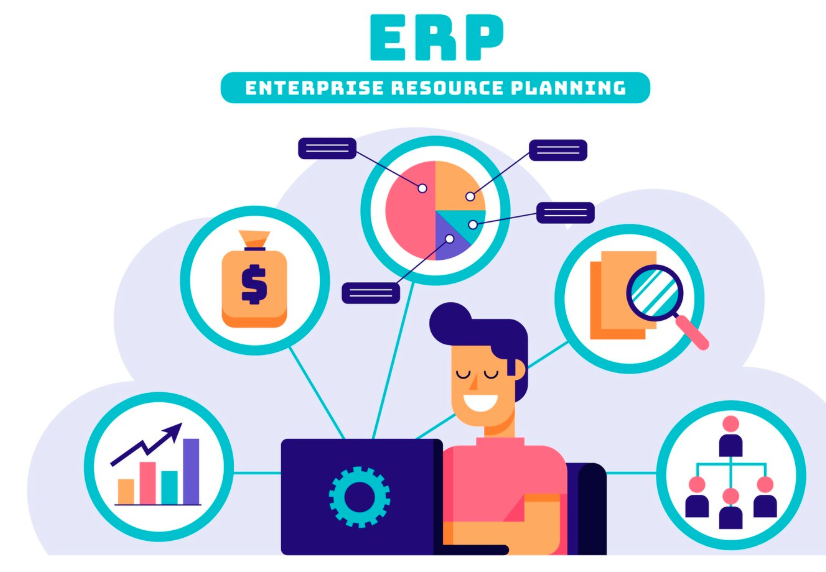
SAP Signavio helps organisations identify opportunities to improve their existing business processes ahead of an ERP transformation. By analysing operational data from existing systems, it provides a clear view of how processes work today and where changes could support future business requirements.
A well planned SAP Signavio implementation helps organisations understand their current processes and establish where improvements will make the greatest difference. This gives businesses a clearer starting point when planning their new ERP environment.
Before investing in new SAP technology, it is important to understand how existing processes perform and where there are opportunities to improve efficiency.
- Where do approvals stall?
- Which manual activities could be automated?
- Where do teams work around the system instead of with it?
SAP Signavio answers these questions, providing the visibility needed to make process improvements part of ERP transformation planning from the outset.
How Does SAP Signavio Identify Process Gaps?
SAP Signavio uses five key techniques to assess business processes and identify areas for improvement:
- Process mining
- Pre-built benchmarking
- Conformance checking
- Best practice comparison
- Process simulation
Together, they expose weak points long before a transformation project locks in its design decisions. These techniques can help organisations understand current performance, explore opportunities for change and make decisions about future processes ahead of ERP transformation.
What Does Process Mining Reveal About Current Workflows?
Process mining shows how business processes actually operate rather than how they are expected to work. SAP Signavio Process Intelligence analyses event data from SAP and non-SAP systems to map the sequence of activities involved in business transactions.
This matters because processes do not always follow their intended design. Over time, teams may introduce additional steps or workarounds that create delays and inefficiencies. Process mining helps organisations identify:
- Hidden bottlenecks: Activities that cause delays in approvals, transactions and handovers
- Process deviations: Steps that differ from the standard process and may affect consistency
- Repeated work: Tasks that need to be completed multiple times due to errors or issues earlier in the process
A successful SAP Signavio implementation starts with understanding these issues, allowing organisations to identify where changes are needed before introducing new technology.
How Does Pre-Built Performance Visibility Speed Things Up?
Pre-built performance visibility helps organisations identify process challenges without having to develop complex analysis from the beginning. SAP Signavio Process Insights provides predefined performance indicators and analysis across more than 130 process flows, helping organisations identify areas where current processes may be affecting operational performance.
This can highlight common challenges such as delivery delays, approval backlogs and manual activities that could be automated. Rather than reviewing each process individually, organisations can use these insights to identify which issues require the most attention.
For businesses without dedicated process analytics resources, SAP Signavio support can help interpret the findings and establish clear priorities for improvement.
What Is Conformance Checking and Why Does It Matter?
Conformance checking compares how business processes are designed to operate against how they actually perform. By analysing these differences, organisations can identify where activities deviate from established processes and understand the impact on daily operations.
This is not about identifying individual mistakes. It is about understanding why certain processes no longer follow their intended design and whether those differences are creating additional costs, delays or risks. For example, teams may have introduced manual approval steps to work around limitations in an existing system. Without identifying these changes, an organisation could carry the same inefficiencies into its new ERP environment.
Effective SAP Signavio support helps organisations assess these findings and focus on the process deviations that have the greatest impact on business performance.
How Does Best Practice Comparison Uncover Hidden Costs?
Best practice comparison benchmarks your existing workflows against SAP’s recommended standards.
It’s a fast way to expose the customisations that have crept in over time, often for reasons nobody remembers. While some remain necessary, others may no longer provide value. Comparing current processes with established best practices can help identify:
- Unnecessary customisations: Changes that increase maintenance costs without delivering clear business value
- Duplicate activities: Steps that repeat checks or tasks already completed elsewhere in the process
- Complex approval processes: Additional approval stages that create delays without improving control or compliance
Identifying these issues before an ERP transformation allows organisations to review which processes should be retained, changed or removed. This helps keep SAP Signavio implementation lean and your future system easier to maintain.
Can Process Simulation Prevent Costly Mistakes?
Process simulation allows organisations to assess proposed process changes before implementing them. SAP Signavio Process Simulation helps model different process scenarios and evaluate their potential impact on areas such as cost, processing time and resource requirements. This gives organisations an opportunity to understand how changes may affect operations before committing to a particular design. For example, a business considering changes to its approval process can use simulation to assess whether removing certain steps could reduce processing times without affecting essential controls.
Identifying potential issues at this stage can help avoid costly changes during ERP implementation. With the right SAP Signavio support, organisations can use simulation findings to compare options, understand potential risks and select process designs that align with business objectives.
What Does This Mean Before You Transform?
Identifying process gaps before ERP transformation is an important step in ensuring a new system supports how the business needs to operate. Without this understanding, organisations risk transferring existing inefficiencies into their new ERP environment rather than addressing the underlying issues.
Each SAP Signavio capability contributes to this process. Process mining shows how activities currently operate. Pre-built performance insights highlight where challenges exist. Conformance checking and best practice comparison help identify why processes are not performing as expected. Process simulation allows organisations to assess the potential impact of proposed changes before implementation. Using these capabilities together provides a clearer picture of current processes and where improvements are required. This allows organisations to approach ERP transformation with a stronger understanding of their existing operations, reducing uncertainty and helping ensure technology decisions support business objectives.
If your organisation is weighing up an SAP Signavio implementation or needs guidance interpreting what the data is telling you, structured SAP Signavio support at this early stage tends to pay for itself many times over.

The Growing Role of Multi-Target Peptides in Modern Preclinical Research

What Is SparkPressFusion.com? Features, Content, and Safety

USBC to HDMI: What Happens When You Connect Your Device to a Bigger Screen?

Meet Lisa Ann Mudd, Sydney Sweeney’s Mother and Former Attorney

Jason Lawson: The Story of Hayley Mills’ Son

Sandra Davenport: The Untold Story of Jim Belushi’s First Marriage
-
 News2 months ago
Meet Lisa Ann Mudd, Sydney Sweeney’s Mother and Former Attorney
-
 Celebrity4 months ago
Jason Lawson: The Story of Hayley Mills’ Son
-
 Celebrity4 months ago
Sandra Davenport: The Untold Story of Jim Belushi’s First Marriage
-

 Celebrity4 months ago
Nina Weiss: All You Need to Know About Manuel Neuer’s Ex-Wife
-

 News2 months ago
Who Is Rebecca Dyer? Meet David Foster’s Ex-Wife
-

 Biographies2 months ago
Who is Thomas Earle? All About Alix Earle’s Father
-

 Celebrity4 months ago
Jack Scarborough: Everything About Joe Scarborough’s Son
-

 Celebrity4 months ago
Debra Rodman: Inside the Life of Dennis Rodman’s Powerful Sister