
Technology
HR Directors Email List for B2B Marketing Campaigns

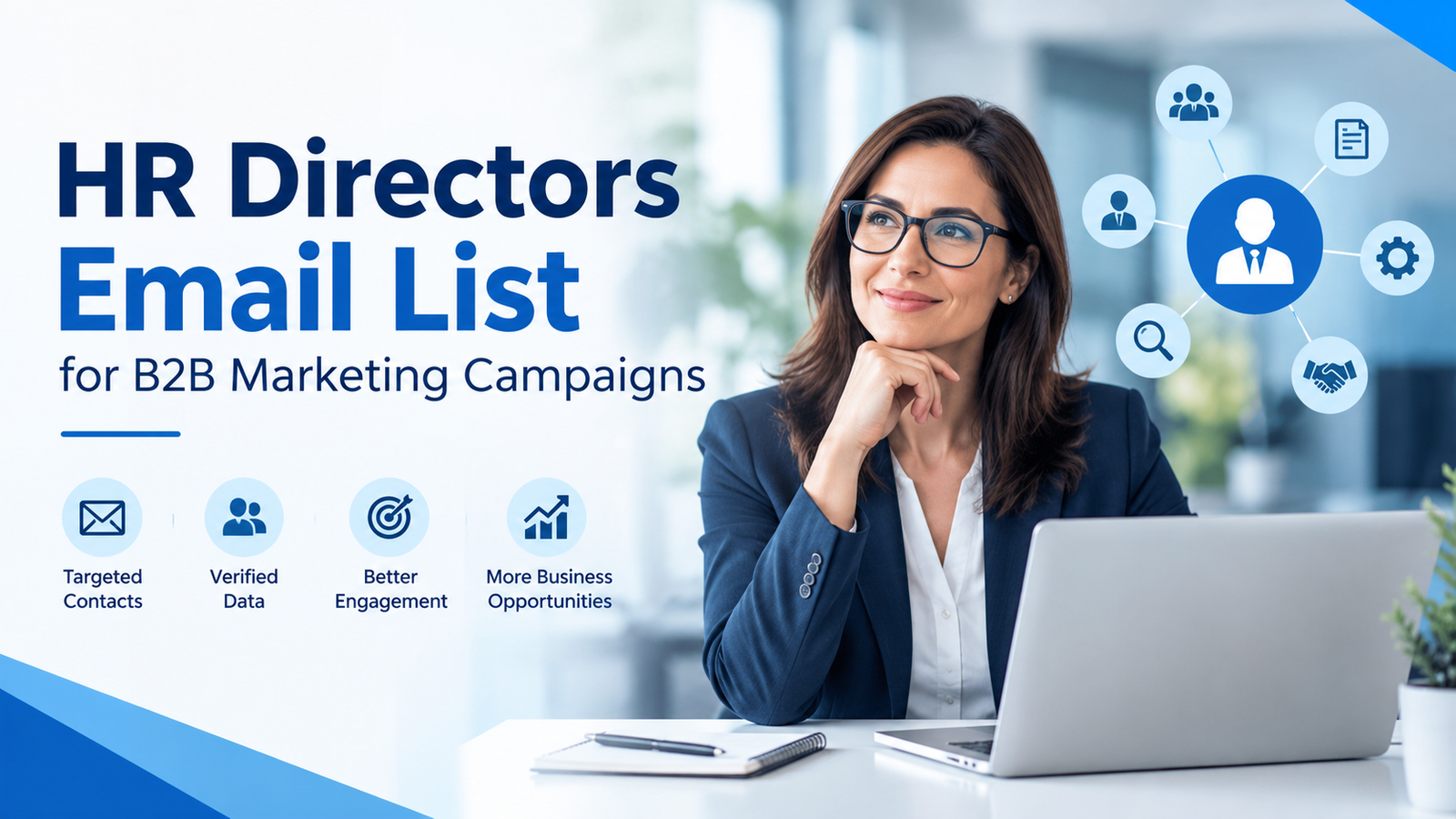
HR Directors Email List helps B2B marketers connect with human resources leaders and decision-makers across industries. An HR Directors Email List supports businesses offering HR software, recruitment services, employee benefits, payroll systems, and workforce management solutions in reaching relevant prospects.
A well-targeted HR Email List can improve audience segmentation, support personalized outreach, and help marketing teams identify potential business opportunities. However, successful campaigns depend on accurate contact information, relevant messaging, data freshness, and compliance with applicable privacy regulations. This introduction explores how HR director contact databases support B2B marketing, the benefits they offer, and the key factors businesses should consider when selecting a reliable provider for responsible, effective email outreach.
What Is an HR Directors Email List?
An HR Directors Email List is a database of professional contact information for human resources directors and, depending on the provider, other senior HR professionals. These individuals may oversee recruitment, employee engagement, compensation, benefits, workforce planning, training, and organizational development.
Depending on the source, a database may include:
- HR directors’ business email addresses
- Full names and professional job titles
- Company names and business websites
- Industry classifications
- Company size and employee range
- Business location and geographic region
- Professional telephone numbers, where available
The availability and accuracy of these fields vary by provider. Businesses should review sample records, data collection methods, and update policies before investing in a contact database.
Why B2B Marketers Target HR Directors
HR directors can influence purchasing decisions involving employee management, recruitment, professional development, and workplace technology. Their responsibilities often make them relevant prospects for companies offering solutions that improve workforce operations.
For example, a human resources director at a growing organization may evaluate applicant tracking software, while an HR leader at a large enterprise may participate in decisions about employee benefits administration or workforce analytics.
Targeting this audience allows marketers to build campaigns around specific business challenges rather than sending generic messages to unrelated contacts.
The objective should be to identify professionals whose responsibilities align with the product or service being promoted.
Key Benefits of Using an HR Directors Email List
1. Reach relevant business decision-makers
A targeted list helps marketers identify HR leaders who may influence purchasing decisions. This can reduce the time spent researching unrelated companies and help sales teams prioritize accounts that match their ideal customer profile.
2. Support account-based marketing
Businesses can segment HR contacts by industry, organization size, location, or job responsibilities. Marketing teams can then develop campaigns for specific account groups instead of sending the same message to every prospect.
3. Promote HR-related products and services
A relevant database can support campaigns for recruitment platforms, payroll software, employee engagement tools, learning management systems, benefits providers, and workforce analytics solutions.
4. Coordinate marketing and sales
When marketing teams share accurate contact records and account information with sales representatives, both teams can prioritize suitable prospects and maintain consistent communication.
These benefits depend on data quality, targeting, campaign relevance, and the recipient’s interest. A contact list alone does not guarantee engagement, qualified leads, or sales.
Who Can Benefit From an HR Directors Contact Database?
Several types of B2B organizations may find this resource useful.
- HR technology companies: Promote human resources information systems, payroll software, applicant tracking systems, and employee management platforms.
- Recruitment agencies: Introduce specialized hiring services to organizations with relevant recruitment needs.
- Employee benefits providers: Present health benefits administration, retirement planning, and employee assistance solutions.
- Corporate training providers: Market leadership development, compliance training, and workforce learning programs.
- Payroll and consulting firms: Connect with organizations that may need help with payroll administration, compensation planning, or HR process improvement.
- Workforce analytics companies: Introduce tools for workforce planning, employee retention analysis, and reporting.
Each company should identify the specific HR responsibilities connected to its offering. For example, a recruitment platform may be relevant to talent acquisition leaders, while a compensation analytics solution may be more appropriate for HR directors responsible for rewards and compensation.
What to Check Before Buying an HR Directors Email List
Choosing a provider requires more than comparing prices or the number of contacts advertised. Buyers should assess whether the database fits their target audience and can be used appropriately.
| Evaluation factor | What to verify | Why it matters |
| Data accuracy | Ask about verification methods and bounce monitoring | Helps reduce undeliverable emails |
| Job title relevance | Confirm HR director and senior HR role coverage | Improves audience alignment |
| Industry coverage | Review available sectors and company types | Supports relevant segmentation |
| Geographic coverage | Check countries, states, and business regions | Helps match campaign territories |
| Data freshness | Ask when records were last reviewed | Reduces outdated contact information |
| Compliance practices | Request details about data sourcing and permitted use | Helps assess privacy and legal risks |
| Pricing and sample access | Review sample records, field coverage, and terms | Helps evaluate value before purchase |
A responsible provider should explain its data sourcing practices, update procedures, and applicable usage restrictions. Buyers should not assume that a record is accurate or legally usable simply because it is included in a paid database.
How to Use an HR Directors Email List in B2B Campaigns
Step 1: Define your ideal customer profile
Identify the industries, company sizes, locations, and HR responsibilities most relevant to your product. This makes it easier to narrow the audience and avoid spending resources on poorly matched prospects.
Step 2: Segment contacts into meaningful groups
Create separate segments based on business needs. For example, enterprise companies may require complex workforce management solutions, while smaller businesses may prioritize affordable payroll or recruitment tools.
Step 3: Develop useful, relevant messaging
Write emails that explain a specific business problem and how your product may address it. Use a clear subject line, concise copy, and a relevant call to action, such as requesting a demonstration or downloading a practical resource.
Avoid unsupported claims about cost savings, product performance, or guaranteed results.
Step 4: Test and measure campaign performance
Monitor delivery rates, bounce rates, replies, qualified meetings, conversions, and unsubscribe requests. Open rates can provide some directional information, but privacy features and automated email activity can make them unreliable.
Use the results to improve audience selection and messaging rather than simply increasing sending volume.
Step 5: Maintain good data hygiene
Remove invalid addresses, suppress opt-outs, and periodically review contact records. Keep suppression records so that contacts who have requested no further marketing are not accidentally added to future campaigns.
E-E-A-T Considerations: Accuracy, Trust, and Responsible Outreach
Google’s E-E-A-T framework refers to experience, expertise, authoritativeness, and trustworthiness. For an article discussing B2B contact databases, these principles can be reflected through practical guidance, transparent claims, and reliable supporting information.
Marketers should avoid presenting purchased contact information as inherently verified, fully accurate, or automatically compliant. Instead, explain how buyers can evaluate providers, check data freshness, and measure campaign results.
Privacy requirements also deserve attention. In the United States, the Federal Trade Commission’s CAN-SPAM guidance explains that commercial email requirements apply to B2B messages as well as other commercial email. Requirements include accurate sender information, non-deceptive subject lines, a valid postal address, a clear opt-out mechanism, and timely handling of opt-out requests.
Federal Trade Commission
+1
For campaigns involving UK or European contacts, additional privacy and electronic marketing rules may apply. The European Commission advises organizations acquiring third-party contact lists to verify that the data was collected lawfully and can be used for the intended marketing purpose.
European Commission
+1
Before launching a campaign, review the rules applicable to the recipient’s location, the type of business contact, the data source, and the communication method. Consult qualified legal or privacy professionals when requirements are unclear.
Common Mistakes to Avoid
Even a well-targeted database can produce poor results when campaigns are not planned carefully. Common mistakes include:
- Buying large contact lists without reviewing sample records.
- Treating all HR directors as having identical responsibilities.
- Sending generic promotional emails without relevant business context.
- Ignoring bounce rates, unsubscribes, and negative replies.
- Assuming publicly available contact details can be used without restrictions.
- Continuing to email people who have opted out.
- Measuring success by email volume instead of qualified opportunities.
A smaller, carefully selected audience can be more useful than a large database containing irrelevant or outdated contacts.
Conclusion
An HR Directors Email List can support B2B marketing by helping businesses identify relevant human resources decision-makers, segment target accounts, and introduce solutions that address workforce challenges. Its value depends on the quality of the data, the relevance of the offer, and the way the campaign is managed.
Before choosing a provider, evaluate contact accuracy, job title coverage, industry filters, data freshness, and permitted usage. Build personalized campaigns, track meaningful business outcomes, and respect recipients’ communication preferences.
For organizations evaluating HR mailing Lists, the most effective approach is to prioritize relevant contacts, trustworthy data practices, and useful communication over database size alone. This creates a stronger foundation for sustainable B2B outreach and long-term business relationships.


Whether it’s an unexpected win, a great achievement, a tough battle, or just a really fun game, there are loads of enjoyable moments in gaming. A lot of people want to preserve those moments and share them with their mates or with the wider online community. With the iTop Screen Recorder, you can easily record your gameplay and then share or rewatch it as a video.
Preserve Unforgettable Gameplay
Sometimes the fun just doesn’t last and is difficult to replicate. A bad level completion, a close win, or a great in-game milestone may be worth saving.
Using iTop Screen Recorder, gamers can record their screen as they play their games. That way, they can go back and rewatch the key moments and maintain their own personal library of gameplay videos.
Create Exciting Highlight Video
A long session may well have its fair share of interesting moments, but the viewer may not necessarily want to watch the whole thing. Gameplay can be recorded and then played back and edited into shorter highlight videos.
Creators can select the sections that are thrilling, the ones that are engaging and exciting. That makes it far more interesting for the user who is after shorter video content.
Share Gameplay with Online Communities
Gaming communities are a place where you can share your experiences, talk about your strategies, and show off your skills. When you’re writing up the details of an event in text form, it’s far easier for the viewer to just watch a screen recording of the game.
Players can upload the appropriate recordings to video-sharing sites or simply share them with friends. The videos can then be used as a springboard for discussion around various aspects of gameplay, including tactics, the difficulty of certain challenges, and the type of play.
Record Gaming Strategies
For some games, you do need to plan and actually do some practice. You can share a particular strategy that you’ve worked up, you can go into some detail about how you’ve pulled off a difficult mission,, or you can show how you’d go about solving a particular challenge.
A screen recording will capture all the steps. The player can go back and look at his or her own play, let the others learn from his or her mistakes, and share some useful tips with the other players of the same game.
Capture Audio Alongside Gameplay
Music is very important in gaming. Recordings can be a lot more informative and entertaining with the inclusion of background music, sound effects, and player commentary.
When recording audio with iTop Screen Recorder, it will record the audio along with the screen activity according to the settings. The user can, of course, set up their mic and sound system before recording to capture the relevant sounds for their content.
Prepare Gameplay Videos for Publishing
Players are encouraged to go through a recording and delete any bits they don’t want if they’re using editing software before sharing the recording. A video which has a very clear beginning and end point may in fact be less enjoyable for the viewer.
Creators also need to bear in mind the platform they’re using and the content settings of the video. Having the key to the gameplay in view and ensuring that it’s got a good audio feed will go a long way to improving the presentation.
Build a Personal Gaming Archive
Not all recordings need to be made available online. Private video saves can be used to keep a record of achievements, memorable games, and progression.
These can be stored over time as a record of games played, showing progression in both their skill and their approach.
Conclusion
Whether you’re a gamer wanting to capture some gameplay, make highlight reels, or just share some of your gaming moments with the world, iTop screen recorder is the tool for you. It’s all about capturing the good bits of your gameplay, whether that’s the difficult moments, the fun bits, or just creating your own personal video archive. Screen recording really does enhance the normal gameplay experience, and with the right settings and some editing, you can capture the moments that really make your gameplay special and go back and watch them as often as you like.

Every town, village, and neighbourhood has stories worth remembering. They may involve an old marketplace, a building that has changed over time, a traditional festival, or an event that shaped the local community. These stories are often preserved in photographs, family memories, old documents, and conversations. However, presenting them to a wider audience can be challenging, especially when there is limited time, equipment, or budget.
A free ai video generator can offer a creative way to explore these stories through moving visuals. It allows creators to experiment with scenes based on written descriptions and, depending on the tool, reference images. The aim is not to replace historical records but to make local stories more engaging while respecting the facts behind them.
Find a Story That Deserves to Be Told
A successful history video does not need to cover an entire town or a hundred years of events. A smaller subject can make a stronger starting point. Consider a street known for traditional crafts, a railway station that once connected nearby communities, or a festival that residents have celebrated for generations. Each subject offers an opportunity to explore a particular part of local life.
Before creating visuals, decide what viewers should learn. Are you introducing an unfamiliar place? Explaining how a tradition developed? Showing how a neighbourhood changed? A clear purpose helps keep the video focused and makes research easier. It is also useful to identify the intended audience. A video for school students may need simple explanations, while a community history project may include more detail and personal memories.
Gather the Evidence Before Creating Scenes
Historical storytelling depends on reliable information. Collect available photographs, newspaper reports, public records, books, and interviews with people who have relevant knowledge. Local libraries, museums, historical societies, and family collections may offer useful material. Keep notes about important dates, names, locations, and events. When sources disagree, avoid presenting uncertain information as established fact. It may be better to explain that different accounts exist than to choose one without enough evidence.
Separate verified details from personal recollections. Both can be valuable, but they serve different purposes. A dated newspaper report, for example, provides a different kind of evidence from someone’s memory of attending an event decades ago. This research gives the creative process a dependable foundation. It also helps prevent a visually convincing video from communicating an inaccurate version of the past.
Imagine the Setting Without Inventing the Story
Once the subject is clear, think about what viewers might need to see. A story about an old market could include a street scene, shops, handmade goods, or people going about their daily activities. A video about a traditional celebration might show decorations, gathering spaces, clothing, and the general atmosphere. A free AI video generator can help creators experiment with visual interpretations of these settings. Written prompts should describe the time period, location, surroundings, and mood as clearly as possible.
For example, a prompt about a historic market might describe a busy trading street from a particular period, with traditional shopfronts and local crafts. Specific details should come from research rather than guesswork. There is an important distinction between a historical reconstruction and authentic archival footage. Generated scenes are interpretations, not recordings of events that actually happened. Make this clear to viewers, particularly when the video covers sensitive events or recognizable historical figures.
Give Old Photographs a Meaningful Place
Photographs can make a local history project feel personal and grounded. An image of an old building, a family gathering, or a familiar street can connect viewers with the people and places being discussed. When using photographs as references, check where they came from and whether you have permission to include them. This is especially important with private family pictures and images that show identifiable individuals.
Rather than relying on generated visuals for every part of the video, consider combining genuine photographs with clearly identified visual reconstructions. For example, an authentic photograph could introduce an old railway station, followed by an AI-created scene that helps viewers imagine its surroundings during an earlier period. Use captions to identify photographs when information is available, such as the approximate date, location, and source. This gives viewers useful context and helps distinguish historical material from newly created imagery.
Shape the Story Around a Simple Timeline
Dates become easier to understand when viewers can connect them to a sequence of events. A straightforward timeline can provide structure without turning the video into a long history lesson. Start with the earliest important detail, introduce the changes that followed, and finish with the subject’s present-day significance. A video about a historic public building, for instance, might explain when it was established, how its purpose changed, and what role it has today. Dreamina makes it easier to create engaging timeline-based videos with clear visuals and smooth transitions, helping viewers understand historical events and follow the story effortlessly.
Keep each section focused on one development. Short narration and relevant visuals can help viewers follow the sequence. On-screen dates can also be useful, provided they remain readable and accurate. Do not force every detail into the final video. Some information may be better left for a written description or a list of sources.
Review the Finished Video With Local Viewers
People familiar with the subject can notice details that an outside creator may overlook. They may recognize an incorrect street layout, an unsuitable traditional design, or a detail that does not match local customs.
Ask knowledgeable residents, family members, teachers, or local historians to review the content before publishing. Their feedback can help identify mistakes and suggest missing context. Also check the generated scenes for unusual objects, inconsistent architecture, or details that could create a false impression. A polished appearance does not guarantee historical accuracy.
Conclusion
Local history becomes more accessible when it is presented in a form that encourages people to explore and remember it. A focused subject, dependable research, meaningful photographs, and a clear timeline can turn a collection of historical details into an engaging visual story. A free AI video generator can support this process by helping creators explore scenes without arranging a full filming production. Its best use is as a creative aid, supported by accurate sources and careful review. When historical facts remain at the centre of the project, AI-generated visuals can help bring community stories to a wider audience.

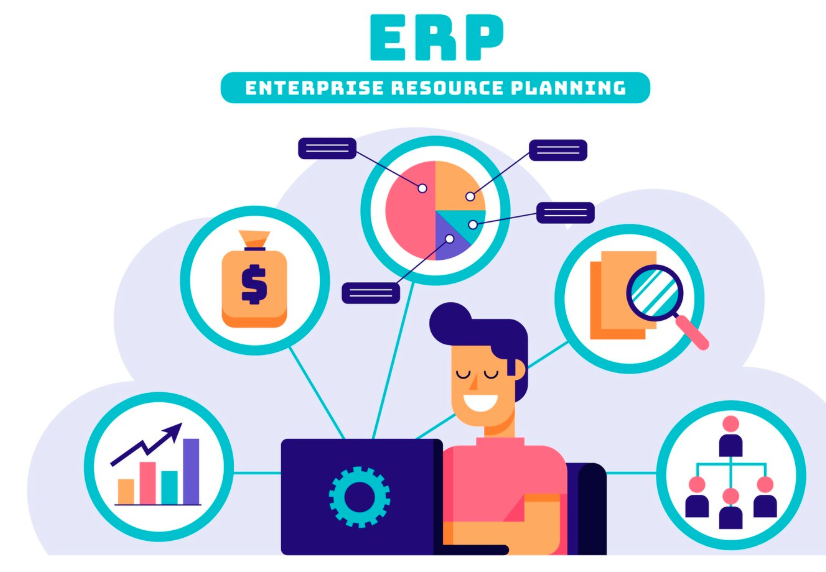
SAP Signavio helps organisations identify opportunities to improve their existing business processes ahead of an ERP transformation. By analysing operational data from existing systems, it provides a clear view of how processes work today and where changes could support future business requirements.
A well planned SAP Signavio implementation helps organisations understand their current processes and establish where improvements will make the greatest difference. This gives businesses a clearer starting point when planning their new ERP environment.
Before investing in new SAP technology, it is important to understand how existing processes perform and where there are opportunities to improve efficiency.
- Where do approvals stall?
- Which manual activities could be automated?
- Where do teams work around the system instead of with it?
SAP Signavio answers these questions, providing the visibility needed to make process improvements part of ERP transformation planning from the outset.
How Does SAP Signavio Identify Process Gaps?
SAP Signavio uses five key techniques to assess business processes and identify areas for improvement:
- Process mining
- Pre-built benchmarking
- Conformance checking
- Best practice comparison
- Process simulation
Together, they expose weak points long before a transformation project locks in its design decisions. These techniques can help organisations understand current performance, explore opportunities for change and make decisions about future processes ahead of ERP transformation.
What Does Process Mining Reveal About Current Workflows?
Process mining shows how business processes actually operate rather than how they are expected to work. SAP Signavio Process Intelligence analyses event data from SAP and non-SAP systems to map the sequence of activities involved in business transactions.
This matters because processes do not always follow their intended design. Over time, teams may introduce additional steps or workarounds that create delays and inefficiencies. Process mining helps organisations identify:
- Hidden bottlenecks: Activities that cause delays in approvals, transactions and handovers
- Process deviations: Steps that differ from the standard process and may affect consistency
- Repeated work: Tasks that need to be completed multiple times due to errors or issues earlier in the process
A successful SAP Signavio implementation starts with understanding these issues, allowing organisations to identify where changes are needed before introducing new technology.
How Does Pre-Built Performance Visibility Speed Things Up?
Pre-built performance visibility helps organisations identify process challenges without having to develop complex analysis from the beginning. SAP Signavio Process Insights provides predefined performance indicators and analysis across more than 130 process flows, helping organisations identify areas where current processes may be affecting operational performance.
This can highlight common challenges such as delivery delays, approval backlogs and manual activities that could be automated. Rather than reviewing each process individually, organisations can use these insights to identify which issues require the most attention.
For businesses without dedicated process analytics resources, SAP Signavio support can help interpret the findings and establish clear priorities for improvement.
What Is Conformance Checking and Why Does It Matter?
Conformance checking compares how business processes are designed to operate against how they actually perform. By analysing these differences, organisations can identify where activities deviate from established processes and understand the impact on daily operations.
This is not about identifying individual mistakes. It is about understanding why certain processes no longer follow their intended design and whether those differences are creating additional costs, delays or risks. For example, teams may have introduced manual approval steps to work around limitations in an existing system. Without identifying these changes, an organisation could carry the same inefficiencies into its new ERP environment.
Effective SAP Signavio support helps organisations assess these findings and focus on the process deviations that have the greatest impact on business performance.
How Does Best Practice Comparison Uncover Hidden Costs?
Best practice comparison benchmarks your existing workflows against SAP’s recommended standards.
It’s a fast way to expose the customisations that have crept in over time, often for reasons nobody remembers. While some remain necessary, others may no longer provide value. Comparing current processes with established best practices can help identify:
- Unnecessary customisations: Changes that increase maintenance costs without delivering clear business value
- Duplicate activities: Steps that repeat checks or tasks already completed elsewhere in the process
- Complex approval processes: Additional approval stages that create delays without improving control or compliance
Identifying these issues before an ERP transformation allows organisations to review which processes should be retained, changed or removed. This helps keep SAP Signavio implementation lean and your future system easier to maintain.
Can Process Simulation Prevent Costly Mistakes?
Process simulation allows organisations to assess proposed process changes before implementing them. SAP Signavio Process Simulation helps model different process scenarios and evaluate their potential impact on areas such as cost, processing time and resource requirements. This gives organisations an opportunity to understand how changes may affect operations before committing to a particular design. For example, a business considering changes to its approval process can use simulation to assess whether removing certain steps could reduce processing times without affecting essential controls.
Identifying potential issues at this stage can help avoid costly changes during ERP implementation. With the right SAP Signavio support, organisations can use simulation findings to compare options, understand potential risks and select process designs that align with business objectives.
What Does This Mean Before You Transform?
Identifying process gaps before ERP transformation is an important step in ensuring a new system supports how the business needs to operate. Without this understanding, organisations risk transferring existing inefficiencies into their new ERP environment rather than addressing the underlying issues.
Each SAP Signavio capability contributes to this process. Process mining shows how activities currently operate. Pre-built performance insights highlight where challenges exist. Conformance checking and best practice comparison help identify why processes are not performing as expected. Process simulation allows organisations to assess the potential impact of proposed changes before implementation. Using these capabilities together provides a clearer picture of current processes and where improvements are required. This allows organisations to approach ERP transformation with a stronger understanding of their existing operations, reducing uncertainty and helping ensure technology decisions support business objectives.
If your organisation is weighing up an SAP Signavio implementation or needs guidance interpreting what the data is telling you, structured SAP Signavio support at this early stage tends to pay for itself many times over.

The Growing Role of Multi-Target Peptides in Modern Preclinical Research

What Is SparkPressFusion.com? Features, Content, and Safety

USBC to HDMI: What Happens When You Connect Your Device to a Bigger Screen?

Meet Lisa Ann Mudd, Sydney Sweeney’s Mother and Former Attorney

Jason Lawson: The Story of Hayley Mills’ Son

Sandra Davenport: The Untold Story of Jim Belushi’s First Marriage
-
 News2 months ago
Meet Lisa Ann Mudd, Sydney Sweeney’s Mother and Former Attorney
-
 Celebrity4 months ago
Jason Lawson: The Story of Hayley Mills’ Son
-
 Celebrity4 months ago
Sandra Davenport: The Untold Story of Jim Belushi’s First Marriage
-

 Celebrity4 months ago
Nina Weiss: All You Need to Know About Manuel Neuer’s Ex-Wife
-

 News2 months ago
Who Is Rebecca Dyer? Meet David Foster’s Ex-Wife
-

 Biographies2 months ago
Who is Thomas Earle? All About Alix Earle’s Father
-

 Celebrity4 months ago
Jack Scarborough: Everything About Joe Scarborough’s Son
-

 Celebrity4 months ago
Debra Rodman: Inside the Life of Dennis Rodman’s Powerful Sister