
Technology
10 Funny Ways to Turn a Single Photo Into a Video (No Skills Needed)


Last month, I took a photo of my neighbor’s cat sitting in a cardboard box. Ten minutes later, I had a short clip of that cat slowly turning its head, staring into the camera, and judging me. My group chat lost it.
You don’t need editing software or a film degree to make something like this. You need one photo and a free Seedance video generator. The rest is just having a silly idea.
If you’ve got a camera roll full of random photos, this post is for you. Here are the funniest things you can do with them.
Why Funny Photo Clips Work So Well
A still photo is a frozen moment. When it suddenly moves, your brain gets a little jolt. Your grandma’s old portrait blinks. Your dog’s face starts to talk. It’s weird, and weird is funny.
There’s also something personal about it. A generic meme is fine, but a clip starring your friend, your pet, or your sad desk lunch gets way more reactions. People love seeing themselves and the people they know in unexpected situations.
Funny Ideas for Pets and Family
1. Make Your Pet Look Like It’s Plotting Something
Take a photo where your cat or dog is staring at something off-camera. Then ask for a slow zoom, a sudden head turn, and a suspicious side-eye. Add a caption like “He knows what you did.” Done.
2. Let Your Dog “Speak” at Dinner
Use a close-up of your dog’s face. Ask for a little mouth movement and a tilted head, as if they’re about to say something deep. Pair it with a dramatic line in the caption, such as “I need to talk about the vacuum.”
3. Bring Old Family Photos to Life (Gently)
Grab a funny old photo, like your dad in a 1990s mullet or your aunt at a wedding with giant sunglasses. Add small motion, such as a wink or a half-smile. Send it to the family chat and wait for the replies. This one almost always gets a laugh and a story.
4. Turn Your Baby Photo Into a Boss
Take a chubby-cheeked baby picture and make the baby look like they’re about to announce a big company decision. A tiny head nod and a serious stare are all you need.
5. Give a Houseplant a Dramatic Moment
Yes, a plant. Take a photo of your droopy plant and make the leaves sway slowly as if it’s giving a sad speech. Caption it “Day 14 without water.” Everyone who has ever killed a plant will relate.
How the Whole Thing Works
Here’s the good news: it’s much easier than it sounds. The basic idea of image to video is that you upload a picture, type a short sentence about how you want it to move, and wait a little while for the clip to appear.
That’s it. No timelines, no layers, no confusing buttons.
A few simple tips that help from the start:
- Use a clear photo. Faces, pets, and objects that stand out from the background work best.
- Keep your prompt short. Something like “the cat turns its head and stares at the camera” is better than a long paragraph.
- Ask for one action at a time. One blink, one smile, one wave. Too many movements at once can look messy.
- Try again. If the first result is odd, change a few words and run it again. Sometimes the weird version is the funniest one.
Funny Ideas for Friends, Food, and Everyday Life
6. Make Your Friend a Movie Hero
Take a photo of your friend standing outside, then add wind in their hair and a slow camera push-in. Suddenly they look like the star of an action movie, even though they’re holding a half-eaten sandwich.
7. Give Your Food a Dramatic Entrance
Photograph your pizza, your burger, or your questionable leftovers. Ask for steam rising, cheese stretching, or the camera slowly circling the plate. Food clips look surprisingly epic, and the contrast with a boring Tuesday dinner is the joke.
8. Turn Your Messy Desk Into a Documentary
Snap your desk at its worst, with cables, coffee cups, and sticky notes everywhere. Add a slow pan across it, then caption it “Nature at its most chaotic.” Add a fake nature-documentary voice if you want to take it further.
9. Make a Statue or Painting React
Take a photo of a statue, a painting, or a funny sculpture from your last trip. Ask it to blink, smirk, or roll its eyes. Museums are suddenly much more entertaining.
10. Create a Fake “Before and After” Moment
Use two photos, like your bedroom before cleaning and after cleaning, and imagine a dramatic reveal. Or take a photo of a messy kitchen and make it look like the camera is slowly walking into a disaster zone.
Little Tricks to Make Your Clips Funnier
Funny isn’t only about the idea. How you present it matters.
Keep it short. Five to ten seconds is plenty. A joke that goes on too long stops being a joke.
Add a caption with a punchline. The video sets up the scene, and the text delivers the laugh. “Me waiting for my food delivery” over a staring dog is a classic for a reason.
Use sound. A dramatic movie sting, a sad violin, or a random sound effect can double the humor.
Start with something you really care about. Your own pet, your friends, and your inside jokes will always beat generic stuff. The more specific the photo, the stronger the reaction.
Don’t take it too seriously. Some clips will look a little strange. That’s part of the charm. The odd ones are often the ones people share the most.
Where to Share Your Creations
Once you’ve made something that makes you laugh out loud, send it to the people who will appreciate it most. A family group chat, a friend who shares your sense of humor, or a short post with a funny caption all work well.
You can also make a small series. For example, create a “My Cat Is Judging You” collection with a new clip each week. People like coming back for the next one.
Final Thoughts
You already have everything you need. Somewhere in your phone is a photo of your dog looking confused, your friend mid-sneeze, or your lunch looking sad. Any of those could become your next favorite video.
So pick one photo, type one silly sentence, and see what happens. Worst case, you get a weird clip and a good laugh. Best case, you make something your friends will be quoting for weeks.
Go on, give that cat in the cardboard box its big moment.

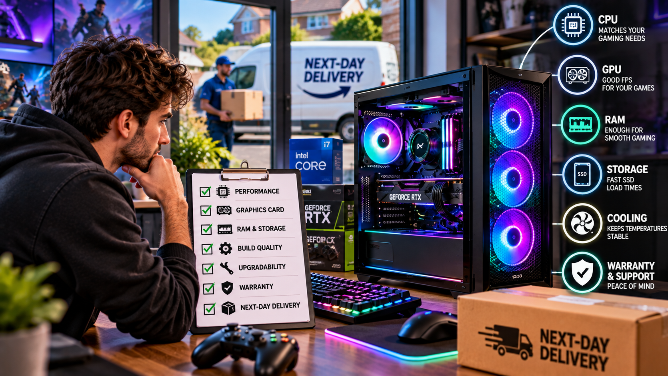
The best next-day gaming PC pairs a strong GPU, a fast SSD, and solid support, so read on before you click buy.
Fast delivery sounds amazing, but it can hide weak parts and poor support. A Next-Day Gaming PC should arrive quickly and perform well for years. Many buyers rush the order and regret it later. This guide draws on how Veno Scorp builds its in-house rigs. You’ll learn which specs matter, which checks protect you, and how to choose a pc for gaming that fits your screen and budget.
Why Fast-Shipping Gaming PCs Beat Weeks of Waiting
Nobody likes waiting on a parcel. You want to play now, not next month. An order for next-day gaming PCs cuts the wait to a single night. It also spares you the stress of sourcing parts on your own.
Prebuilt rigs save you time in other ways too:
- Tested parts: The maker checks that every part works well together.
- One warranty: You deal with one seller, not five different brands.
- Ready to play: You plug in, install your games, and jump straight in.
Still, fast delivery means little if the hardware is weak. So let’s look at the parts that really matter.
Key Specs to Check in a Next-Day Gaming Rig
Specs can sound scary, but the rules are simple. Know your screen. Know your games. Then pick parts that fit both. This simple habit saves you money and regret. Every part should serve the way you play.
Graphics Card (GPU): Your Frame Rate Engine
The GPU drives your frame rates, so spend most of your budget here. An RTX 5060 handles smooth 1080p play. An RTX 5070 or better suits 1440p. Match the card to your monitor. A 4K card is a waste of money on a 1080p screen.
Processor (CPU) and Bottleneck Balance
A weak CPU holds back a strong GPU. Look for a recent Ryzen 5, Ryzen 7, or Intel Core chip. Fast shooters like Fortnite and Valorant love high clock speeds. Pair your CPU with a GPU of a similar tier, and you’ll avoid nasty slowdowns.
RAM and SSD Storage for Fast Load Times
Choose 16GB of RAM at the very least. Pick 32GB if you stream or juggle many apps. Insist on an SSD, because hard drives make games load slowly. Aim for 1TB, since modern titles take up huge amounts of space.
Cooling and Power Supply for Stable Performance
Heat kills speed. Good airflow keeps your frame rates steady during long sessions. Check the case fans and the CPU cooler. Then look at the power supply. A trusted brand with an 80 Plus rating protects your parts. Cheap units can fail right when you need them. Don’t let a tiny part ruin a big purchase.
Monitor and Refresh Rate: The Missing Piece
Your PC can only show what your screen allows. A 60Hz monitor hides the speed of a strong GPU. If you play fast games, look at a 144Hz screen or higher. It feels smoother and sharper. Many buyers forget this step, and they regret it later. A good screen makes every frame count.
Ports, Wi-Fi, and Noise Levels
Small details shape your daily comfort. Count the USB ports on the front and back. Check for built-in Wi-Fi and Bluetooth if you lack a cable. Read reviews about fan noise too. A loud PC gets annoying fast, especially during late-night matches.
Browse the full range of next-day gaming PCs and compare the specs side by side.
Common Mistakes Buyers Make
Even smart shoppers slip up. Watch out for these traps:
- Chasing a big GPU with a tiny SSD: Games then crawl through every load screen.
- Ignoring the monitor: A weak screen hides your PC’s real power.
- Skipping the parts list: Vague specs often hide cheap components.
- Forgetting the cut-off time: Late orders miss the next-day slot.
Pro tip: Write down your top three games. Then check how each PC performs in those titles. Real game results beat marketing claims every time.
Next-Day Delivery Gaming PC Comparison Table
Here’s a quick look at four ready-to-ship options. Each one lists free delivery and “get it tomorrow” on its product page.
| PC | CPU | GPU | RAM | Storage | Best For |
| Spectra | Ryzen 5 5500 | RTX 5060 8GB | 16GB | SSD | Budget 1080p |
| Nemesis White | Ryzen 5 7500F | RTX 5060 8GB | 16GB | SSD | Smooth 1080p |
| NEMESIS 4 | Ryzen 7 7700X | RTX 5070 12GB | 16GB | 1TB SSD | Strong 1440p |
| Nemesis 7 ARGB | Ryzen 7 9800X3D | RX 9070 XT 16GB | 32GB | SSD | High-end 1440p and 4K |
Use the table as a starting point, not a final answer. Find your screen resolution first. Then pick the row that fits it. Spend extra only when your games truly need it.
Smart Checks Before You Order a Next-Day Gaming Desktop
Warranty and UK Support Matter
Hardware can fail, and a clear warranty protects you. Ask how long it lasts and who fixes problems. For a next-day gaming PC in the UK purchase, look for UK-based support. Fast help beats weeks of emails. Peace of mind is priceless. Strong reviews on trusted platforms also show how a seller treats buyers after the sale.
Delivery Cut-Off Times, Returns, and Consumer Rights
Read the order cut-off time first, since a missed deadline can ruin your plans. Miss it, and your PC ships a day later. Check the return policy too. UK rules give you a 14-day cancellation window for most online orders. Your PC must also match its description. Keep your order email and delivery photos, just in case.
Upgrade Path and Case Space
Did you know? Games get bigger and hungrier every year. Your needs will grow with them. Choose standard parts and a roomy case. Then you can swap the GPU or add RAM later. Avoid odd proprietary parts that block upgrades.
Price, Finance, and Hidden Costs
Set your budget before you browse. Some sellers offer Klarna plans of up to 24 months, though credit is subject to approval. Remember the extras, like a monitor, keyboard, and headset. Bundles can trim the total cost, and they get you playing on day one.
Grab Your Next-Day Gaming Desktop!
You now hold the full checklist. Match your GPU to your screen. Pick 16GB of RAM and a fast SSD. Check cooling, warranty, and cut-off times. Then act fast. Veno Scorp ships ready-built rigs the next day from £699, with flexible finance and UK-based support.
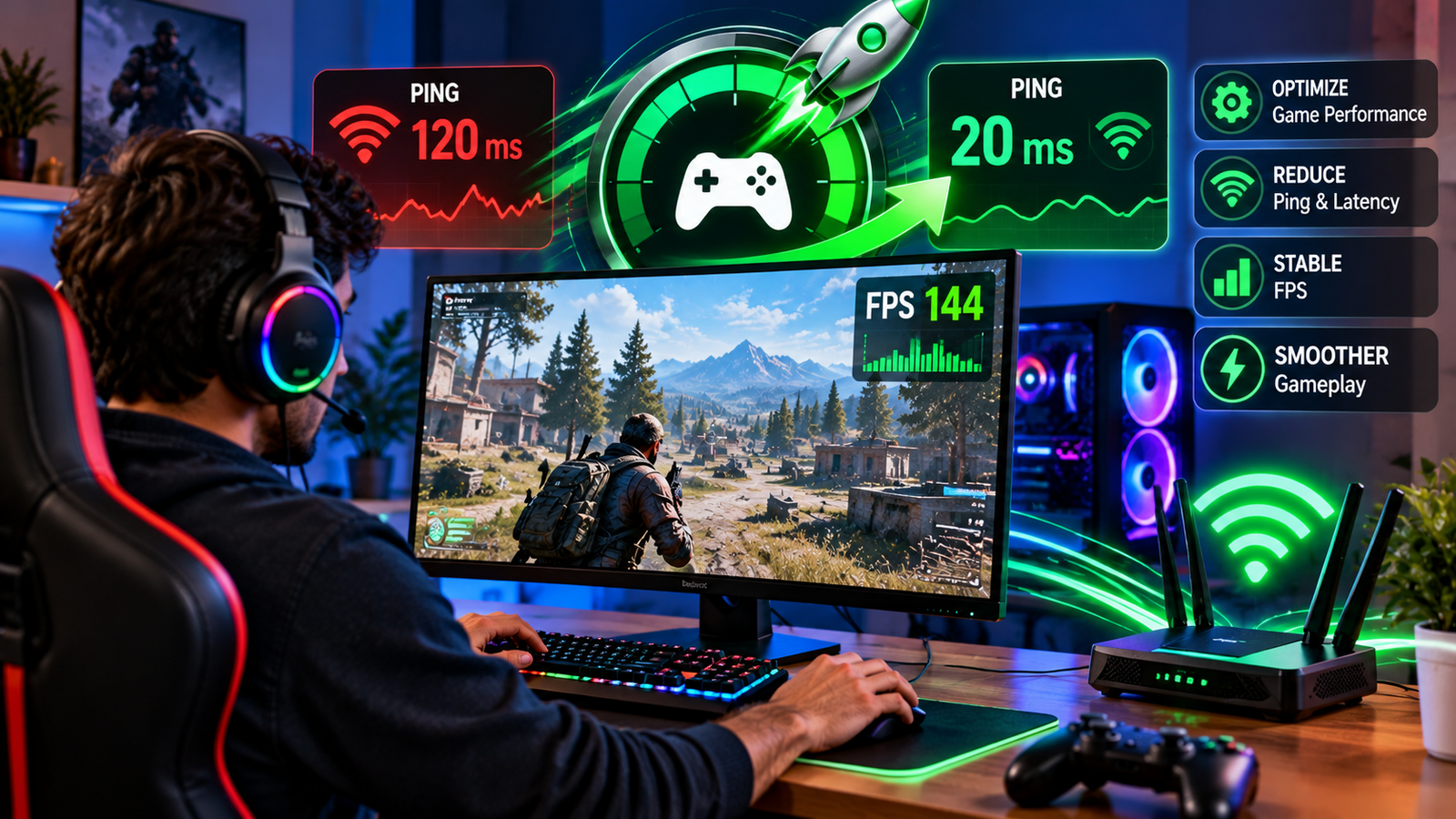
The hardware is of course a big part of the online gaming experience, but it’s by no means the only thing that matters. You need responsive controls, you need good graphics, and you need a good connection. Low frame rates and high ping can be a real problem, though, and can lead to all sorts of lag and unexpected performance issues. An FPS Booster and Ping Reducer can be a real help in terms of optimising the system and the network. Knowing what these tools do can go a long way to helping the gamer have a more consistent gaming environment.
Why FPS and Ping Matter in Modern Gaming
FPS (frames per second) determines the smoothness of the animation and movement in a game. The smoother the animation, the easier it will be to play and the more enjoyable the game will be.
Ping is the time it takes for data to get from your device to the game server and back. The lower the ping, the faster your online actions will be (the more responsive they will be).
FPS is down to computer performance, really; ping is down to your network. You can obviously improve the overall gaming experience if both of those are in balance.
How an FPS Booster Supports Better Game Performance
The FPS Booster is all about reducing the waste of system resources and improving game efficiency. Background programs, background startup programs, and a whole host of graphics settings can all have an effect on how smoothly a game runs.
Optimisation tools for FPS can be used to optimise or spot processes that are consuming a lot of resources, and you can then make the appropriate changes to your performance settings. Simply closing the apps you don’t need will free up memory and processing power so you’ll have more to play with.
Also, by adjusting the visual effects, resolution, and graphics quality, you can reduce the load on the graphics card. The result can be much smoother frame rates, particularly on systems with fairly modest hardware.
The Importance of a Ping Reducer for Online Multiplayer
A Ping Reducer is designed to improve the responsiveness of the network by identifying the cause of the network slowdown. This is probably down to the distance between the server and the device, congestion on the network, wireless interference, or simply too much background internet traffic.
Bandwidth-hungry apps can be monitored, and you can certainly use network optimisation tools to find your connection issues. The software won’t, however, fix the delays that are going to be introduced by physical distance and the limitations of the ISP’s network.
Choose nearby game servers and have a good wired connection to get the best results.
Combining FPS Optimization With Network Stability
Combine FPS optimisation with network improvements, and you’ll have a well-balanced experience. High FPS will do nothing for the effects of extreme network latency, and low ping will do nothing for the stuttering issues that can be caused by the graphics.
In competitive shooting games, you’re absolutely reliant on your ability to react to what’s going on visually on screen and the server-side communication. Stable FPS is obviously key to smooth aiming, and low network latency is essential for a quick reaction to what the other players are doing.
All of these improvements can lead to a more responsive and predictable game.
Practical Habits for Maintaining Gaming Performance
System maintenance is key to ensuring the games are running smoothly. You can avoid a lot of performance issues simply by keeping your graphics drivers up to date, monitoring the temperatures of the devices, and ensuring you’ve got sufficient storage space.
In addition, gamers should be wary of downloading any files they don’t actually need whilst playing online games and, of course, pick servers that have a good, stable connection.
Comparing the before and after testing allows you to identify the changes that are actually worthwhile in terms of improving performance.
Conclusion
For those of you looking to get smoother graphics and faster response times in online games, an FPS Booster and Ping Reducer can be a worthwhile purchase. It’ll go some way to eliminating a number of the typical performance issues by optimising your system’s resources and network latency. The extent of improvement will, of course, be dependent on your hardware and your internet connection. With the right optimisation in place and your system well maintained, you can have a far more stable and competitive gaming experience.

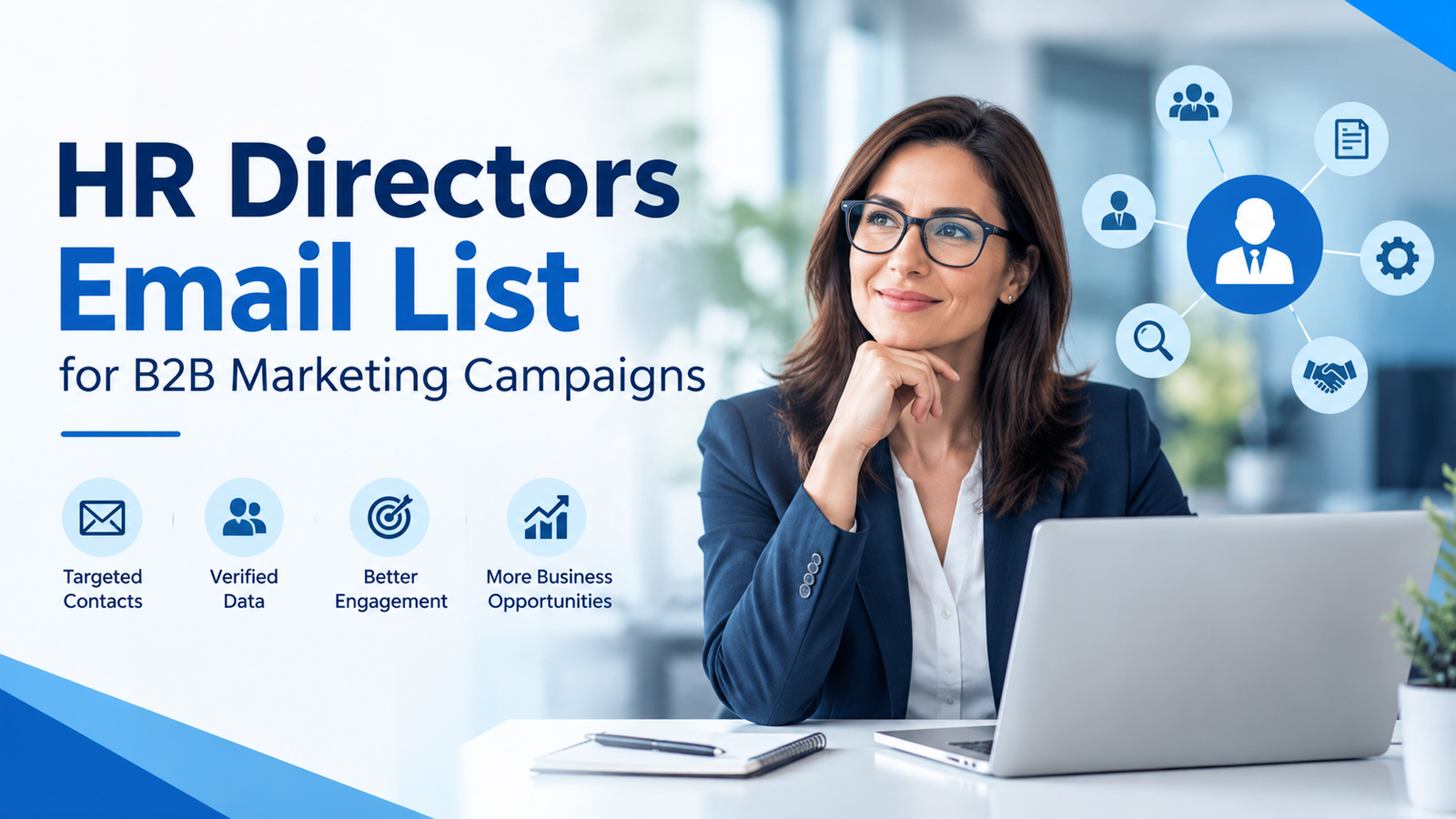
HR Directors Email List helps B2B marketers connect with human resources leaders and decision-makers across industries. An HR Directors Email List supports businesses offering HR software, recruitment services, employee benefits, payroll systems, and workforce management solutions in reaching relevant prospects.
A well-targeted HR Email List can improve audience segmentation, support personalized outreach, and help marketing teams identify potential business opportunities. However, successful campaigns depend on accurate contact information, relevant messaging, data freshness, and compliance with applicable privacy regulations. This introduction explores how HR director contact databases support B2B marketing, the benefits they offer, and the key factors businesses should consider when selecting a reliable provider for responsible, effective email outreach.
What Is an HR Directors Email List?
An HR Directors Email List is a database of professional contact information for human resources directors and, depending on the provider, other senior HR professionals. These individuals may oversee recruitment, employee engagement, compensation, benefits, workforce planning, training, and organizational development.
Depending on the source, a database may include:
- HR directors’ business email addresses
- Full names and professional job titles
- Company names and business websites
- Industry classifications
- Company size and employee range
- Business location and geographic region
- Professional telephone numbers, where available
The availability and accuracy of these fields vary by provider. Businesses should review sample records, data collection methods, and update policies before investing in a contact database.
Why B2B Marketers Target HR Directors
HR directors can influence purchasing decisions involving employee management, recruitment, professional development, and workplace technology. Their responsibilities often make them relevant prospects for companies offering solutions that improve workforce operations.
For example, a human resources director at a growing organization may evaluate applicant tracking software, while an HR leader at a large enterprise may participate in decisions about employee benefits administration or workforce analytics.
Targeting this audience allows marketers to build campaigns around specific business challenges rather than sending generic messages to unrelated contacts.
The objective should be to identify professionals whose responsibilities align with the product or service being promoted.
Key Benefits of Using an HR Directors Email List
1. Reach relevant business decision-makers
A targeted list helps marketers identify HR leaders who may influence purchasing decisions. This can reduce the time spent researching unrelated companies and help sales teams prioritize accounts that match their ideal customer profile.
2. Support account-based marketing
Businesses can segment HR contacts by industry, organization size, location, or job responsibilities. Marketing teams can then develop campaigns for specific account groups instead of sending the same message to every prospect.
3. Promote HR-related products and services
A relevant database can support campaigns for recruitment platforms, payroll software, employee engagement tools, learning management systems, benefits providers, and workforce analytics solutions.
4. Coordinate marketing and sales
When marketing teams share accurate contact records and account information with sales representatives, both teams can prioritize suitable prospects and maintain consistent communication.
These benefits depend on data quality, targeting, campaign relevance, and the recipient’s interest. A contact list alone does not guarantee engagement, qualified leads, or sales.
Who Can Benefit From an HR Directors Contact Database?
Several types of B2B organizations may find this resource useful.
- HR technology companies: Promote human resources information systems, payroll software, applicant tracking systems, and employee management platforms.
- Recruitment agencies: Introduce specialized hiring services to organizations with relevant recruitment needs.
- Employee benefits providers: Present health benefits administration, retirement planning, and employee assistance solutions.
- Corporate training providers: Market leadership development, compliance training, and workforce learning programs.
- Payroll and consulting firms: Connect with organizations that may need help with payroll administration, compensation planning, or HR process improvement.
- Workforce analytics companies: Introduce tools for workforce planning, employee retention analysis, and reporting.
Each company should identify the specific HR responsibilities connected to its offering. For example, a recruitment platform may be relevant to talent acquisition leaders, while a compensation analytics solution may be more appropriate for HR directors responsible for rewards and compensation.
What to Check Before Buying an HR Directors Email List
Choosing a provider requires more than comparing prices or the number of contacts advertised. Buyers should assess whether the database fits their target audience and can be used appropriately.
| Evaluation factor | What to verify | Why it matters |
| Data accuracy | Ask about verification methods and bounce monitoring | Helps reduce undeliverable emails |
| Job title relevance | Confirm HR director and senior HR role coverage | Improves audience alignment |
| Industry coverage | Review available sectors and company types | Supports relevant segmentation |
| Geographic coverage | Check countries, states, and business regions | Helps match campaign territories |
| Data freshness | Ask when records were last reviewed | Reduces outdated contact information |
| Compliance practices | Request details about data sourcing and permitted use | Helps assess privacy and legal risks |
| Pricing and sample access | Review sample records, field coverage, and terms | Helps evaluate value before purchase |
A responsible provider should explain its data sourcing practices, update procedures, and applicable usage restrictions. Buyers should not assume that a record is accurate or legally usable simply because it is included in a paid database.
How to Use an HR Directors Email List in B2B Campaigns
Step 1: Define your ideal customer profile
Identify the industries, company sizes, locations, and HR responsibilities most relevant to your product. This makes it easier to narrow the audience and avoid spending resources on poorly matched prospects.
Step 2: Segment contacts into meaningful groups
Create separate segments based on business needs. For example, enterprise companies may require complex workforce management solutions, while smaller businesses may prioritize affordable payroll or recruitment tools.
Step 3: Develop useful, relevant messaging
Write emails that explain a specific business problem and how your product may address it. Use a clear subject line, concise copy, and a relevant call to action, such as requesting a demonstration or downloading a practical resource.
Avoid unsupported claims about cost savings, product performance, or guaranteed results.
Step 4: Test and measure campaign performance
Monitor delivery rates, bounce rates, replies, qualified meetings, conversions, and unsubscribe requests. Open rates can provide some directional information, but privacy features and automated email activity can make them unreliable.
Use the results to improve audience selection and messaging rather than simply increasing sending volume.
Step 5: Maintain good data hygiene
Remove invalid addresses, suppress opt-outs, and periodically review contact records. Keep suppression records so that contacts who have requested no further marketing are not accidentally added to future campaigns.
E-E-A-T Considerations: Accuracy, Trust, and Responsible Outreach
Google’s E-E-A-T framework refers to experience, expertise, authoritativeness, and trustworthiness. For an article discussing B2B contact databases, these principles can be reflected through practical guidance, transparent claims, and reliable supporting information.
Marketers should avoid presenting purchased contact information as inherently verified, fully accurate, or automatically compliant. Instead, explain how buyers can evaluate providers, check data freshness, and measure campaign results.
Privacy requirements also deserve attention. In the United States, the Federal Trade Commission’s CAN-SPAM guidance explains that commercial email requirements apply to B2B messages as well as other commercial email. Requirements include accurate sender information, non-deceptive subject lines, a valid postal address, a clear opt-out mechanism, and timely handling of opt-out requests.
Federal Trade Commission
+1
For campaigns involving UK or European contacts, additional privacy and electronic marketing rules may apply. The European Commission advises organizations acquiring third-party contact lists to verify that the data was collected lawfully and can be used for the intended marketing purpose.
European Commission
+1
Before launching a campaign, review the rules applicable to the recipient’s location, the type of business contact, the data source, and the communication method. Consult qualified legal or privacy professionals when requirements are unclear.
Common Mistakes to Avoid
Even a well-targeted database can produce poor results when campaigns are not planned carefully. Common mistakes include:
- Buying large contact lists without reviewing sample records.
- Treating all HR directors as having identical responsibilities.
- Sending generic promotional emails without relevant business context.
- Ignoring bounce rates, unsubscribes, and negative replies.
- Assuming publicly available contact details can be used without restrictions.
- Continuing to email people who have opted out.
- Measuring success by email volume instead of qualified opportunities.
A smaller, carefully selected audience can be more useful than a large database containing irrelevant or outdated contacts.
Conclusion
An HR Directors Email List can support B2B marketing by helping businesses identify relevant human resources decision-makers, segment target accounts, and introduce solutions that address workforce challenges. Its value depends on the quality of the data, the relevance of the offer, and the way the campaign is managed.
Before choosing a provider, evaluate contact accuracy, job title coverage, industry filters, data freshness, and permitted usage. Build personalized campaigns, track meaningful business outcomes, and respect recipients’ communication preferences.
For organizations evaluating HR mailing Lists, the most effective approach is to prioritize relevant contacts, trustworthy data practices, and useful communication over database size alone. This creates a stronger foundation for sustainable B2B outreach and long-term business relationships.

Why Wool Is One of the Best Materials for Sleeping Cool and Warm

How Digital Entertainment Has Changed the Way People Relax at Home

How to Keep Biscuits Crisp and Packaged Cakes Fresh After Opening

Meet Lisa Ann Mudd, Sydney Sweeney’s Mother and Former Attorney

Jason Lawson: The Story of Hayley Mills’ Son

Sandra Davenport: The Untold Story of Jim Belushi’s First Marriage
-
 News2 months ago
Meet Lisa Ann Mudd, Sydney Sweeney’s Mother and Former Attorney
-
 Celebrity4 months ago
Jason Lawson: The Story of Hayley Mills’ Son
-
 Celebrity4 months ago
Sandra Davenport: The Untold Story of Jim Belushi’s First Marriage
-

 Celebrity4 months ago
Nina Weiss: All You Need to Know About Manuel Neuer’s Ex-Wife
-

 News2 months ago
Who Is Rebecca Dyer? Meet David Foster’s Ex-Wife
-

 Biographies2 months ago
Who is Thomas Earle? All About Alix Earle’s Father
-

 Celebrity4 months ago
Jack Scarborough: Everything About Joe Scarborough’s Son
-

 Celebrity4 months ago
Debra Rodman: Inside the Life of Dennis Rodman’s Powerful Sister