
Business
Small Spend, Big Impact: Budget-Friendly Branding That Attracts Customers?


Think about the last time you picked a snack at a store. Maybe two bags looked almost the same, but you grabbed the one with the bright colors and the funny cartoon on the front. You did not read every word on the bag. Something about it just felt right.
That is branding at work. And here is the best part: you do not need a big pile of money to do it well. Many small shops, home businesses, and new companies have grown by making smart, low-cost choices. In this post, you will learn what branding really is, why it matters, and how to build a strong one without emptying your wallet.
What Branding Really Means
Many people think a brand is just a logo. A logo is only one piece. A brand is the whole feeling people get when they hear your name or see your products.
Think about your favorite pizza place. You may remember the smell, the red checkered tables, the friendly cook, and the way the box looks when it shows up at your door. All of that together is the brand.
A good brand tells people three things. Who you are, what you do well, and why they should pick you. When customers can answer those questions about your business, you are doing it right.
Why Small Businesses Need Branding
Imagine a street with five lemonade stands. They all sell cold lemonade for the same price. Which one would you walk up to? Probably the one with the cheerful sign, the neat cups, and the kid who smiles and says hello.
Customers choose with their eyes and their feelings first. A strong brand helps them pick you instead of the shop next door. It also builds trust. When your signs, packages, and website all look neat and match, people believe you are serious about your work.
Branding also helps people remember you. A customer may forget the price of something, but they often remember how a shop made them feel.
Start With A Simple Plan
Before you spend a single dollar, take a little time to think. Grab a notebook and answer these questions:
- Who are my customers?
- What do I want them to feel when they see my business?
- What makes me different from other shops?
- Which three words describe my business best?
Your answers become the guide for every choice you make. If your three words are “fun, bold, and friendly,” then your colors, words, and pictures should all feel that way. Writing this down costs nothing, yet it saves you from wasting money later.
Pick Colors And Fonts And Stick To Them
Colors can change how people feel. Blue often feels calm and trustworthy. Red feels full of energy. Green reminds people of nature and health. Yellow feels sunny and happy.
Choose two or three colors and one or two fonts. Then use them everywhere. That means your sign, your bags, your social media pages, and your receipts. When people see the same look again and again, they start to know you right away.
Free design tools online make this easy. You can build a simple logo, make posters, and design menus without hiring anyone. Just keep the look clean. Too many colors or fancy letters can make things hard to read.
Small Things Can Do Great Work
Some of the cheapest branding tools are also the most useful. Think about the things your customers touch, carry, and keep. A small item with your name on it can travel to many places and be seen by many people.
Take packaging, for example. A plain bag or box can become something special with a simple touch. Adding custom printed sticker labels to jars, boxes, bags, and bottles gives your products a neat, finished look without a high price. You can choose your own shape, size, and colors, so every item feels like it came from the same brand. Even a plain brown paper bag looks exciting when it has a bright label on the front. Customers also notice when a product looks cared for, and that care makes them trust you more.
You can use the same idea on thank-you cards, gift boxes, and envelopes. A tiny touch can make a customer smile.
Make Every Package A Little Gift
How a product arrives can matter as much as the product itself. Think about how it feels to open something that was packed with care.
Here are some low-cost ideas:
- Wrap items in tissue paper that matches your colors
- Add a handwritten thank-you note
- Tuck in a small freebie, like a bookmark or a sample
- Use a rubber stamp with your logo on plain boxes or bags
A rubber stamp costs only a few dollars, yet it can turn a plain package into something that looks planned and special. Customers love surprises, and they often share photos of nice packages with their friends. That is free advertising.
Use Social Media The Smart Way
Social media costs nothing to join, which makes it a great tool for a small budget. You do not need to be on every site. Pick one or two where your customers spend time and post there often.
Share things people enjoy. Show how your products are made. Introduce your team. Post pictures of happy customers. Answer questions quickly and kindly. When people feel like they know the real people behind the business, they care more.
Try to sound like yourself. If your brand is playful, use playful words. If it is calm and helpful, keep your posts calm and helpful. Being honest and steady works better than trying to look perfect.
Tell Your Story
People love stories more than sales talk. Why did you start your business? What problem were you trying to fix? What do you love about your work?
Maybe you began baking cookies in your kitchen because your grandmother taught you her recipe. Maybe you started making candles because you could not find one that smelled like the pine forest near your home. These small, true stories help customers feel close to you.
Put your story on your website, on a card inside your packages, or on a short video. Keep it simple and sincere. You do not need fancy words.
Let Your Customers Spread The Word
Happy customers are your best helpers. When someone tells a friend about your shop, the friend trusts it more than any ad.
You can make this easier in a few ways. Ask people to leave a short review. Share their kind words on your page, with their permission. Offer a small thank-you, like a discount, when they bring a friend. Run a photo contest where people show your product in use and the best picture wins a prize.
None of this takes much money. It only takes a little time and a thankful heart.
Be Kind And Helpful Every Time
A brand is not only made by pictures and colors. It is also made by how people are treated. If someone has a problem and you fix it quickly with a smile, they will remember that for a long time.
Answer messages fast. Say thank you. Own up to mistakes and make them right. A customer who feels respected often becomes a loyal fan, and loyal fans keep a small business alive.
Check What Works
Every few weeks, look at what is helping and what is not. Which posts got the most likes? Which products sell best? What do customers say in their reviews?
Keep the ideas that work and drop the ones that do not. You can also ask a few customers what they think, since honest answers help you improve. Branding is not a one-time job. It grows and changes as your business grows.
Final Thoughts
Strong branding is not about having the biggest budget. It is about being clear, kind, and steady. A simple plan, a matching look, a true story, and a few smart touches can make people remember you and want to come back.
Start small. Pick one idea from this post and try it this week. Next month, add another. Little by little, your brand will grow stronger, and so will your business.
As your shop grows, you may want labels and stickers that look the same on every product. That is when it helps to work with a Custom Stickers Labels Manufacturing Company that can print your colors, shapes, and logo just the way you pictured them. Then every jar, box, and bag that leaves your shop carries your name, and customers will know exactly who made it.
Your brand does not need to be big to be strong. It only needs to be yours.

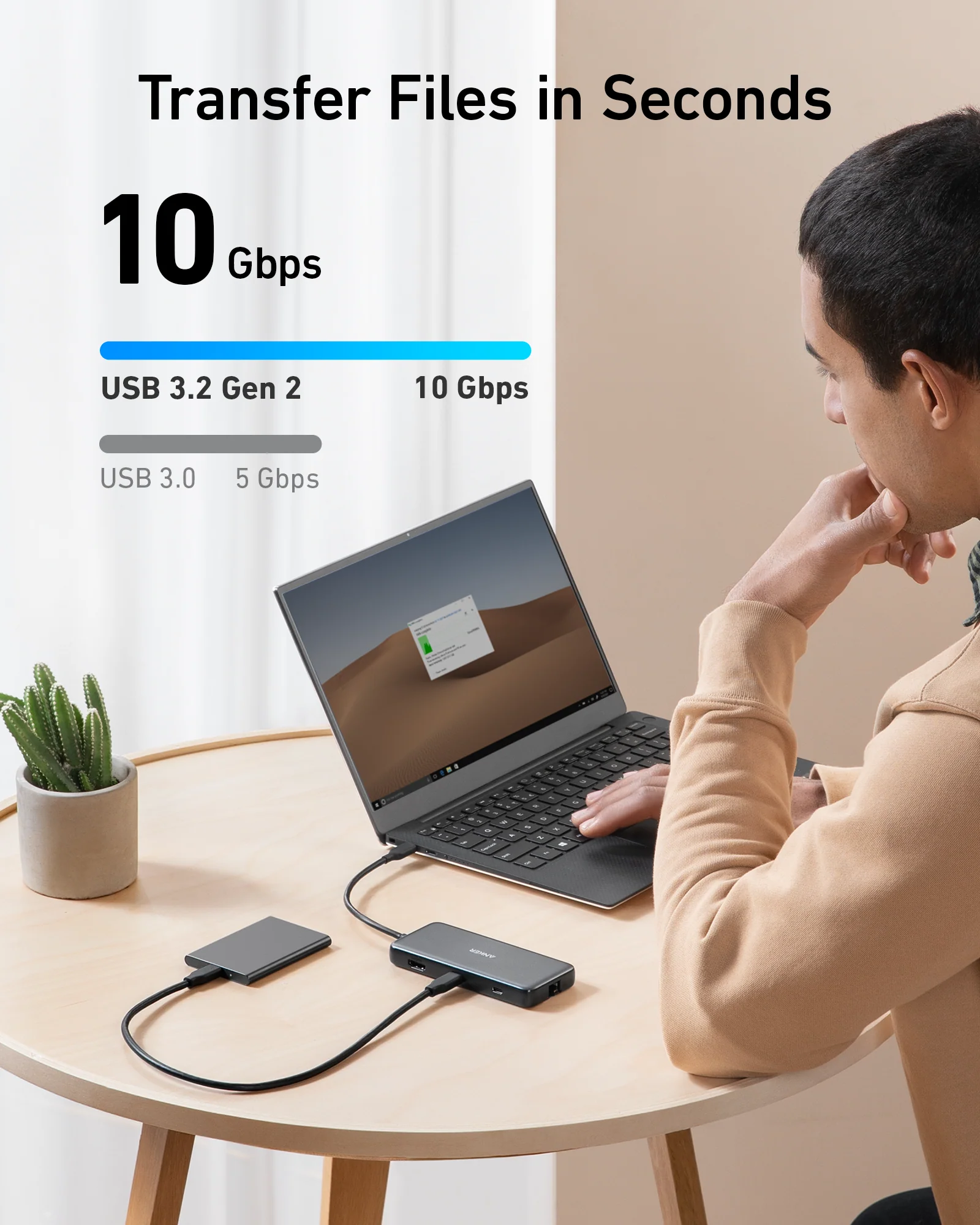
A laptop screen is useful for everyday work, but there are times when a larger display makes a noticeable difference. You may need more room for spreadsheets, a clearer view of a presentation, or a comfortable screen for watching videos with family. Connecting a computer or another compatible device to a television or monitor can solve that problem without requiring a complicated setup.
One common solution is a usbc to hdmi cable or adapter. It connects a device with a USB-C port to a display that accepts HDMI input. Although the connection looks simple, a few technical details determine whether it works properly. Understanding the USB-C connector, video compatibility, and display settings can help you get the most from your equipment.
First, Understand the USB-C Connector
USB-C is a small, reversible connector used on many modern electronic devices. Unlike older USB connectors, it can be inserted in either direction, so there is no need to check which side faces upward. Its compact design is one reason manufacturers use it for laptops, tablets, smartphones, and accessories. However, USB-C describes the physical connector rather than every feature a port can support.
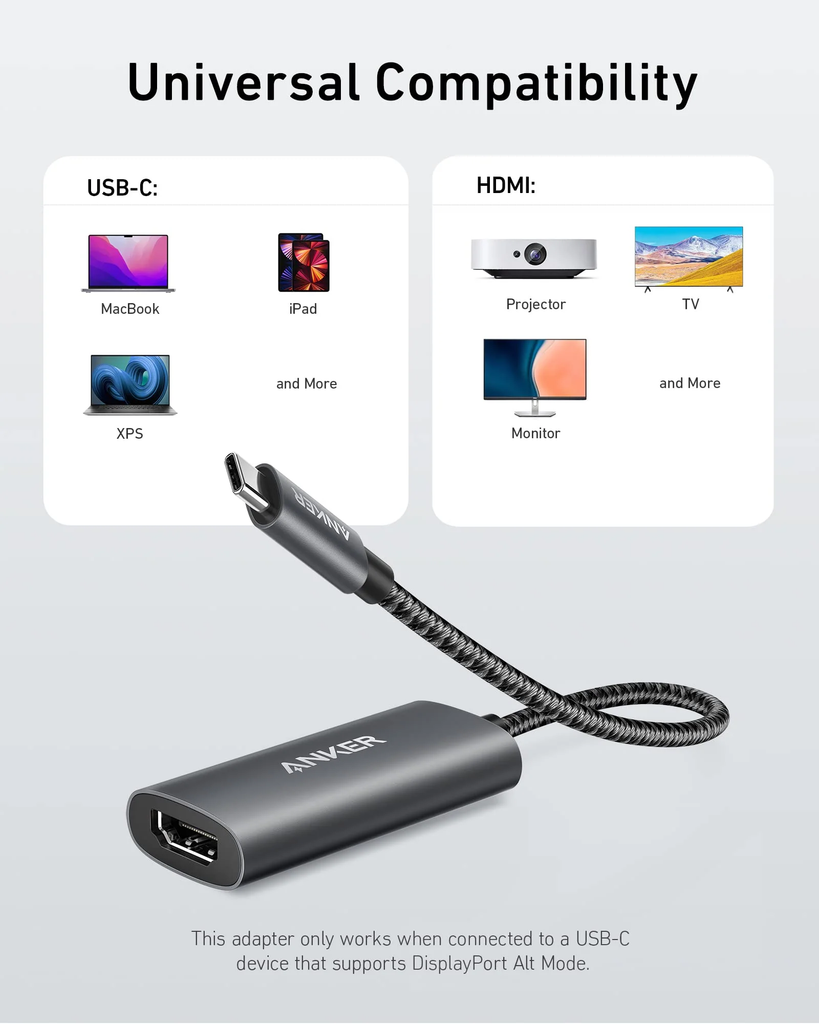
For example, one USB-C port may support charging and data transfer, while another may also handle video output. Some devices use DisplayPort Alt Mode to send video through USB-C, while compatible Thunderbolt ports can also support external displays. This distinction matters when shopping for a USBC to HDMI accessory. A cable with the correct connectors cannot create video output if the device’s USB-C port does not support it.
How Does USBC to HDMI Actually Work?
When you connect a compatible device to an HDMI display, the device sends a digital video signal through its USB-C port. The cable or adapter handles the connection between the USB-C video output and the HDMI input. Once the signal reaches the monitor or television, the display processes it and shows the image. Depending on the connected equipment, audio can travel through the same connection. There are two common ways to make this connection:
- Direct cable: One end connects to the USB-C port, while the other plugs into the HDMI input on the screen.
- USB-C to HDMI adapter: The adapter connects to the device and provides an HDMI port for a separate HDMI cable.
A direct cable can be convenient for a regular desk setup. An adapter may be more practical when you already have HDMI cables available at home, work, or school.
Where Can You Use This Connection?
A USB-C to HDMI setup can be useful in several everyday situations.
Working with multiple screens: Connecting a laptop to an external monitor gives you additional workspace. You can keep a document open on one screen while researching or attending a video meeting on the other.
Giving presentations: A compatible laptop can connect to a classroom projector or meeting-room television. This makes it easier to share slides, reports, and other visual material with a group.
Watching content on a television: If your device supports video output, you can display compatible content on a larger TV screen. This can be useful when you want to share photos or watch downloaded videos.
Creating a more comfortable workspace: A larger monitor may make long working sessions easier by giving you more room to arrange windows. You can choose a display position that suits your desk rather than constantly looking down at a laptop.
Before relying on this connection for an important presentation or meeting, test it with the actual display you plan to use.
Five Things to Check Before Choosing a Cable
A cable should match your equipment and intended use. These checks can prevent common purchasing mistakes.
1. Confirm video support
Start with the specifications of your laptop, tablet, or phone. Look for USB-C video output, DisplayPort Alt Mode, or compatible Thunderbolt support. The presence of a USB-C connector alone is not enough.
2. Check the display resolution
If you have a Full HD monitor, you may not need the same capabilities as someone using a 4K screen. Check the maximum resolution supported by the source device, cable or adapter, and HDMI display.
3. Consider the refresh rate
Refresh rate describes how often a display updates its image each second. It matters when you want smoother movement, particularly for gaming or fast-moving visuals. A cable’s advertised capabilities should match the requirements of the monitor and device.
4. Choose a suitable length
A short cable can keep a desk tidy, especially when a laptop sits close to the monitor. A longer cable offers more placement freedom when connecting to a television. Avoid unnecessary length if it makes cable management difficult.
5. Look at construction and reliability
Connectors should fit securely without requiring excessive force. A well-made cable with suitable strain relief can be helpful if you connect and disconnect your devices regularly.
What If the Screen Does Not Work?
A blank display does not always mean the cable is damaged. Start with the simplest checks. Make sure the HDMI connector is fully inserted and that the television or monitor is using the correct input source. Next, confirm that your device supports video through its USB-C port. If the connection still fails, restart the device and reconnect the cable. You can also test another HDMI cable or display to identify whether the problem comes from the accessory or the screen.
Check the display settings on your computer as well. Windows users can review projection options, while Mac users can open the Displays settings to check whether the external screen is detected. If the display works but its resolution or refresh rate is lower than expected, review the specifications of every part of the connection, including the usb-c connector. The device, adapter, cable, and monitor must all support the desired settings.
Final Thoughts
A USBC to HDMI connection provides a practical way to use a larger display for work, presentations, entertainment, and everyday tasks. However, choosing the right cable involves more than matching two connector shapes. The USB-C connector must support video output, and the cable or adapter must meet the display’s resolution and refresh-rate requirements. Taking a few minutes to check device specifications before purchasing can save time and prevent compatibility problems. With the right equipment and correct display settings, connecting a laptop or other compatible device to an external screen can be a simple part of your daily routine.
Frequently Asked Questions
1. What is a USBC to HDMI cable used for?
It connects a compatible USB-C device to an HDMI monitor, television, or projector so that video and, where supported, audio can be displayed on a larger screen.
2. Does the USB-C connector always support HDMI output?
No. USB-C is a connector type, and not every USB-C port supports video. Your device needs a compatible video-output feature, such as DisplayPort Alt Mode or Thunderbolt support.
3. Can I connect my smartphone to a television using USB-C to HDMI?
Some smartphones support wired video output through USB-C, while others do not. Check your phone manufacturer’s specifications before purchasing an adapter or cable.
4. Do I need to install software to use a USB-C to HDMI adapter?
Most compatible setups work without installing additional software. You may only need to select the correct display mode or input source in your device and television settings.
5. Can a USB-C to HDMI connection extend my laptop screen?
Yes, if your laptop and operating system support external display output. You can usually choose between mirroring your laptop screen and extending the desktop to use both displays separately.


Banks and fintechs cannot assess financial crime risk by looking at a customer name alone. A stronger picture comes from understanding who the customer is, how they operate, where their money comes from, and whether their activity changes over time. This is where Kyc and aml work together. KYC helps financial institutions understand the customer, while AML controls use that information to identify potential financial crime risk. The challenge is keeping these processes connected. Customer information, transaction activity, sanctions exposure, adverse media, and financial background can sit across different systems. When these signals remain separate, important context can be missed. For modern financial institutions, kyc/aml is becoming less about completing individual checks and more about maintaining a reliable view of customer risk.
Why KYC and AML Need to Work Together
KYC is often viewed as a “due diligence” process during the onboarding process. The Customer presents proof of their identity, basic data is taken, and the relationship starts. The risk associated with finance does not end when the new employee is hired. FATF guidance calls for financial institutions to conduct ongoing due diligence and ensure transactions align with their knowledge of the customer, business, and risk profile. This includes an understanding of the source of funds where necessary. That is why kyc and aml compliance are not a process that can be done alone. A customer profile is a starting point, but continual AML controls are required to assess the continued suitability of the relationship. Ownership change, public exposure, changes in transaction behaviour or financial activity may give rise to new risk for a bank, payment provider or a fintech. A static KYC record may not capture those changes.
Source of Funds vs Source of Wealth in KYC and AML
When financial institutions require additional context about the money of a customer, the difference between Source of Funds and Source of Wealth becomes important. Source of Funds is about the origin of the particular funds for all transactions or relationships. Source of Wealth takes a more comprehensive perspective of the customer’s overall wealth accumulation. The two may refer to varying questions. The customer may have a long-term business with a great deal of wealth, and the money that is being spent on a single transaction may be from a sale of property or a redemption of an investment. The FATF guidance identifies the need to acquire and verify information on the source of funds or source of wealth as enhanced due diligence, where this is necessary in response to the risk. The key for compliance teams is linking this information to the customer’s overall profile. Source data should not be isolated in a file, and screening and transaction monitoring should be performed elsewhere.
Where Technology Supports KYC/AML Compliance
Manual connections are becoming more challenging in today’s high-volume financial services environment. Banks can serve thousands of customers, and fintechs and payment providers can handle thousands of transactions daily. Compliance Analysts may be required to check the customer information against sanctions, PEPs, adverse media, watchlists, and other risk sources before making a decision. Modern Kyc and aml technology can help to ease the workload of information collection and review at this point. AML Watcher integrates many of these signals within an AML environment. It features over 235+ countries and states, over 100,000 sources, over 3,500+ watchlists and 6 million+ PEP profiles. It’s also a data layer that provides screening and monitoring workflows to help compliance teams go beyond a name check and evaluate customer risk with more intelligence. The value for financial institutions isn’t just the data volume. It is the availability of relevant information at the right time when a risk decision must be taken.
Why Ongoing Monitoring Matters After Onboarding
A customer may be accepted after passing the initial KYC process and then end up in a different risk category that is different. A new political appointment, bad news in the press, a sanctions listing, a change of ownership, or an unusual pattern of transactions can change the picture. This is where ongoing monitoring becomes important to kyc and aml compliance. Financial institutions can monitor changes related to customer due diligence and recheck customers when they receive new information, rather than doing it only once. FATF also emphasises keeping CDD information up to date and relevant through ongoing reviews, particularly for higher-risk customers. AML Watcher can be used for continuous monitoring, screening, and transaction monitoring. It can continuously monitor relevant risk data on its platform and provide audit trails for compliance decisions. This also gives banks and fintechs a way to link what they knew about a customer at sign-up with what has happened since.
Building a More Connected KYC and AML Process
Strong KYC and AML operations depend on more than collecting customer documents. They require a connected view of identity, ownership, financial activity, external risk intelligence, and changes over time. Source of funds and source of wealth can add important financial context. Screening can identify external exposure. Transaction monitoring can highlight unusual behaviour. Ongoing monitoring can show when a previously acceptable relationship needs another look. These controls are most effective when they work together. AML Watcher brings screening, ongoing monitoring, transaction monitoring, and AI-powered risk intelligence into one AML platform. Its TruRisk technology is designed to reduce irrelevant alerts and help compliance teams focus on cases that require human review, with the company reporting up to an 80% reduction in the false alert queue. For banks, fintechs, payment providers, and other regulated businesses, the goal is not to create more compliance checks. The goal is to connect the right information so customer risk is understood more clearly. Explore AML Watcher to connect KYC and AML intelligence with screening, monitoring, and risk-based decision-making across the customer lifecycle.

The Growing Role of Multi-Target Peptides in Modern Preclinical Research

What Is SparkPressFusion.com? Features, Content, and Safety

USBC to HDMI: What Happens When You Connect Your Device to a Bigger Screen?

Meet Lisa Ann Mudd, Sydney Sweeney’s Mother and Former Attorney

Jason Lawson: The Story of Hayley Mills’ Son

Sandra Davenport: The Untold Story of Jim Belushi’s First Marriage
-
 News2 months ago
Meet Lisa Ann Mudd, Sydney Sweeney’s Mother and Former Attorney
-
 Celebrity4 months ago
Jason Lawson: The Story of Hayley Mills’ Son
-
 Celebrity4 months ago
Sandra Davenport: The Untold Story of Jim Belushi’s First Marriage
-

 Celebrity4 months ago
Nina Weiss: All You Need to Know About Manuel Neuer’s Ex-Wife
-

 News2 months ago
Who Is Rebecca Dyer? Meet David Foster’s Ex-Wife
-

 Biographies2 months ago
Who is Thomas Earle? All About Alix Earle’s Father
-

 Celebrity4 months ago
Jack Scarborough: Everything About Joe Scarborough’s Son
-

 Celebrity4 months ago
Debra Rodman: Inside the Life of Dennis Rodman’s Powerful Sister