
Blogs & Guides
Colēgia’s Review: Features, Login Guide, Benefits, and How It Works

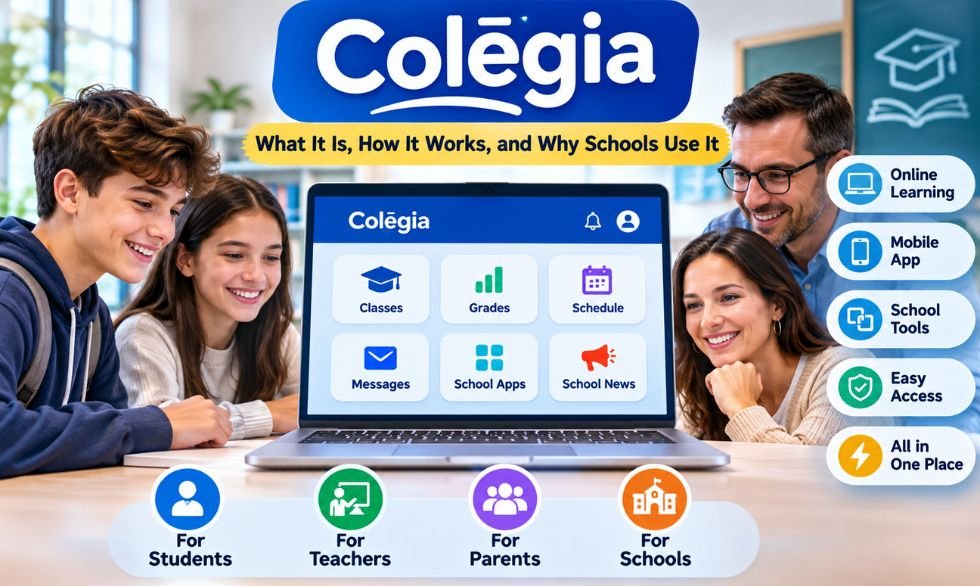
Students use many websites for schoolwork. One site has their lessons, another shows grades, and a third shares school news. Colēgia brings many of these tools into one place. Students can open learning apps, check class updates, and find school resources from a single dashboard.
The platform also connects teachers, parents, and school staff. It supports classroom lessons, online learning, and school messages. Each person sees tools based on their role. Schools decide which apps and services their students and families can use.
This guide explains how the platform works and what it offers in 2026. It covers the login process, student dashboard, parent access, mobile app, and school tools. It also explains account safety, costs, common login problems, and how the platform compares with other learning systems.
Quick Facts
| Detail | Information |
|---|---|
| Platform Name | Colēgia |
| Developed By | Colegia LLC |
| Platform Type | Digital Education Operating System (dēOS) |
| Category | Education Technology (EdTech) |
| Official Website | www.colegia.org |
| Main Purpose | Connect school apps, learning tools, and communication |
| Main Users | Students, teachers, parents, and school staff |
| Learning Types | In-person, online, and hybrid learning |
| Login System | School accounts with Single Sign-On support |
| Student Login | Official Login Portal |
| Parent Login | Parent Portal |
| Main Features | Learning apps, virtual classes, messages, and school news |
| Student Dashboard | Access to assigned apps, lessons, and class updates |
| Parent Features | Student linking, progress tracking, and school communication |
| Online Classes | Supports virtual classrooms and live instruction |
| Mobile App | Available for Android and iOS |
| App Download Cost | Free |
| Related App | Colēgia Connect |
| School Management Tools | Hall Pass, Visitor Check-In, Early Dismissal, Drive and Dismiss |
| Other Services | ColēgiaTV and alumni features |
| Account Access | Provided or approved through participating schools |
| Main Benefit | One place to access connected school tools |
| Feature Availability | Depends on each school’s settings |
What Is Colēgia?
Colēgia is an online education platform for students, teachers, parents, and school staff. It is called a Digital Education Operating System, or dēOS. It gives users one place to access school apps, lessons, messages, and learning resources. Colegia LLC develops the platform, which is linked to the Academica education network.
The platform acts as a main entry point for school tools. For example, a student may use Google Classroom for homework, i-Ready for reading, and another app for grades. These tools can appear on one dashboard. Students can open them without searching for each website. The apps shown depend on what their school provides.
The system supports three types of learning:
- In-person learning: Students use online tools during regular school days.
- Remote learning: Students access lessons and class resources from home.
- Hybrid learning: Schools combine classroom teaching with online lessons.
Teachers can also access learning tools, while parents may view school updates and student records.
How Does Colēgia Work?
The platform connects school apps and services through one online dashboard. Schools set up accounts for students, teachers, and staff. After signing in, users see the tools assigned to them. Students may see class apps and lessons. Teachers may see tools for teaching and school tasks. Parents have access to services approved for their accounts.
One key feature is Single Sign-On (SSO). It lets users open supported apps without entering a new password each time. For example, a student can sign in once and open an assigned learning app. Some apps may still ask for extra login steps. This depends on the app and the school’s settings.
Three Main Parts of the System
- Access: Helps users sign in and open school-approved apps.
- Learning: Connects students with lessons, classwork, and online tools.
- Communication: Supports messages, school news, and updates.
These parts work together. However, the system does not replace every app or school service.
Key Features of Colēgia
Colēgia offers a central dashboard for school apps and learning tools. Students may find Google Classroom, i-Ready, IXL, or Clever if their school uses them. Single Sign-On can also reduce the need for several passwords. This makes it easier to move between lessons, reading practice, and other school tasks.
The platform supports online classes through connected learning services. Some schools use Remote Live Instruction (RLI) for live lessons. Students may also access homework, grades, attendance, and test results through linked school systems. Some gradebook tools show when records were last updated. This helps users check whether the information is current.
Other Useful Features
- School messages: Teachers and staff can share updates and notices.
- Group chats: Supported accounts can use chat tools for school communication.
- ColēgiaTV: Features school news and student-made videos.
- Alumni tools: Support networking, events, and other alumni activities.
- Learning apps: Give students access to tools selected by their school.
Not every school offers all these features. The dashboard depends on the user’s account and school settings.
How to Log In to Colēgia?
Students and staff can log in through the official website at www.colegia.org. The site has a student and staff login page. Users enter their assigned ColēgiaID or approved school account details. They then follow the steps shown on the screen. After signing in, they can open their school apps and learning tools.
Student and Staff Login Steps
- Visit the official Colēgia website.
- Open the student and staff login page.
- Enter your ColēgiaID or approved school account.
- Complete the login steps shown on the screen.
- Open your dashboard and select a school app.
How to Find Your ColēgiaID?
Students who forget their ID can use the official lookup page. It may ask for their county and student ID number. If the lookup fails, students should contact their school office or technology staff.
Users who forget their password should use the official recovery option. They should also check the website address before entering account details. Never share passwords or school ID numbers on unknown websites. Always sign out after using a shared computer.
Colēgia’s Dashboard for Students, Teachers, and Parents
The dashboard changes based on the user’s role. Students usually see their assigned learning apps and school resources. They may open lessons, check available grades, and read school notices. Some schools also provide calendars, test results, and online class links. The dashboard gives students a clear place to start their school day.
Teachers use their accounts to open class tools and school services. They may share updates, access lessons, and use connected apps for student records. School staff may also manage accounts, notices, and other services. Each person receives access based on their duties. Teachers and staff do not always see the same tools.
Parent and Guardian Access
Parents have a separate login process. They can create or access a parent account and follow their school’s steps to link a child.
Depending on the school, parents may be able to:
- Check grades and attendance.
- Read school notices and messages.
- View available test results.
- Follow student progress.
- Access other school services.
Some schools use a student PIN or another approval step. Parents with more than one child should follow the school’s process for linking each account.
How to Use the Colēgia Mobile App?
The platform offers mobile apps for Android phones, iPhones, and other supported Apple devices. Users can find the official app on Google Play or the Apple App Store. After installing it, they can sign in with their approved school account. The app gives students and parents another way to reach school resources without using a computer.
What Can You Do on the Mobile App?
The app supports several school tasks, based on the user’s account:
- Open available school resources.
- Read school notices and updates.
- Access supported learning apps.
- Use available messaging tools.
- Receive alerts when notifications are enabled.
Users should keep the app updated and check their phone’s notification settings. Some features may need extra permission from the school.
Some tasks work better on a computer. Long writing tasks, large files, and certain online tests can be hard to manage on a phone. Connected apps may also look different on small screens. If a page fails to load, users can try the official website on a laptop or desktop. Students should follow their school’s device rules for tests.
Colēgia Connect and School Management Tools
Colēgia Connect is a related app that helps schools manage daily activities. It includes tools for visitor check-in, hall passes, and student dismissal. These tools help staff track certain school tasks and manage student movement. Schools choose which services to use, so the available features may differ.
Main Colēgia Connect Features
- Digital Hall Pass: Helps teachers manage student requests to leave class.
- Drive and Dismiss: Helps staff organize student pickup.
- Early Dismissal: Supports the process of releasing students before the school day ends.
- Visitor Check-In: Helps school staff record campus visitors.
The digital hall pass tool can help staff review requests and track active passes. Some updates have added daily pass limits, pass timers, and checks for overlapping requests.
Drive and Dismiss helps schools manage pickup procedures. Early dismissal tools support approved student release, while visitor check-in helps staff record school guests. The exact steps depend on each school’s rules. Parents should follow the pickup and check-in process given by their school.
Benefits and Limitations
Colēgia makes it easier to find school tools. Students can open assigned apps from one dashboard instead of searching for several websites. Single Sign-On can also reduce repeated login steps. This is useful when students use different apps for reading, math, homework, and class lessons.
The platform also supports communication between schools and families. Teachers can share updates through approved tools. Parents may check grades, attendance, and school notices. Remote learning tools can help students access lessons outside the classroom. These benefits depend on the services each school has enabled.
Main Benefits
- One place for school apps and resources.
- Fewer repeated login steps.
- Access to online learning tools.
- School messages and updates.
- Parent access to available student records.
- Support for remote and hybrid classes.
Main Limitations
- Some apps may not appear on the dashboard.
- Users may face login or loading errors.
- Grades and records may take time to update.
- Mobile messages and alerts may be delayed.
- Online tools need a working internet connection.
Some users have reported mobile app problems in public reviews. These issues do not affect every account or device.
Is Colēgia Safe and Free to Use?
Students and parents can usually access the platform through their school without paying for a separate personal plan. The official mobile apps are free to download. Schools and education networks may have their own service costs and agreements. Families should ask their school about fees linked to specific programs or services.
The platform may handle student names, grades, attendance, and test results. Its privacy policy discusses the Family Educational Rights and Privacy Act (FERPA) and the Children’s Online Privacy Protection Act (COPPA). It also explains that some outside service providers may process information needed to run the system. Like other online services, it cannot promise complete protection from every security risk.
Tips to Keep Your Account Safe
- Use a strong password.
- Keep your login details private.
- Sign in through the official website or app.
- Avoid sharing student ID numbers online.
- Sign out after using a public computer.
- Use a separate parent account when required.
- Report wrong records or unusual account activity to your school.
Parents should also review the privacy rules of connected learning apps. Each service may have its own data practices.
Common Problems and How to Fix Them?
Login errors can happen when users enter the wrong ID, password, or school account details. First, check for typing mistakes. Make sure you are using the correct account. If you forget your password, use the official recovery process. If the page keeps refreshing, try a private browser window or clear the site’s stored data. Also check your internet connection.
Common Problems and Solutions
| Problem | What to do |
|---|---|
| Wrong username or password | Check your details or use password recovery. |
| Login page will not load | Refresh the page or try another browser. |
| Missing classes or apps | Ask your teacher or school technology team. |
| Parent account shows no student | Check the account-linking steps with your school. |
| Grades have not updated | Check the last-sync date, if shown, or contact the school. |
| Mobile app crashes | Update the app and restart it. |
| Notifications arrive late | Check phone permissions and open the web portal. |
Students may find that a class or app is missing after login. This can happen when the school has not assigned the app or has changed a class schedule. Parents may also need to complete an account-linking step before they can see their child’s records.
If the problem continues, contact your school technology team. They can check account access and school settings. For urgent school matters, call or contact the school through its approved channel instead of waiting for an app alert.
Colēgia vs. Other Learning Platforms
Schools use different online tools for lessons, grades, student records, and app access. Google Classroom, Clever, ClassLink, and PowerSchool are common examples. They share some features, but each has a different main purpose. Some focus on classroom work, while others help manage accounts or school records.
Comparison With Other Platforms
| Platform | Main Purpose |
|---|---|
| Colēgia | Connects school apps, learning tools, and communication services. |
| Google Classroom | Helps teachers share and manage classwork. |
| Clever | Helps schools manage app access and student rosters. |
| ClassLink | Provides app access and account management tools. |
| PowerSchool | Offers student information and school management systems. |
Google Classroom focuses on lessons and assignments. Clever and ClassLink help students reach approved apps through managed accounts. PowerSchool offers tools for student records and school operations. A digital education operating system connects several school services through one place.
Schools may use these tools together. For example, a student may open Google Classroom from a central dashboard and check grades through a separate school system. Clever may also help manage access to learning apps. The tools a student uses depend on their school’s setup and approved services.
Final Thoughts
Colēgia gives students, teachers, parents, and school staff one place to access many school services. Students can open learning apps, find class resources, and check updates. Teachers can use connected tools for lessons and messages. Parents may also view school records through approved accounts.
Its main benefits include easier app access, fewer repeated logins, and support for online learning. Related school tools can help manage hall passes, visitors, and student pickup. However, features vary by school. Some users may also face login errors, slow updates, or mobile app problems.
To get started, visit the official website or install the mobile app. Sign in with your school account and check the tools on your dashboard. If an app is missing or your account does not work, contact your school for help. Following the school’s login and account rules will help you use the platform safely.
Frequently Asked Questions
1. What is Colēgia used for?
It helps students, teachers, and parents access school apps, online lessons, grades, and messages in one place.
2. How do I find my ColēgiaID?
Visit the official ColēgiaID lookup page and enter the school details it asks for.
3. Is Colēgia free for students and parents?
Yes, students and parents can usually use it through their school without paying a separate fee.
4. Can parents check their child’s grades on Colēgia?
Yes, parents may view grades and school progress if their school has enabled these features.
5. Why is my Colēgia dashboard not working?
Check your internet, refresh the page, or try another browser; contact your school if the problem stays.
MORE INTERESTING: Everything About Bumpdots.com: Founder, Topics, and Benefits

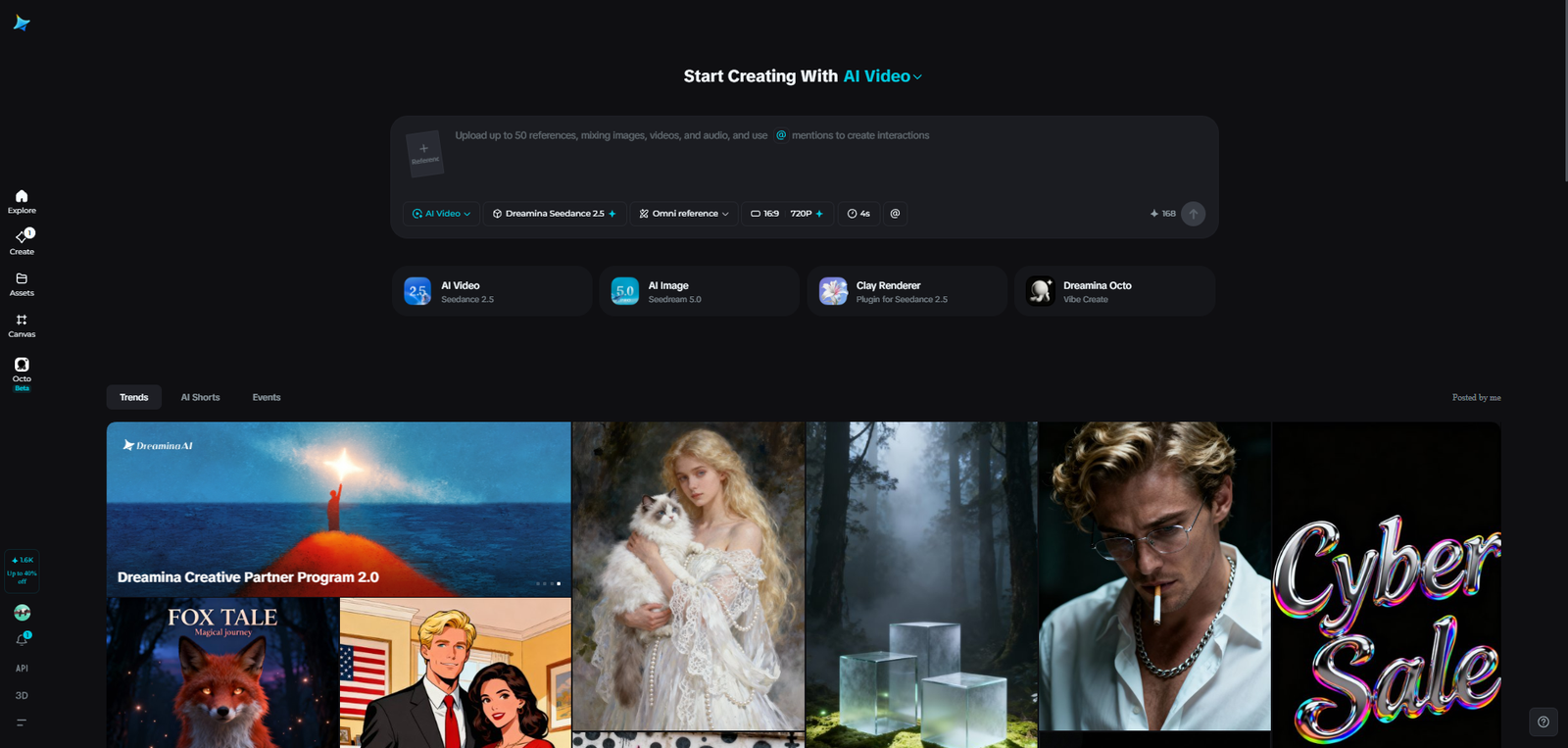
Pets communicate constantly, even when they are not making sounds. A dog may turn its head away during an interaction, a cat may move its tail in a particular way, or a rabbit may change its posture when something in its surroundings feels unfamiliar. These small signals can tell owners a great deal about an animal’s comfort, curiosity, and mood.
However, people sometimes misunderstand these behaviours because they interpret them through human emotions. A wagging tail, for example, does not always mean a dog is happy. Understanding animal body language requires attention to the entire situation rather than one movement in isolation. Visual educational content can help explain these signals in an approachable way. Seedance 2.5 offers creators an opportunity to explore AI-assisted videos that demonstrate common animal behaviours and encourage more thoughtful interactions between pets and people.
Look at the Whole Animal, Not Just One Signal
Animal communication is rarely based on a single gesture. Body posture, ears, eyes, movement, and the surrounding environment can all provide useful context. A dog with a relaxed body, soft facial expression, and loose movements may be showing signs of comfort. The same animal might behave differently when its body becomes stiff, its ears shift back, or it repeatedly tries to move away.
A video can compare these situations through separate scenes. Rather than showing only a close-up of the dog’s tail, it can present the animal’s complete posture and explain why several signals should be considered together. This makes the lesson more useful for beginners. It also prevents viewers from assuming that one behaviour always has the same meaning in every situation.
Understand When a Pet Needs Personal Space
Many misunderstandings happen when people approach animals without recognizing signs that an interaction is becoming uncomfortable. Children may hug a pet tightly, visitors may reach toward an unfamiliar dog, or someone may continue petting a cat after it has started moving away. An educational video can show how an animal responds when it wants more space. For instance, a cat might turn its head away, flatten its ears, move its tail sharply, or attempt to leave. A dog might become still, avoid eye contact, or move away from the person.
The important lesson is to respect these signals instead of forcing continued interaction. Owners should give the animal room and allow it to approach again when comfortable. Seedance 2.5 can be explored for illustrating these everyday situations. The scenes should communicate calm, responsible handling rather than encouraging viewers to test an animal’s limits.
Explain Why Daily Routines Matter
Animals often feel more comfortable when their surroundings and daily activities are reasonably predictable. Feeding times, exercise, rest, play, and quiet periods all contribute to their routine. A visual guide could follow a pet through an ordinary day. It might show a dog going for a walk, receiving food, enjoying a play session, and settling into a resting area. A separate example could demonstrate how a cat uses different parts of the home for eating, playing, observing, and sleeping.
These scenes can help new owners understand that responsible pet care involves more than providing food and water. Animals also need suitable activity, attention, a comfortable environment, and opportunities to rest. Dreamina can be included in the creative workflow when developing visual ideas for these educational scenes. However, creators should make sure that the examples reflect appropriate care practices for the animal being shown.
Show the Difference Between Play and Overstimulation
Play is important for many pets, but an interaction that begins positively may become overwhelming. Owners need to recognize when an animal is still enjoying an activity and when it is ready to stop. A video could demonstrate a simple play session between a person and a dog. Initially, the dog may show relaxed movement and willingly return to the activity. Later, it may lose interest, move away, or show signs of stress.
For cats, play may involve chasing a toy, jumping, or investigating moving objects. However, a cat that repeatedly walks away should not be forced to continue. These examples can teach owners to observe rather than assume. Providing breaks and allowing pets to choose whether they want to participate helps make interactions more respectful.
Prepare Children for Safer Interactions with Pets
Children are naturally curious about animals, but they may not understand why sudden movements, loud noises, or unwanted handling can make a pet uncomfortable. A child-friendly educational video can introduce simple rules through familiar situations. Children can learn to ask an owner before approaching an unfamiliar animal, avoid disturbing pets while they are eating or sleeping, and use gentle movements.
The video can also show that an animal should always have a place where it can retreat without being followed. This is particularly important in homes where pets and young children share living spaces. An ai video generator can help educators and pet organizations explore visual examples for these lessons. The advice should remain simple, consistent, and suitable for the intended age group.

Keep Animal Education Responsible and Accurate
Generated animal scenes may look convincing, but they should not be treated as scientific evidence. Animal behaviour varies according to species, individual temperament, health, previous experiences, and environment. A behaviour that appears in one situation may have a different explanation in another. For example, changes in appetite, unusual aggression, repeated hiding, or sudden withdrawal could have several causes. Owners should consult a veterinarian or qualified animal behaviour professional when they notice concerning changes.
Creators should also check that a video does not show unsafe handling or encourage viewers to approach unfamiliar animals without caution. If the content focuses on a particular species, its examples should be reviewed by someone familiar with that animal.
Final Thoughts
Understanding animal body language can help people build safer and more respectful relationships with their pets. Recognizing signals of comfort, noticing when an animal needs space, and respecting its daily routine are valuable parts of responsible ownership. Seedance 2.5 provides an opportunity to explore AI-assisted educational videos that make these lessons easier to see and understand. With accurate guidance and thoughtful examples, creators can help pet owners become more observant and considerate of the animals in their care.
Frequently Asked Questions
1. Can one body movement explain exactly how an animal feels?
Not always. Animal behaviour should be understood by considering several signals together, including posture, movement, facial expression, and the surrounding situation.
2. Why should children learn about animal body language?
It helps them recognize when a pet is comfortable or needs space. This can reduce unwanted interactions and encourage safer habits around familiar and unfamiliar animals.
3. Do cats and dogs communicate in the same way?
They share some general communication methods, such as body posture and movement, but their signals can differ. Owners should learn the typical behaviours of the species and individual pet they care for.
4. Can an educational video replace advice from a veterinarian?
No. Videos can introduce general care and behaviour concepts, but they cannot assess an individual animal’s health or diagnose a problem. Concerning changes should be discussed with a qualified professional.
5. What should creators check before publishing a pet behaviour video?
They should verify the behaviour examples, avoid presenting one signal as having a universal meaning, and ensure that every demonstration encourages safe and respectful treatment of animals.

SparkPressFusion.com is a website that covers many topics. These include technology, business, finance, health, education, and lifestyle. It shares articles and guides that help readers learn about new ideas. People may visit the site to explore digital trends, understand business terms, or find useful tips for daily life.
Some online reviews also describe the site as a digital publishing platform. They mention writing tools, SEO features, and content planning options. However, there is no clear proof that these tools are part of the exact website. This has caused confusion about what the site offers.
This article looks at the site’s content, reported features, and main uses. It also covers its ownership, safety, guest posting, and SEO value. Readers will learn what is known about the website and what they should check before using its information.
What Is SparkPressFusion.com?
SparkPressFusion.com is described as a multi-topic online publication. It shares articles about technology, business, finance, health, education, and lifestyle. Unlike sites that focus on one subject, it covers many areas. Its main goal appears to be helping people learn about different topics.
The site is known through online reviews for its guides and simple articles. Some explain how digital tools work. Others cover business ideas, online trends, and common terms. For example, a reader may find content about artificial intelligence and how it is used in schools or businesses.
There is little confirmed public information about the site’s history. Its founder, launch date, and owner have not been clearly verified. Some reviews also call it a software platform. However, those claims may refer to other websites with similar names.
What Does SparkPressFusion.com Offer?
The website mainly offers articles on a wide range of subjects. Readers can explore different topics without needing expert knowledge. Some articles answer common questions, while others explain more detailed ideas. This makes the site a possible starting point for learning about new subjects.
For example, a business owner may look for articles about stock control or business planning. A student may want to learn about digital learning tools. Other readers may explore finance, travel, health, or home care. The site’s broad range of topics gives people several areas to read about.
Some outside reviews also mention writing tools, SEO checks, and content planning services. However, these features have not been confirmed for the exact domain. There is no clear proof that the website offers a working dashboard, paid software plans, or tools that publish articles on their own.
Main Content Categories
Technology, business, and finance are among the main topics linked to the website. Its reported content covers several areas:
- Technology and AI: Software, artificial intelligence, digital tools, and online trends.
- Business: Business planning, stock control, daily operations, and management.
- Finance: Savings, investments, money management, and financial terms.
The site is also reported to cover health, education, and lifestyle. These subjects focus on learning and daily needs.
- Health: Nutrition, wellness, and healthcare technology.
- Education: Learning methods, school tools, and AI in education.
- Lifestyle and Entertainment: Daily interests, culture, and entertainment news.
Other reported topics include travel, real estate, home improvement, and law. Travel content may cover places to visit and useful travel tips. Real estate articles may explain property terms and housing topics. Home guides may discuss repairs and home care. Legal content may explain common laws and legal terms. Readers should check current sources before using such information for important decisions.
How Does SparkPressFusion.com Work?
The website is mainly described as a place to read online articles. Visitors can explore topics that match their interests. Its content includes guides and explanations about digital tools, business ideas, and everyday subjects. The current layout and menu options should be checked on the website itself.
Some online reviews describe a separate system for writers and content teams. They claim users can collect ideas, write drafts, check SEO, and plan publishing dates. The reported process includes:
- Planning: Choose a topic and save ideas.
- Writing: Create a draft using a text editor.
- Editing: Check headings, sentences, and keywords.
- Scheduling: Choose when an article should go live.
These tools have not been verified for the exact website. For regular readers, the main use is exploring articles. Readers should check dates, sources, and key facts before trusting the content. This matters most for health, finance, law, and online security topics.
Key Features
One of the site’s main reported features is its wide range of articles. Readers can explore many subjects in one place. Its guides and explainers may help people learn about topics they do not know well. The content covers both general ideas and more focused subjects.
Some reviews also describe a writing dashboard. They claim it lets users save notes, create outlines, and manage writing projects. Other reported tools include:
- Writing Editor: Helps users prepare and format articles.
- Readability Checks: Reviews sentence length and text clarity.
- SEO Tools: Tracks keywords and basic content details.
- Project Dashboard: Keeps different writing tasks in one place.
Other claims include media storage, team access, analytics, and publishing calendars. However, these features have not been confirmed through official product guides or a working account. They should be treated as claims from outside reviews, not proven services.
Is SparkPressFusion.com an AI or SEO Platform?
Some online reviews call the site an all-in-one writing and marketing tool. They mention AI support, keyword checks, SEO scores, and content schedules. Some also claim users can manage several projects through one account. However, there is not enough proof that these tools are offered on the exact domain.
A website that writes about SEO does not always provide SEO software. For example, an article may explain how keyword research works. That does not mean the website has its own keyword research tool. The same applies to AI. A site can publish guides about AI without offering AI writing services.
Some reviews describe a text editor that checks sentence length, headings, and keyword use. Others say it helps writers improve their drafts. These claims do not prove that the website can write articles or run marketing tasks on its own. Anyone looking for such tools should check official service pages and product details first.
Similar Websites
Several websites use names that look alike. One example is SparkPressFusion.net. That website promotes services such as:
- Content writing and creation
- SEO support
- Brand strategy
- Social media management
Its public pages also discuss digital storytelling and helping brands reach online readers. However, these services belong to the .net website’s public claims. They have not been confirmed as services of the separate .com domain.
Similar names can make online reviews confusing. One review may describe a writing tool, while another talks about a blog. Both may use the SparkPressFusion name. This does not prove that the websites have the same owner or offer the same services. Readers should check the full domain before creating an account, sharing private details, or paying for anything.
Who Owns SparkPressFusion.com?
There is little confirmed public information about the owner of the .com website. Its founder, launch date, parent company, and main office are not clearly verified. Some online reports mention Sector 62 in Noida, India, as a business location. However, there is not enough reliable proof to call it the site’s official headquarters.
SparkPressFusion.net lists three people on its team page:
- Wade Warren: Listed as Owner.
- Cameron Williamson: Listed as Co-Founder.
- Brooklyn Simmons: Listed as Marketing Manager.
These names appear on the .net website. Their roles and identities have not been independently verified. There is also no clear proof that they manage the .com domain. Clear owner and author details help readers know who runs a website and who is responsible for its content. Without these details, readers may find it harder to check the source of published claims.
Is SparkPressFusion.com Safe and Reliable?
There is not enough verified information to give the website a full safety rating. Some reviews describe it as an active online publication. However, this does not prove that every article, link, or page is safe. Visitors should check the website address before sharing personal details or opening unknown links.
HTTPS is one basic safety feature to look for. It helps protect data sent between a browser and a website. However, HTTPS does not prove that the content is correct. Readers should also check:
- Privacy Policy: Does the site explain how it uses visitor data?
- Contact Details: Is there a clear way to reach the website?
- Article Sources: Are important facts backed by trusted sources?
- Author Details: Does the site show who wrote the content?
- Publication Dates: Is the information still current?
Content quality is also important. A simple guide about a technology term may help someone learn the basics. However, medical, legal, and financial topics need more care. Readers should check important claims with official sources or trained experts before making decisions.
Guest Posting and SEO on It
Some third-party sources suggest that the website may accept guest posts and sponsored articles. Guest posting means writing an article for another website. Writers and businesses may use it to reach new readers, share useful ideas, or build brand awareness. However, the site’s current guest-posting rules and prices have not been confirmed.
Before sending an article or paying for a post, writers should check the publishing terms. Important questions include:
- What topics does the website accept?
- Is there a fee for publishing?
- How many links can an article include?
- Does the website edit submitted content?
- How long does publishing take?
- Will the article stay online?
- Are paid posts marked as sponsored?
Guest posting can help a business reach more readers, but it does not promise better Google rankings. A useful article should match the site’s audience and provide clear information. Google also expects paid links to use labels such as rel="sponsored". Buying links only to change search rankings can break Google’s spam rules.
Benefits and Limitations of SparkPressFusion.com
The website’s main reported benefit is its broad topic coverage. Readers may find articles about technology, business, health, and daily life in one place. Its guides can also help explain common terms and new ideas. If it accepts guest posts, writers and businesses may have another place to share their content.
However, several details remain unclear. The site’s ownership and business history have not been fully confirmed. Claims about writing dashboards, SEO tools, and paid software plans also lack clear proof. Readers should not treat these reported features as working services without checking official information.
Another limit is the site’s wide range of subjects. A website that covers many topics may not provide the same level of detail as a specialist source. This matters for health, finance, law, and technical advice. General guides may help explain basic ideas, but important facts should be checked with trusted experts or official sources.
How to Get the Most From SparkPressFusion.com?
Start with the subject you want to learn about. If you are interested in AI, look for technology content. If you need help understanding a business term, explore business or finance articles. Read the full article instead of relying only on its title. This helps you understand the topic and find details that may need checking.
Next, look at the article date and sources. Some information changes quickly. Software tools may get new features, while travel rules and financial laws may change over time. When an article mentions a study, company, or official rule, try to find the original source.
If you want to publish an article or buy a service, contact the website first. Ask about prices, publishing rules, link policies, and how long posts stay online. Keep a copy of any written agreement. Also, make sure you are using the correct domain, since similar website names can cause confusion.
Final Thoughts
SparkPressFusion.com is described as a multi-topic online publication. Its reported content covers technology, business, finance, health, education, lifestyle, and other subjects. Readers may find its guides useful when learning about new ideas or common terms.
However, some important details remain unclear. The site’s owner and business history have not been fully verified. Online reviews also mention AI writing tools, SEO systems, and publishing dashboards. There is not enough proof that these features belong to the exact website.
The site may be useful as a starting point for general research. Still, readers should check article dates, sources, and author details before trusting important claims. Anyone planning to buy a service, publish content, or share private information should confirm the website’s identity and terms first.
Frequently Asked Questions
What is SparkPressFusion.com used for?
It shares online articles and guides about technology, business, finance, health, and other topics.
Is SparkPressFusion.com safe and legit?
It appears to be an active content site, but readers should check links, sources, and privacy details.
Who is the owner of SparkPressFusion.com?
The website’s owner has not been clearly named or verified in public sources.
Does SparkPressFusion.com offer AI writing and SEO tools?
There is no clear proof that the website offers AI writing software or SEO tools.
Can I publish guest posts on SparkPressFusion.com?
The site reportedly accepts paid guest posts, but writers should check its current rules and prices.
MORE INTERESTING: Colēgia’s Review: Features, Login Guide, Benefits, and How It Works

Running a business takes planning, money, and the right skills. Business owners need to find customers, manage costs, and grow their sales. Many people use online guides to learn these skills and solve common business problems.
20xBusiness.com is an online website that shares articles about business growth, finance, SEO, digital marketing, and entrepreneurship. It also covers business tools, automation, websites, and management. Its content helps readers learn about different parts of running a business.
The website has a growing collection of business guides, but readers may have questions about its owners, authors, and reliability. This article covers its history, content, features, safety, and benefits. It also explains how to use the website and what to check before following its advice.
What Is 20xBusiness.com?
20xBusiness.com is an online business information website. It publishes guides, tutorials, and articles about starting, managing, and growing a business. Its content covers common business needs, such as planning, marketing, money management, and online growth.
The website works like a business blog. Readers can explore articles about SEO, finance, company growth, and digital tools. Some guides explain basic business terms. Others discuss new trends, software, and ways to improve daily work.
The site mainly provides information. It is not known to operate as a bank, lender, or business software service. No paid membership or special software dashboard was confirmed during the research. Its main purpose is to share business knowledge through online articles.
When Was 20xBusiness.com Created?
Public domain records reportedly show that the website’s domain was registered on September 23, 2024. However, this does not confirm its launch date. A domain can be bought long before a website starts publishing articles.
The earliest post found during research was dated April 15, 2025. It was the standard WordPress post called “Hello world!” This sample post often appears when a new WordPress website is created. The first main business article found was dated June 20, 2025.
More articles appeared throughout 2025. They covered finance, marketing, SEO, business growth, and other topics. The newest homepage article found in the earlier review was dated January 9, 2026. The exact official launch date remains unconfirmed.
What Topics Does 20xBusiness.com Cover?
The website covers several areas of business. Its guides focus on daily tasks, company growth, online marketing, and money management. Readers can explore topics based on their business needs.
Main topics include:
- Business Growth: Planning, company goals, scaling, and daily operations.
- Digital Marketing: SEO, social media, paid ads, and lead generation.
- Business Finance: Budgeting, cash flow, funding, and expenses.
- Entrepreneurship: Starting a business, finding ideas, and planning.
- Technology: AI tools, software, and workflow automation.
- Websites and Analytics: E-commerce, website traffic, and Google tools.
The site also discusses remote teams, company culture, influencer marketing, and online communities. Some articles explain newer marketing ideas, such as short videos and privacy-focused advertising. These topics may help readers learn how businesses use digital tools and plan for growth.
Key Features
One main feature is its collection of public business articles. Readers can explore guides without special software. The website offers tutorials, tips, and explanations of common business topics. For example, a finance guide may explain how to track costs, plan a budget, or manage cash flow.
The site also publishes articles about business software and online tools. Some guides compare automation platforms and explain how they work. Others cover email marketing, customer management systems, and ways to save time on daily tasks.
Key features include:
- Public business guides and tutorials.
- Articles about finance, marketing, and SEO.
- Software reviews and tool comparisons.
- Business growth and planning tips.
- Guides about AI and automation.
- Content for beginners and small business owners.
No built-in business dashboard, official training certificate, or paid learning program was confirmed in the reviewed research.
How Does 20xBusiness.com Work?
The website works like a regular online publication. Visitors can open it in a web browser and read its articles. They can explore business topics and choose guides that match their needs. No special app or account appears to be required for public reading.
Here is how readers can use the website:
- Visit the website.
- Choose a business topic.
- Open a related article.
- Read the tips and examples.
- Check any sources or tools mentioned.
- Use helpful ideas in their own business plans.
Some articles explain business methods, while others compare software or discuss new trends. The site may also link to outside tools and research. It does not carry out business tasks for readers. They must choose suitable methods and apply the advice themselves.
Who Can Benefit From 20xBusiness.com?
The website may help people who want to learn about business and online marketing. Its content covers both basic ideas and more detailed subjects. Readers can choose articles based on their work, goals, and level of knowledge.
The main readers include:
- Small Business Owners: Learn about budgets, sales, customers, and growth.
- Entrepreneurs: Explore business ideas, funding, and planning.
- Digital Marketers: Read about SEO, ads, and social media.
- Online Store Owners: Learn about e-commerce, websites, and traffic.
- Students: Understand basic business and finance topics.
- Beginners: Learn common business terms and methods.
For example, someone starting an online store may read about website setup, SEO, and digital marketing. A shop owner may look for budgeting or customer growth tips. These guides can help readers learn, but each business needs a plan that fits its own costs and goals.
Who Owns and Writes for 20xBusiness.com?
The reviewed public information did not confirm a named founder or owner of the website. This does not mean the website has no owner. It means the person or company behind it was not clearly identified in the available research.
Many articles appear under the author name “admin.” This is a common account name on WordPress websites. It does not show who wrote each article. The content may come from one writer or a team, but the available information does not confirm this.
Some articles also include claims about the writer’s work history. One automation guide says the writer and their team tested more than 2,000 tools. Another reportedly mentions work with hundreds of small businesses. These claims are hard to check without named authors. Clear writer profiles would help readers review their skills and experience.
Is 20xBusiness.com Legit and Safe?
The website has a public collection of business articles and a visible publishing history. The reviewed research did not find enough evidence to call it a scam. Its main activity appears to be sharing business information through online guides.
The website has also been reported to use HTTPS. This helps protect data sent between a browser and the website. However, HTTPS does not prove that every article is correct. It also does not confirm the skills or experience of the writers.
For general reading, the website can be used as a learning resource. Still, readers should check important claims before acting on them.
Take extra care with information about:
- Taxes and financial rules.
- Business loans and funding.
- Legal and privacy matters.
- Software prices and features.
- Major business spending.
These subjects often need current facts or advice from trained experts.
How Reliable Is 20xBusiness.com?
The website may help readers learn basic business ideas. However, some articles include numbers and claims that need further checks. These may involve website traffic, sales growth, marketing results, or software performance. Readers should look for the original source before trusting such figures.
Earlier research also found some publishing issues. Certain articles reportedly appeared more than once in the archive. These included posts about third-party cookies and podcast guesting in December 2025. Some headlines also contained text that looked like writing instructions. The reasons for these issues remain unknown.
One December 2025 article discussed Chrome’s expected third-party cookie phase-out. However, Google had changed its plans earlier that year. This shows why current sources matter, especially for technology and online marketing. There is also no confirmed evidence that the website uses AI-written content. Readers should judge each article by its facts, sources, and date.
Benefits and Limitations of 20xBusiness.com
The website offers a wide range of business information. Readers can explore marketing, finance, SEO, management, and automation in one place. Its public guides are available without a visible payment requirement. This may help beginners learn before paying for courses or software.
Main benefits include:
- Covers many business topics.
- Offers public guides and tutorials.
- Explains common business terms.
- Shares marketing and SEO tips.
- Discusses finance and company growth.
- Introduces business software and automation tools.
Main limitations include:
- The owner is not clearly confirmed.
- Many articles use the “admin” author name.
- Some experience claims are hard to verify.
- Some posts reportedly have editing issues.
- Older advice may no longer be current.
- No dedicated live business tools were confirmed.
These limits do not prove that the website is unsafe. They show why readers should check important information with trusted sources.
Best Alternatives
Several other websites offer business guides and learning resources. Some focus on marketing, while others cover company planning, software, or legal rules. The best choice depends on what the reader wants to learn.
Useful alternatives include:
- HubSpot Academy: Offers lessons about marketing, sales, and customer management. Some courses include certificates.
- SCORE: Provides small business guides, templates, and mentoring in the United States.
- Google Search Central: Shares official Google information about SEO, crawling, and indexing.
- Zapier: Offers guides about connecting apps and automating tasks.
- Make: Provides resources for building automated workflows.
Government websites are also useful for taxes, business registration, licences, and legal rules. Readers should use the official sources for their country. For complex money or legal matters, a qualified accountant or lawyer may provide more suitable advice.
How to Use 20xBusiness.com Effectively?
Start by choosing a business problem you want to solve. It could be low sales, weak website traffic, high costs, or too much manual work. Find an article that covers the subject and read its main points. Focus on ideas that match your business needs.
Follow these steps for better results:
- Choose a clear business goal.
- Read guides about that topic.
- Check the article’s publication date.
- Look for links to original sources.
- Confirm software prices on official websites.
- Compare important advice with trusted resources.
- Test useful ideas before making large changes.
For example, a business owner may want to automate customer emails. They can read about email tools, compare current prices, and test one option with a small group of customers. This helps them see whether the tool works before spending more money. Major financial and legal decisions should still be checked with qualified professionals.
Bottom Lines
20xBusiness.com is an online information website covering business growth, finance, SEO, digital marketing, entrepreneurship, and automation. Its articles may help beginners, students, and small business owners learn about common business topics.
The website also has some limits. Its owner and individual writers were not clearly confirmed in the reviewed research. Some articles contain claims that need checking, while earlier reviews found duplicate posts and unusual headlines. These issues do not prove fraud or AI-written content.
Overall, the site may be useful for general business learning. Readers can explore its guides and find ideas for their own work. However, they should check important facts with official sources before making major business, financial, or legal decisions.
(FAQs)
What is 20xBusiness.com used for?
20xBusiness.com shares guides about business growth, finance, SEO, digital marketing, and entrepreneurship.
Is 20xBusiness.com legit and safe?
It is an established information website, but readers should check important advice with trusted sources.
Who owns 20xBusiness.com?
The website’s founder and owner have not been clearly confirmed in the reviewed public information.
Is 20xBusiness.com free to use?
Its public business articles can be read for free without a confirmed paid membership.
MORE INTERESTING: SnapchatPlanetsOrders.com: All 8 Snapchat Planets and Their Meanings

Discover New Creative Possibilities With AI Image Tools

What Separates High-Performing Construction Estimators From Average Bidding Teams?

How Medicaid Can Help Your Child Access Life-Changing ABA Therapy

Meet Lisa Ann Mudd, Sydney Sweeney’s Mother and Former Attorney

Jason Lawson: The Story of Hayley Mills’ Son

Nina Weiss: All You Need to Know About Manuel Neuer’s Ex-Wife
-
 News3 months ago
Meet Lisa Ann Mudd, Sydney Sweeney’s Mother and Former Attorney
-
 Celebrity4 months ago
Jason Lawson: The Story of Hayley Mills’ Son
-
 Celebrity4 months ago
Nina Weiss: All You Need to Know About Manuel Neuer’s Ex-Wife
-

 Celebrity4 months ago
Sandra Davenport: The Untold Story of Jim Belushi’s First Marriage
-

 News3 months ago
Who Is Rebecca Dyer? Meet David Foster’s Ex-Wife
-

 Biographies3 months ago
Who is Thomas Earle? All About Alix Earle’s Father
-

 Celebrity4 months ago
Jack Scarborough: Everything About Joe Scarborough’s Son
-

 Celebrity4 months ago
Debra Rodman: Inside the Life of Dennis Rodman’s Powerful Sister
Pingback: What Is SparkPressFusion.com? Features, Content, and Safety - 9t9Magazine