
Technology
Capture Your Best Gaming Moments with iTop Screen Recorder


Whether it’s an unexpected win, a great achievement, a tough battle, or just a really fun game, there are loads of enjoyable moments in gaming. A lot of people want to preserve those moments and share them with their mates or with the wider online community. With the iTop Screen Recorder, you can easily record your gameplay and then share or rewatch it as a video.
Preserve Unforgettable Gameplay
Sometimes the fun just doesn’t last and is difficult to replicate. A bad level completion, a close win, or a great in-game milestone may be worth saving.
Using iTop Screen Recorder, gamers can record their screen as they play their games. That way, they can go back and rewatch the key moments and maintain their own personal library of gameplay videos.
Create Exciting Highlight Video
A long session may well have its fair share of interesting moments, but the viewer may not necessarily want to watch the whole thing. Gameplay can be recorded and then played back and edited into shorter highlight videos.
Creators can select the sections that are thrilling, the ones that are engaging and exciting. That makes it far more interesting for the user who is after shorter video content.
Share Gameplay with Online Communities
Gaming communities are a place where you can share your experiences, talk about your strategies, and show off your skills. When you’re writing up the details of an event in text form, it’s far easier for the viewer to just watch a screen recording of the game.
Players can upload the appropriate recordings to video-sharing sites or simply share them with friends. The videos can then be used as a springboard for discussion around various aspects of gameplay, including tactics, the difficulty of certain challenges, and the type of play.
Record Gaming Strategies
For some games, you do need to plan and actually do some practice. You can share a particular strategy that you’ve worked up, you can go into some detail about how you’ve pulled off a difficult mission,, or you can show how you’d go about solving a particular challenge.
A screen recording will capture all the steps. The player can go back and look at his or her own play, let the others learn from his or her mistakes, and share some useful tips with the other players of the same game.
Capture Audio Alongside Gameplay
Music is very important in gaming. Recordings can be a lot more informative and entertaining with the inclusion of background music, sound effects, and player commentary.
When recording audio with iTop Screen Recorder, it will record the audio along with the screen activity according to the settings. The user can, of course, set up their mic and sound system before recording to capture the relevant sounds for their content.
Prepare Gameplay Videos for Publishing
Players are encouraged to go through a recording and delete any bits they don’t want if they’re using editing software before sharing the recording. A video which has a very clear beginning and end point may in fact be less enjoyable for the viewer.
Creators also need to bear in mind the platform they’re using and the content settings of the video. Having the key to the gameplay in view and ensuring that it’s got a good audio feed will go a long way to improving the presentation.
Build a Personal Gaming Archive
Not all recordings need to be made available online. Private video saves can be used to keep a record of achievements, memorable games, and progression.
These can be stored over time as a record of games played, showing progression in both their skill and their approach.
Conclusion
Whether you’re a gamer wanting to capture some gameplay, make highlight reels, or just share some of your gaming moments with the world, iTop screen recorder is the tool for you. It’s all about capturing the good bits of your gameplay, whether that’s the difficult moments, the fun bits, or just creating your own personal video archive. Screen recording really does enhance the normal gameplay experience, and with the right settings and some editing, you can capture the moments that really make your gameplay special and go back and watch them as often as you like.

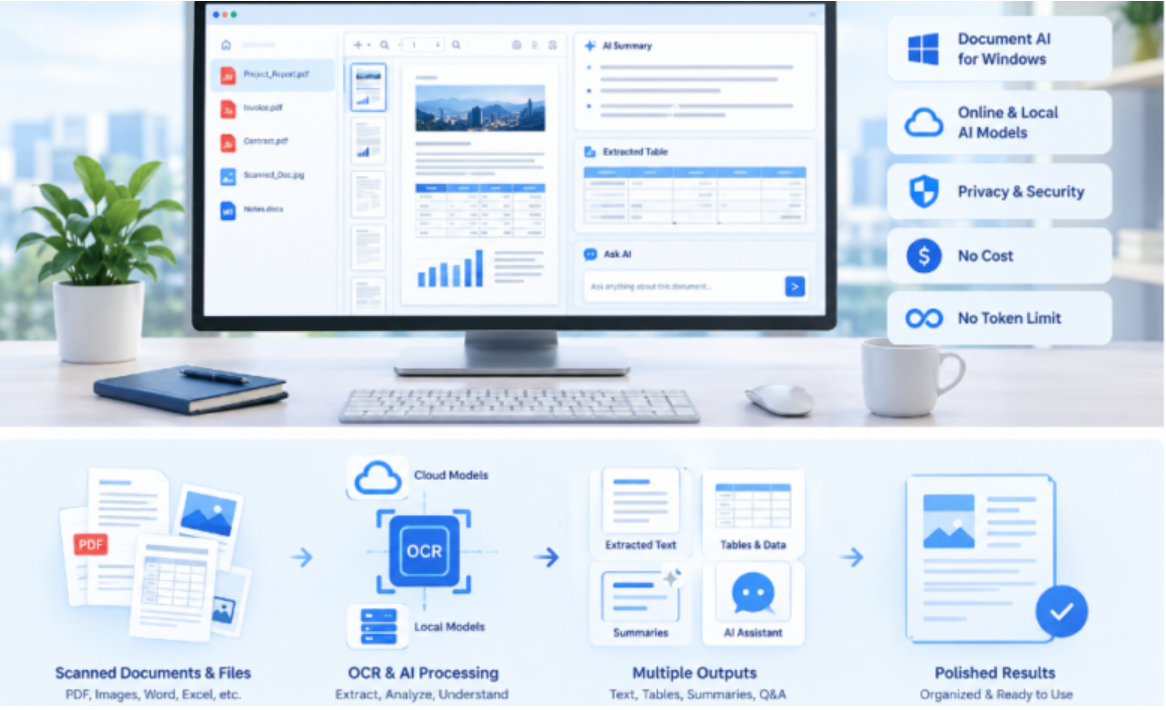
Meeting notes are useful only when people can understand and act on them after the meeting ends. Whether a team is discussing a new project, reviewing business performance, or planning future tasks, important information can easily get lost when notes are unclear or poorly organized.
A good handoff requires more than recording everything people said. Decisions, action owners, deadlines, and unresolved questions should be separated so that everyone understands what happens next. Using Markdown to organize information and converting it into a shareable PDF can make this process more consistent.
1. Separate Decisions From General Discussion
One common problem with meeting notes is mixing important decisions with general conversation. When everything appears in the same paragraph, readers may struggle to identify what the team actually agreed upon.
Start by creating a dedicated section for decisions. Record each confirmed outcome in a short and clear sentence. Include enough context to explain why the decision was made, but avoid unnecessary discussion.
For example, instead of writing a long summary of a marketing discussion, record the final decision about the campaign launch date, approved budget, and selected strategy.
This structure helps team members quickly understand what has been agreed upon without reviewing the entire conversation.
2. Assign Clear Action Owners
A decision does not automatically become a completed task. Every action item should have a responsible person and, whenever possible, a deadline.
Create a separate action-items section containing three important details:
- Task: What needs to be completed?
- Owner: Who is responsible?
- Deadline: When should it be finished?
For example, if the team agrees to update a project website, assign the task to a specific team member and include an expected completion date.
Avoid using vague descriptions such as “the team will handle this.” Clear ownership reduces confusion and makes follow-ups easier.
3. Keep Unresolved Questions Separate
Not every meeting ends with a final answer. Some discussions require additional research, management approval, or feedback from another department.
Instead of mixing these issues with confirmed decisions, create a separate section called Unresolved Questions.
Record each open question, explain what information is missing, and identify who should follow up if necessary.
This prevents unfinished discussions from being mistaken for approved decisions. It also gives the next meeting a clear starting point because everyone can see which issues still need attention.
4. Use iBoomto MD to PDF for Consistent Sharing
Once the meeting notes are organized, the next step is preparing them for distribution. Markdown is useful for creating structured documents because it supports headings, lists, links, and other basic formatting without requiring complicated editing tools.
An iBoomto MD to PDF conversion workflow makes it easier to turn these organized notes into a document that colleagues can read and share.
Before converting, review the Markdown file to ensure that section headings are consistent, action items are easy to identify, and important dates are clearly displayed.
The final PDF should preserve the document’s structure and remain readable across different devices. It is also worth checking page breaks, spacing, and longer lists before sending the file to other team members.
5. Organize Meeting Information for Future Reference
Sharing a PDF completes the distribution step, but long-term knowledge management requires additional organization.
Teams often handle multiple meetings, projects, and departments. Without a consistent naming and storage system, finding an earlier decision or task can become difficult.
Use descriptive filenames that include the meeting topic and date. Store documents in clearly organized project folders and maintain a consistent format for future notes.
For example, a monthly project meeting could use the same structure every time, making it easier to compare decisions and follow progress across different reporting periods.
6. Turn Meeting Notes Into a Useful Knowledge Base
When an organization produces meeting notes regularly, those documents can become valuable internal resources. However, storing PDFs alone does not necessarily make information easy to search, understand, or reuse.
This is where the idea of a iBoomto Create AI knowledge base workflow becomes useful. Instead of treating every meeting document as an isolated file, teams can explore ways to organize information so that important decisions, project updates, and recurring questions are easier to access.
An AI knowledge base can help make accumulated information more useful by supporting knowledge discovery and retrieval, depending on the platform and its available features.
When evaluating a solution such as iBoomto, consider how its AI document-processing capabilities fit into your existing workflow. Think about document compatibility, privacy requirements, and how information will be organized before introducing it into an internal knowledge system.
The goal is to make previously recorded information easier to find and reuse, rather than simply creating more documents that people rarely revisit.
7. Final Checklist Before Sharing
Before distributing meeting notes, take a few minutes to review the document:
- Are confirmed decisions clearly separated from discussions?
- Does every important action have an assigned owner?
- Are deadlines included where necessary?
- Are unresolved questions documented separately?
- Is the Markdown formatting consistent?
- Does the exported PDF display correctly?
- Is the document saved with a recognizable filename?
These simple checks can prevent misunderstandings and make information handoffs more reliable.
Conclusion
Effective meeting notes should help people understand decisions, take responsibility for tasks, and identify questions that still need answers. Separating these elements creates a clearer handoff and reduces the risk of important information being overlooked.
Using Markdown to organize notes and converting them into PDF documents provides a practical way to distribute consistent records. For teams handling large collections of meeting documents, exploring ways to Create AI knowledge base resources can also make previously recorded information more accessible.
A structured note-taking process, combined with reliable document sharing and thoughtful knowledge organization, helps teams turn everyday meetings into useful long-term resources.


Every town, village, and neighbourhood has stories worth remembering. They may involve an old marketplace, a building that has changed over time, a traditional festival, or an event that shaped the local community. These stories are often preserved in photographs, family memories, old documents, and conversations. However, presenting them to a wider audience can be challenging, especially when there is limited time, equipment, or budget.
A free ai video generator can offer a creative way to explore these stories through moving visuals. It allows creators to experiment with scenes based on written descriptions and, depending on the tool, reference images. The aim is not to replace historical records but to make local stories more engaging while respecting the facts behind them.
Find a Story That Deserves to Be Told
A successful history video does not need to cover an entire town or a hundred years of events. A smaller subject can make a stronger starting point. Consider a street known for traditional crafts, a railway station that once connected nearby communities, or a festival that residents have celebrated for generations. Each subject offers an opportunity to explore a particular part of local life.
Before creating visuals, decide what viewers should learn. Are you introducing an unfamiliar place? Explaining how a tradition developed? Showing how a neighbourhood changed? A clear purpose helps keep the video focused and makes research easier. It is also useful to identify the intended audience. A video for school students may need simple explanations, while a community history project may include more detail and personal memories.
Gather the Evidence Before Creating Scenes
Historical storytelling depends on reliable information. Collect available photographs, newspaper reports, public records, books, and interviews with people who have relevant knowledge. Local libraries, museums, historical societies, and family collections may offer useful material. Keep notes about important dates, names, locations, and events. When sources disagree, avoid presenting uncertain information as established fact. It may be better to explain that different accounts exist than to choose one without enough evidence.
Separate verified details from personal recollections. Both can be valuable, but they serve different purposes. A dated newspaper report, for example, provides a different kind of evidence from someone’s memory of attending an event decades ago. This research gives the creative process a dependable foundation. It also helps prevent a visually convincing video from communicating an inaccurate version of the past.
Imagine the Setting Without Inventing the Story
Once the subject is clear, think about what viewers might need to see. A story about an old market could include a street scene, shops, handmade goods, or people going about their daily activities. A video about a traditional celebration might show decorations, gathering spaces, clothing, and the general atmosphere. A free AI video generator can help creators experiment with visual interpretations of these settings. Written prompts should describe the time period, location, surroundings, and mood as clearly as possible.
For example, a prompt about a historic market might describe a busy trading street from a particular period, with traditional shopfronts and local crafts. Specific details should come from research rather than guesswork. There is an important distinction between a historical reconstruction and authentic archival footage. Generated scenes are interpretations, not recordings of events that actually happened. Make this clear to viewers, particularly when the video covers sensitive events or recognizable historical figures.
Give Old Photographs a Meaningful Place
Photographs can make a local history project feel personal and grounded. An image of an old building, a family gathering, or a familiar street can connect viewers with the people and places being discussed. When using photographs as references, check where they came from and whether you have permission to include them. This is especially important with private family pictures and images that show identifiable individuals.
Rather than relying on generated visuals for every part of the video, consider combining genuine photographs with clearly identified visual reconstructions. For example, an authentic photograph could introduce an old railway station, followed by an AI-created scene that helps viewers imagine its surroundings during an earlier period. Use captions to identify photographs when information is available, such as the approximate date, location, and source. This gives viewers useful context and helps distinguish historical material from newly created imagery.
Shape the Story Around a Simple Timeline
Dates become easier to understand when viewers can connect them to a sequence of events. A straightforward timeline can provide structure without turning the video into a long history lesson. Start with the earliest important detail, introduce the changes that followed, and finish with the subject’s present-day significance. A video about a historic public building, for instance, might explain when it was established, how its purpose changed, and what role it has today. Dreamina makes it easier to create engaging timeline-based videos with clear visuals and smooth transitions, helping viewers understand historical events and follow the story effortlessly.
Keep each section focused on one development. Short narration and relevant visuals can help viewers follow the sequence. On-screen dates can also be useful, provided they remain readable and accurate. Do not force every detail into the final video. Some information may be better left for a written description or a list of sources.
Review the Finished Video With Local Viewers
People familiar with the subject can notice details that an outside creator may overlook. They may recognize an incorrect street layout, an unsuitable traditional design, or a detail that does not match local customs.
Ask knowledgeable residents, family members, teachers, or local historians to review the content before publishing. Their feedback can help identify mistakes and suggest missing context. Also check the generated scenes for unusual objects, inconsistent architecture, or details that could create a false impression. A polished appearance does not guarantee historical accuracy.
Conclusion
Local history becomes more accessible when it is presented in a form that encourages people to explore and remember it. A focused subject, dependable research, meaningful photographs, and a clear timeline can turn a collection of historical details into an engaging visual story. A free AI video generator can support this process by helping creators explore scenes without arranging a full filming production. Its best use is as a creative aid, supported by accurate sources and careful review. When historical facts remain at the centre of the project, AI-generated visuals can help bring community stories to a wider audience.

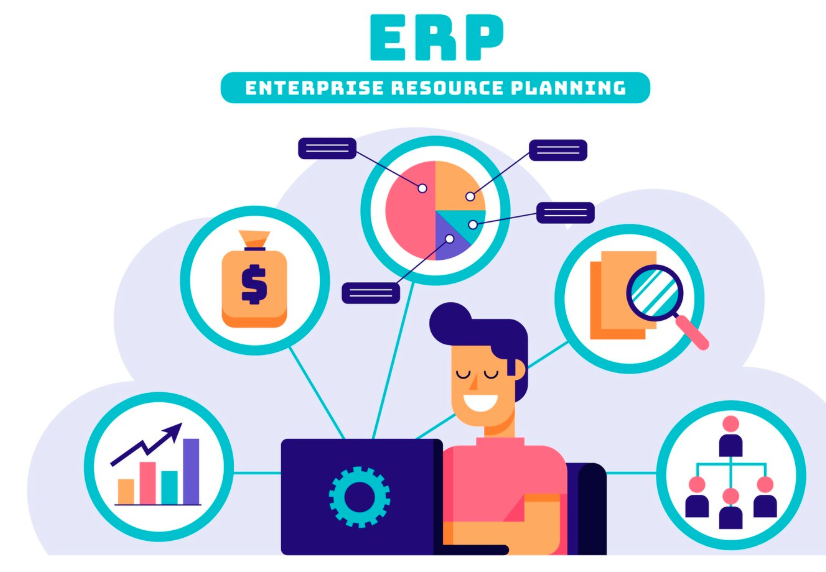
SAP Signavio helps organisations identify opportunities to improve their existing business processes ahead of an ERP transformation. By analysing operational data from existing systems, it provides a clear view of how processes work today and where changes could support future business requirements.
A well planned SAP Signavio implementation helps organisations understand their current processes and establish where improvements will make the greatest difference. This gives businesses a clearer starting point when planning their new ERP environment.
Before investing in new SAP technology, it is important to understand how existing processes perform and where there are opportunities to improve efficiency.
- Where do approvals stall?
- Which manual activities could be automated?
- Where do teams work around the system instead of with it?
SAP Signavio answers these questions, providing the visibility needed to make process improvements part of ERP transformation planning from the outset.
How Does SAP Signavio Identify Process Gaps?
SAP Signavio uses five key techniques to assess business processes and identify areas for improvement:
- Process mining
- Pre-built benchmarking
- Conformance checking
- Best practice comparison
- Process simulation
Together, they expose weak points long before a transformation project locks in its design decisions. These techniques can help organisations understand current performance, explore opportunities for change and make decisions about future processes ahead of ERP transformation.
What Does Process Mining Reveal About Current Workflows?
Process mining shows how business processes actually operate rather than how they are expected to work. SAP Signavio Process Intelligence analyses event data from SAP and non-SAP systems to map the sequence of activities involved in business transactions.
This matters because processes do not always follow their intended design. Over time, teams may introduce additional steps or workarounds that create delays and inefficiencies. Process mining helps organisations identify:
- Hidden bottlenecks: Activities that cause delays in approvals, transactions and handovers
- Process deviations: Steps that differ from the standard process and may affect consistency
- Repeated work: Tasks that need to be completed multiple times due to errors or issues earlier in the process
A successful SAP Signavio implementation starts with understanding these issues, allowing organisations to identify where changes are needed before introducing new technology.
How Does Pre-Built Performance Visibility Speed Things Up?
Pre-built performance visibility helps organisations identify process challenges without having to develop complex analysis from the beginning. SAP Signavio Process Insights provides predefined performance indicators and analysis across more than 130 process flows, helping organisations identify areas where current processes may be affecting operational performance.
This can highlight common challenges such as delivery delays, approval backlogs and manual activities that could be automated. Rather than reviewing each process individually, organisations can use these insights to identify which issues require the most attention.
For businesses without dedicated process analytics resources, SAP Signavio support can help interpret the findings and establish clear priorities for improvement.
What Is Conformance Checking and Why Does It Matter?
Conformance checking compares how business processes are designed to operate against how they actually perform. By analysing these differences, organisations can identify where activities deviate from established processes and understand the impact on daily operations.
This is not about identifying individual mistakes. It is about understanding why certain processes no longer follow their intended design and whether those differences are creating additional costs, delays or risks. For example, teams may have introduced manual approval steps to work around limitations in an existing system. Without identifying these changes, an organisation could carry the same inefficiencies into its new ERP environment.
Effective SAP Signavio support helps organisations assess these findings and focus on the process deviations that have the greatest impact on business performance.
How Does Best Practice Comparison Uncover Hidden Costs?
Best practice comparison benchmarks your existing workflows against SAP’s recommended standards.
It’s a fast way to expose the customisations that have crept in over time, often for reasons nobody remembers. While some remain necessary, others may no longer provide value. Comparing current processes with established best practices can help identify:
- Unnecessary customisations: Changes that increase maintenance costs without delivering clear business value
- Duplicate activities: Steps that repeat checks or tasks already completed elsewhere in the process
- Complex approval processes: Additional approval stages that create delays without improving control or compliance
Identifying these issues before an ERP transformation allows organisations to review which processes should be retained, changed or removed. This helps keep SAP Signavio implementation lean and your future system easier to maintain.
Can Process Simulation Prevent Costly Mistakes?
Process simulation allows organisations to assess proposed process changes before implementing them. SAP Signavio Process Simulation helps model different process scenarios and evaluate their potential impact on areas such as cost, processing time and resource requirements. This gives organisations an opportunity to understand how changes may affect operations before committing to a particular design. For example, a business considering changes to its approval process can use simulation to assess whether removing certain steps could reduce processing times without affecting essential controls.
Identifying potential issues at this stage can help avoid costly changes during ERP implementation. With the right SAP Signavio support, organisations can use simulation findings to compare options, understand potential risks and select process designs that align with business objectives.
What Does This Mean Before You Transform?
Identifying process gaps before ERP transformation is an important step in ensuring a new system supports how the business needs to operate. Without this understanding, organisations risk transferring existing inefficiencies into their new ERP environment rather than addressing the underlying issues.
Each SAP Signavio capability contributes to this process. Process mining shows how activities currently operate. Pre-built performance insights highlight where challenges exist. Conformance checking and best practice comparison help identify why processes are not performing as expected. Process simulation allows organisations to assess the potential impact of proposed changes before implementation. Using these capabilities together provides a clearer picture of current processes and where improvements are required. This allows organisations to approach ERP transformation with a stronger understanding of their existing operations, reducing uncertainty and helping ensure technology decisions support business objectives.
If your organisation is weighing up an SAP Signavio implementation or needs guidance interpreting what the data is telling you, structured SAP Signavio support at this early stage tends to pay for itself many times over.

What Separates High-Performing Construction Estimators From Average Bidding Teams?

How Medicaid Can Help Your Child Access Life-Changing ABA Therapy

Why Your Roof Deserves More Attention Than You’re Giving It

Meet Lisa Ann Mudd, Sydney Sweeney’s Mother and Former Attorney

Jason Lawson: The Story of Hayley Mills’ Son

Nina Weiss: All You Need to Know About Manuel Neuer’s Ex-Wife
-
 News3 months ago
Meet Lisa Ann Mudd, Sydney Sweeney’s Mother and Former Attorney
-
 Celebrity4 months ago
Jason Lawson: The Story of Hayley Mills’ Son
-
 Celebrity4 months ago
Nina Weiss: All You Need to Know About Manuel Neuer’s Ex-Wife
-

 Celebrity4 months ago
Sandra Davenport: The Untold Story of Jim Belushi’s First Marriage
-

 News3 months ago
Who Is Rebecca Dyer? Meet David Foster’s Ex-Wife
-

 Biographies3 months ago
Who is Thomas Earle? All About Alix Earle’s Father
-

 Celebrity4 months ago
Jack Scarborough: Everything About Joe Scarborough’s Son
-

 Celebrity4 months ago
Debra Rodman: Inside the Life of Dennis Rodman’s Powerful Sister