
Blogs & Guides
Streameast Soccer: Live Football Streaming Guide (2026)


Streameast Soccer was a popular way for football fans to find live matches for free. It featured games from the Premier League, Champions League, La Liga, and other major competitions. Fans could find different matches in one place without paying for a regular sports subscription.
However, a major Streameast network was shut down in 2025 after legal action over unauthorized sports broadcasts. Similar websites still use the name in 2026, but their owners and services may differ.
Quick Facts
| Detail | Information |
|---|---|
| Name | Streameast |
| Popular search term | Streameast Soccer |
| Platform type | Unofficial sports streaming network |
| Main purpose | Access to live sports broadcasts |
| Subscription | No standard paid plan required |
| Main sport covered | Soccer and other major sports |
| Soccer competitions | Premier League, Champions League, La Liga, Serie A, Bundesliga, and Ligue 1 |
| Other sports | NFL, NBA, MLB, NHL, boxing, MMA, and motorsports |
| Access method | Web browsers |
| Main features | Match listings, video players, and free access |
| Account required | Generally no |
| Broadcasting rights | Unauthorized sports feeds |
| Reported annual visits | Over 1.6 billion before the 2025 shutdown |
| Shutdown operation | August 2025 |
| Official shutdown announcement | September 3, 2025 |
| Organization involved | Alliance for Creativity and Entertainment (ACE) |
| Country of legal action | Egypt |
| Court case update | July 21, 2026 |
| Operators sentenced | Two |
| Prison sentence | Two years for each operator |
| Current status in 2026 | The network targeted in 2025 was shut down; similarly named sites may still exist |
| Main safety concerns | Unwanted ads, unsafe downloads, redirects, and unverified sites |
| Legal alternatives | Peacock, Paramount+, ESPN+, Apple TV, and licensed local broadcasters |
| Free legal options | FIFA+, selected Fandango matches, and official free sports channels |
What Is Streameast Soccer?
Streameast was an unofficial website that gave people access to live sports without a paid plan. It covered soccer, basketball, American football, boxing, and other events. Soccer drew many users because the site listed games from major leagues and tournaments.
The service did not own the rights to the matches it showed. Instead, it gave users access to sports feeds without approval from the rights owners. This made the streams free to watch, but it also led to copyright complaints and legal action.
Football fans used the site to find games from several leagues in one place. For example, a fan could look for Premier League and Champions League matches without checking different streaming services. The website grouped games by sport to make them easier to find.
In September 2025, the Alliance for Creativity and Entertainment (ACE) announced that a major Streameast network had been shut down. ACE said the network received over 1.6 billion visits in its final year. Other websites used the same name, and not all were part of the network closed in Egypt.
How Did Streameast Soccer Work?
Streameast worked as a sports streaming hub. It did not make its own soccer broadcasts. Instead, it listed matches and provided video players linked to streams from other sources. Users could choose a game from the match list and open its streaming page.
Match Listings and Video Players
The website grouped matches by sport. Soccer fans could browse football games without searching through other sports. Some pages showed team names, match times, and upcoming fixtures.
When someone selected a match, a video player opened on the page. The player used an outside streaming source to show the game. Some versions offered several links for the same match.
Streaming Problems
The streams did not always work. Videos could freeze, take time to load, or stop during a game. Some links were removed or blocked while matches were still being played.
Users often did not need an account to browse the site. They could open match pages without a paid membership or cable TV plan. However, the website used streams that lacked official rights, so access was never guaranteed.
Key Features
Streameast attracted visitors by putting several sports in one place. Its layout was easy to follow, and users could find matches without many steps. The features were not the same on every website using the name.
Free access was one of its main draws. Fans could look for live matches without paying a regular monthly fee. The site also listed major soccer leagues, which helped people follow teams from different countries.
Main Streaming Features
- Free access: No standard monthly payment was required.
- Live match listings: Pages showed live and upcoming sports events.
- Soccer coverage: Matches from major European and international leagues.
- Simple layout: Sports and games were grouped into clear sections.
- Backup links: Some matches had more than one streaming source.
- Video controls: Basic sound and full-screen viewing options.
- Live chat: Some pages had chat areas for football fans.
- Browser access: Users could open pages on computers and mobile devices.
Video Quality and Performance
These features were useful, but the streams had problems. Some videos played at low quality or had sound delays. Others took too long to load or stopped before a match ended.
The features above describe older versions of Streameast. Websites using the name in 2026 may have different designs, tools, and owners. Their services should not be treated as part of the former network without proof.
Soccer Leagues and Matches Available
Streameast became well known for its wide soccer coverage. It listed games from major European leagues, club tournaments, and national team events. The matches available depended on the streams it could access.
Major European Soccer Leagues
The English Premier League was one of the main competitions linked to the site. Fans could find listings for matches involving Manchester United, Liverpool, Arsenal, Chelsea, and other clubs.
Spanish La Liga was also popular, mainly because of clubs such as Real Madrid and Barcelona. The site also provided unauthorized access to games from Italy’s Serie A, Germany’s Bundesliga, France’s Ligue 1, and Portugal’s Primeira Liga.
International Soccer Competitions
The network also listed major club and national team events. Its reported coverage included:
- UEFA Champions League: Matches between leading European clubs.
- UEFA Europa League: Games featuring clubs from across Europe.
- UEFA Conference League: Another major European club tournament.
- Major League Soccer (MLS): Club games from the US and Canada.
- FIFA World Cup qualifiers: Matches to decide which teams reach the World Cup.
- UEFA Nations League: Games between European national teams.
- UEFA Euro qualifiers: Matches to qualify for the European Championship.
- Copa América: National team games from the Americas.
- Domestic cup matches: Selected national cup games.
The wide range of matches helped the site attract fans from many countries. However, not every game was available. Some streams were missing, blocked, or removed during play. Video quality also changed from one source to another.
Why Was It So Popular?
One main reason for Streameast’s popularity was free access. Official soccer broadcasts often require paid TV channels or streaming plans. Fans who watch several leagues may need more than one service. Streameast offered a free way to find matches, though the streams were not licensed.
Free Access and Easy Browsing
The website put different soccer leagues in one place. A fan could look for an English Premier League game and later find a Spanish La Liga match on the same site. This saved users from checking several streaming apps.
Many visitors also liked that they did not need an account. Paid services often ask for a login, payment details, and a subscription. Streameast generally let people browse matches without these steps.
Growing Demand
Soccer broadcasting rights are split between different companies. One service may show Premier League games, while another covers the Champions League. The available services also change by country.
This made it hard for some fans to find all their matches in one place. Streameast offered a simple match list covering many leagues. However, the free streams came with legal problems, unreliable links, and security risks.
Streameast on Different Devices
Streameast was mainly a browser-based website. Visitors could open its pages on several types of devices without installing a special app. However, the video experience depended on the browser, device, and streaming source.
Desktop and Laptop Computers
Users could open the site through a web browser on a desktop or laptop. The larger screen made it easier to view match lists, video players, and other page details.
Some pages also showed chat boxes and backup links beside the video. Still, streams could freeze, lose sound, or stop working during matches.
Android and iPhone
Mobile browsers were another way to view Streameast pages. Some versions had layouts that worked on smaller screens. This made it possible to browse soccer fixtures from an Android phone or iPhone.
However, mobile users could face unwanted ads, redirects, and new browser tabs. Some video players also failed to load or did not work well on certain phones.
Smart TVs and Streaming Devices
Some users opened similar websites through browsers on smart TVs and streaming sticks. However, not every player supported these devices. Videos could fail to load or stop during a match.
Unofficial Android app files, known as APKs, also appeared on third-party websites. These files can carry harmful software, so installing apps from unknown sources creates security risks.
Streameast Mobile Apps in 2026
Some apps still use the Streameast name in 2026. These may offer live scores, match schedules, league tables, and team statistics instead of live video.
An app using this name is not proof that it belongs to the former streaming network. Before installing one, users should check its developer, features, reviews, and payment terms. They should also confirm whether it shows live video or only match updates.
What Happened to Streameast Soccer?
Streameast faced legal action because it shared sports broadcasts without permission. These included live soccer games and other major sports events. The service became one of the largest known sites for free sports streams.
In August 2025, Egyptian police took action against a major Streameast network. The case followed an inquiry led by the Alliance for Creativity and Entertainment (ACE). The group works with media companies to stop the illegal sharing of films, shows, and live sports.
On September 3, 2025, ACE announced that the network had been shut down. It said the websites had received over 1.6 billion visits in the year before the closure. The network also used many different website addresses to reach viewers.
The 2026 Court Case
The legal case continued after the shutdown. On July 21, 2026, ACE announced that a court in Cairo had found two Streameast operators guilty of breaking copyright laws.
Both received two-year prison sentences. Each also faced a fine of about $110,000. The court ordered the seizure of assets used in the operation and the closure of linked websites.
The ruling was a major step in the case. However, other websites had also used the Streameast name. The closure of one network did not prove that every site with the same name had been shut down.
Is Streameast Soccer Still Working in 2026?
The large network closed by Egyptian police in 2025 is no longer running as it once did. However, websites using the Streameast name may still appear in search results. These sites should not be seen as part of the former network without clear proof.
Some websites copy the name, logo, or layout of older streaming pages. Others focus on match times, sports news, and live scores. They may look alike, but their owners and services can be different.
Why Are Similar Websites Still Online?
A well-known website name can remain popular even after the service behind it closes. Other site owners may use similar names to attract visitors searching for live sports.
For example, a fan may search for a Premier League match and find a page with Streameast in its name. That does not mean the page belongs to the people who ran the former service.
Are These Websites Reliable?
The quality of websites using this name can vary. Some may show match schedules but no live video. Others may list streams that fail to load or stop during games.
There is no clear reason to trust an unfamiliar website just because it has a well-known name. Users should check who runs the site, what it offers, and whether it has the right to show matches.
Is Streameast Soccer Legal?
Streameast shared live sports feeds without the approval of the companies that owned the broadcast rights. This was the main reason behind the legal action against the network.
Soccer leagues sell the rights to show their matches. TV channels and streaming companies pay for these rights. They can then show games in the countries covered by their deals.
For example, one company may hold the rights to Premier League matches in the United States, while another shows the same games in a different country. A website cannot legally offer those broadcasts simply because it can find a live video feed.
What Does Copyright Mean?
Copyright is a law that protects work owned by a person or company. In sports, the rights to show a live match are often held by broadcasters and media firms.
A website that shares these broadcasts without permission may break copyright laws. Streameast faced action because it gave viewers access to sports feeds without the needed rights.
Can Viewers Face Legal Problems?
Laws on watching unauthorized streams differ by country. The rules for people who run illegal streaming websites can also differ from those for viewers.
Watching a free video does not always mean the source is legal. A VPN can hide some details about a user’s connection, but it does not give a website permission to show a match.
The safer choice is to use a broadcaster that has official rights to the game.
Is Streameast Soccer Safe?
Safety is another concern with unofficial sports streaming websites. Some pages may contain harmful ads, fake buttons, or links that take users to unknown sites.
A page may show a large play button that looks like part of the video player. Clicking it could open a new website instead of starting the match. Other pages may ask visitors to install an app or allow browser alerts.
Not every unfamiliar website contains harmful software. Still, users should be careful when a site has no clear owner, support details, or privacy rules.
Safety Risks
Some problems linked to unofficial streaming websites include:
- Pop-up ads: New windows that appear without warning.
- Fake play buttons: Buttons that lead to ads or other websites.
- Unsafe downloads: Files that may contain harmful software.
- Tracking: Tools that collect data about website visitors.
- Fake login pages: Pages made to steal account details.
- Broken links: Video pages that do not load the promised match.
- Unknown APK files: Android app files from sources that cannot be trusted.
These risks can affect phones, laptops, tablets, and streaming devices.
How to Stay Safe Online?
Users should avoid entering passwords, bank details, or personal data on unknown sports websites. It is also wise to avoid files that claim to be special video players.
Keep your browser and device software up to date. Do not allow alerts from websites you do not trust. If a page opens unwanted tabs or asks for strange permissions, close it.
For live soccer, official streaming services are a better choice. They make it easier to check who runs the service, what matches it offers, and how to get help when something goes wrong.
Pros and Cons
Streameast became popular because it made live sports easy to find. Fans could look for matches from several leagues without using different paid apps. However, the free access came with clear limits.
The biggest issues were the lack of broadcast rights and the risk of losing access during a match. Users also had no clear support service when video links failed.
Main Benefits
The older platform offered several features that fans liked:
- Free access without a standard monthly plan.
- Match listings from many soccer leagues.
- Easy browsing through sports categories.
- No required account for many pages.
- More than one stream link for some games.
- Browser access on phones and computers.
- Live chat on some versions of the website.
These points help explain why the platform drew so many visitors. Fans liked having a wide choice of games in one place.
Main Drawbacks
The platform also had several problems:
- Sports feeds were shared without official rights.
- Streams could freeze or stop during games.
- Video and sound quality were not always good.
- Some pages showed unwanted ads and redirects.
- Backup links did not always work.
- There was no reliable customer support.
- Similar websites could be hard to identify.
- Unofficial downloads could put devices at risk.
For a football fan, missing the final minutes of a close match can be frustrating. A free stream may seem useful at first, but it offers little value if it stops when the game matters most.
FAQs
What is Streameast Soccer?
Streameast was an unofficial sports streaming platform that offered free access to live soccer matches from major leagues and tournaments.
Is Streameast Soccer still working in 2026?
The major Streameast network targeted in 2025 was shut down, but other websites still use similar names.
Is Streameast Soccer legal and safe?
The network shared sports broadcasts without permission, and unofficial streaming sites may expose visitors to harmful ads, fake links, and unsafe downloads.
Can I watch Premier League matches on Streameast?
Streameast previously offered unauthorized Premier League streams, but fans should use licensed broadcasters for reliable match coverage.
What are the best free Streameast Soccer alternatives?
FIFA+, selected free Bundesliga streams on Fandango, and official league channels offer free soccer content, though match availability varies.
MORE INTERESTING: Levidia: What It Is, How It Works, and What to Know

SEO Instant Appear HighSoftware99.com is a paid search marketing service linked to Google Autocomplete. The company claims it can help a brand appear in Google’s search suggestions within 3–12 hours. This service is aimed at businesses that want people to see their names while searching online.
Google Autocomplete is not the same as a top Google ranking. This article explains how the service works, its features, prices, benefits, risks, safety, and other options available in 2026.
What Is SEO Instant Appear HighSoftware99.com?
SEO Instant Appear HighSoftware99.com is a service that aims to show a brand or website name in Google Autocomplete. Autocomplete shows suggested searches when someone starts typing in Google. The company also calls this service Google Auto Complete or ATC.
For example, a business may want its name to appear when someone types “best SEO services.” The service aims to link that search phrase with the business name. People may then notice the brand before they finish their search.
HighSoftware99.com also advertises SEO, search marketing, content creation, brand strategy, social media management, and web design. These are separate from its Autocomplete service. Customers do not appear to need an app or special software to use it.
How Does SEO Instant Appear HighSoftware99.com Work?
The service starts with a keyword and a brand name or website address. Customers may also choose the country where they want their brand to appear. This matters because Google search suggestions can change by location and language.
The seller describes a process that includes these steps:
- Choose a keyword linked to your business.
- Give your brand name or website address.
- Select the country you want to target.
- Ask the provider to check the keyword.
- Agree on the price and campaign length.
- Start the campaign.
- Check Google Autocomplete for the target phrase.
HighSoftware99.com has not shared a full public guide to its technical method. Some outside articles mention bots and automated searches, but there is no reliable proof that this company uses them. Customers should ask how the service works before paying.
Key Features
The main feature is Google Autocomplete optimization. It aims to show a chosen brand or website name with a target search phrase. The goal is to appear in Google’s search suggestions, not to move a webpage higher in normal search results.
The service also offers keyword and country targeting. A business can select a market and check whether its brand appears there. HighSoftware99.com has shown examples for searches in the United States and India.
The company also advertises other marketing services:
- SEO and SEM: Help with search visibility and online marketing.
- Content creation: Content for websites and marketing.
- Brand strategy: Help with a company’s name and public image.
- Social media management: Support for business social accounts.
- Web design: Website design services.
Some outside articles also connect the company with schema markup, AI search, and fast indexing. However, these have not been confirmed as parts of its main Autocomplete service.
How Fast Does SEO Instant Appear HighSoftware99.com Work?
HighSoftware99.com claims its service can show a brand in Google Autocomplete within 3–12 hours. This is an advertised timeframe, not a result that every customer is sure to get.
The time may depend on the keyword, country, and search activity. Google suggestions can change based on location, language, trends, and past searches. A phrase seen by one user may not appear for another.
The 3–12-hour claim does not promise:
- First-page Google rankings.
- Fast indexing for every webpage.
- More website visitors.
- Higher sales or leads.
- Permanent Autocomplete results.
A public marketplace review reported that a target suggestion appeared within several hours. However, one test does not prove that every campaign will work at the same speed.
SEO Instant Appear HighSoftware99.com vs Google Rankings
Google Autocomplete and normal search rankings work in different ways. Autocomplete suggests searches while someone types. Organic rankings show where webpages appear after a search is made.
Google must first find and process a webpage before it can appear in organic results. This process includes discovery, crawling, indexing, and ranking.
| Search stage | What it means |
|---|---|
| Discovery | Google learns that a page exists. |
| Crawling | Googlebot visits the page. |
| Indexing | Google processes the page for its search index. |
| Organic ranking | Google chooses where a page may appear. |
| Autocomplete | Google suggests searches as someone types. |
A page can be indexed but still rank low. A brand may also appear in Autocomplete while its website is far down in normal search results.
This is why fast Autocomplete visibility does not mean instant first-page rankings. Google controls its search results, and no outside company can guarantee a top organic position.
Pricing and Plans
HighSoftware99.com does not appear to offer one fixed price for all Autocomplete campaigns. Seller information describes different rates based on keyword competition and target country.
The following prices were reported in the supplied research. They are not confirmed current rates for every customer.
| Keyword competition | Reported starting price |
|---|---|
| Low | Around $500 per day |
| Medium | Around $2,000 per day |
| Extreme | Around $5,000 per day |
| Some highly competitive markets | $7,000+ per day |
The total cost may depend on the keyword, country, and campaign length. The seller has also described a one-day paid test. Customers should check whether this option is still offered.
Seller information also mentions a refund if the agreed keyword and brand do not appear within one day, subject to the stated terms. USDT TRC20 has been listed as a payment method. Crypto payments can be hard to reverse, so buyers should confirm the price and refund rules before paying.
Are SEO Instant Appear HighSoftware99.com Results Permanent?
Google Autocomplete suggestions are not permanent. They can change as search trends, locations, and user activity change. A phrase that appears today may disappear later.
According to seller descriptions, the result usually stays visible during the paid campaign. Some phrases may remain for a short time after a longer campaign ends. However, this is not guaranteed.
A business may need to keep paying to maintain its target suggestion. Before starting, customers should ask how long the result is expected to last, what happens when the campaign ends, and whether more payments will be needed.
Is SEO Instant Appear HighSoftware99.com Safe and Legit?
HighSoftware99.com has a public website that advertises Google Autocomplete services. Its offer has also appeared in SEO marketplace discussions. One marketplace review reported that a target suggestion appeared during a test.
However, there is limited verified information about the business. The available research does not clearly confirm its founder, CEO, legal company name, or full registration details. The exact method used to produce Autocomplete results is also unclear.
Before paying, customers should:
- Check the company’s contact and business details.
- Ask for written prices and service terms.
- Read the payment and refund rules.
- Request proof of past results.
- Ask whether bots or automated searches are used.
- Avoid sharing passwords without a clear need.
- Check how customer data is stored and used.
Google has rules against unauthorized automated searches and machine-made search traffic. However, there is no reliable proof that HighSoftware99.com uses these methods. It would be wrong to claim that the company breaks Google’s rules without evidence.
Benefits
The main possible benefit is fast brand visibility in Google Autocomplete. A business name may appear while someone types a related search phrase. This gives users a chance to notice the brand before they search.
Keyword and country targeting may help businesses focus on the markets they want to reach. For example, a company selling services in the United States may target search phrases used by people in that country.
Possible benefits include:
- Fast Autocomplete visibility, based on the company’s claim.
- Brand exposure for chosen keywords.
- Targeting of selected countries.
- More chances for people to notice a business name.
- Possible use for short marketing campaigns.
- A reported one-day paid test.
These benefits are not guaranteed. Seeing a brand in Autocomplete does not mean someone will visit its website, contact the company, or buy something.
Drawbacks
One major drawback is the reported price. Campaigns may cost hundreds or thousands of dollars each day. This can be too expensive for small businesses, especially if they need to keep paying.
Another concern is the lack of clear information about the technical method. The company has not fully explained how it produces Autocomplete results. There is also limited public proof of long-term results.
Other drawbacks include:
- No guaranteed first-page rankings.
- No promise of more organic traffic.
- Results may disappear after a campaign ends.
- Continued visibility may need more spending.
- Suggestions can change by country and user.
- First position is not always guaranteed.
- Limited public company information.
- No guaranteed sales or leads.
Autocomplete visibility and long-term SEO growth are different goals. Customers should judge the service by the results it promises, not by benefits it has not confirmed.
How to Check SEO Instant Appear HighSoftware99.com Results?
Before starting a campaign, write down the target keyword, brand name, country, and date. Search for the phrase on Google to see whether the brand already appears. This gives you a starting point.
After the campaign starts, check the same phrase again. Use more than one browser or device. Make sure the search country and language match the campaign settings. Record when the suggestion appears and how long it stays visible.
Track these details:
- Date the suggestion first appears.
- Its place in the suggestion list.
- Country where it appears.
- How long it stays visible.
- Changes in branded searches.
- Website visits and search clicks.
- Leads, enquiries, and sales.
Google Search Console can show search impressions and clicks. Website analytics can help track visits and sales. These results should be checked on their own because an Autocomplete screenshot does not prove that the campaign brought more customers.
Best Alternatives
The best alternative depends on your goal. Some businesses want faster indexing, while others want more traffic, better rankings, or paid search exposure.
Several tools and SEO methods can help with these needs.
| Alternative | Main use | Best for |
|---|---|---|
| Google Search Console | Indexing checks and search data | Website owners |
| Google Ads | Paid search ads | Fast paid exposure |
| Google Trends | Search interest research | Keyword trends |
| Semrush | Keyword research and site audits | SEO planning |
| Ahrefs | Backlink and competitor research | Organic SEO research |
| Traditional SEO | Content and website improvements | Long-term traffic |
| DIY SEO | Basic website fixes | Small budgets |
Google Search Console is free. It helps website owners check indexing, submit sitemaps, and view search data. It does not guarantee instant indexing or Autocomplete placement.
Google Ads offers paid ads in eligible search results. Semrush and Ahrefs provide tools for keyword research, site checks, and competitor research. Traditional SEO focuses on useful content, technical fixes, internal links, and trusted links from other websites.
Is SEO Instant Appear HighSoftware99.com Worth Using?
SEO Instant Appear HighSoftware99.com may be worth looking at for businesses that want their brand to appear in Google Autocomplete. The company advertises results within hours, but the reported daily prices can be high. There is also limited public proof of long-term results.
Before buying, customers should confirm the keyword, target country, campaign length, price, refund terms, and expected result. They should also ask how the service works and request proof from past campaigns. A short test may show whether the agreed suggestion appears, but it cannot prove lasting value.
For businesses that want better organic rankings and steady search traffic, traditional SEO is a better main option. HighSoftware99.com’s Autocomplete service has a different goal.
Frequently Asked Questions
What is SEO Instant Appear HighSoftware99.com?
It is a paid service that aims to show a brand or website name in Google Autocomplete suggestions for selected keywords.
How fast does HighSoftware99.com claim to work?
The company claims Autocomplete results can appear within 3–12 hours, but this does not guarantee higher organic Google rankings.
How much does SEO Instant Appear HighSoftware99.com cost?
Seller-reported prices start around $500 per day and may exceed $7,000 per day for highly competitive keywords.
Is SEO Instant Appear HighSoftware99.com safe and legit?
It advertises a real Autocomplete service, but its methods and business details need further checks before payment.
Are HighSoftware99.com Autocomplete results permanent?
No permanent placement is guaranteed, and suggestions may disappear when a campaign ends or Google changes its predictions.
MORE INTERESTING: What Is a Binder in Cooking?

FintechZoom.com is a financial news website that covers stocks, crypto, banking, business, and technology. It shares market news, finance guides, and updates from around the world. Readers can learn about major stock indices such as the Nasdaq, Dow Jones, and S&P 500. The site also covers Bitcoin, gold, oil, and digital payments.
Many people visit financial websites to check market trends and learn about money. But how useful is this platform? This guide explains its history, features, pricing, market coverage, safety, and benefits. It also shows how the website works and how it compares with other finance platforms in 2026.
What Is FintechZoom.com?
FintechZoom.com is a website that shares financial news, market reports, and learning guides. It covers stocks, crypto, banking, loans, investing, and financial technology. Readers can find news about global markets and learn how different financial services work.
The website covers two main areas of finance. The first is traditional finance, which includes banks, stocks, bonds, and currencies. The second is fintech, which means using technology to manage money. This includes digital banking, mobile payments, online transfers, and blockchain.
The platform is not a stockbroker, bank, or crypto exchange. It does not let users buy stocks or hold money in trading accounts. Instead, it provides news and information. Beginners can use its guides to learn basic terms, while investors can follow market updates and financial events.
History and Background
FintechZoom states that it started publishing financial content in 2016. Its early focus was on finance and technology. The website now covers stocks, digital currencies, banking, business, and world markets. It also publishes guides about personal finance and investing.
The company lists New York as its main office. Its published information also mentions offices in London, Sydney, and Tokyo. However, detailed public records about its staff, revenue, and ownership are limited. Claims about its exact workforce or funding should not be treated as confirmed facts.
The website remains active in 2026. It publishes financial articles and offers paid services under the FintechZoom PRO name. It also provides advertising and sponsored-content options. These services operate alongside its public news and learning content.
How Does FintechZoom.com Work?
FintechZoom.com works as a financial news and research website. It places articles and market information into different sections. Visitors can choose topics such as Markets, Crypto, Money, Business, Economy, and Lifestyle. Each section focuses on a group of related subjects.
The website provides several types of content:
- Financial News: Reports about markets, companies, and economic events.
- Market Updates: Information about stocks, crypto, bonds, and commodities.
- Learning Guides: Simple lessons about finance and investing.
- Market Analysis: Articles that explain price changes and financial trends.
- Technology News: Updates about digital banking, payments, and blockchain.
Readers can browse these sections without using trading software. For example, someone interested in Bitcoin can read crypto news and guides about digital wallets. Someone following the stock market can explore major indices and company reports. The site helps explain financial topics but does not carry out trades.
Main Features of FintechZoom.com
FintechZoom.com provides news and information about many financial subjects. Its main feature is broad market coverage. Readers can follow stock indices, cryptocurrency, banking news, and economic events in one place. It also publishes articles that explain how these markets work.
Some of its main features include:
- Stock Market News: Coverage of Nasdaq, Dow Jones, S&P 500, and other indices.
- Crypto Updates: News about Bitcoin, Ethereum, and digital assets.
- Market Analysis: Reports on price changes and financial events.
- Learning Guides: Articles about investing, banking, and money.
- Commodity News: Updates about gold, silver, oil, and natural gas.
- Fintech Coverage: News about AI, online payments, and digital banking.
- Business Reports: Information about companies and the economy.
The website also covers luxury goods and property. Some articles discuss expensive watches, cars, travel, and real estate. Its content is not limited to one type of investment. Readers can use the site’s menu to find the subjects that interest them.
What Markets Does FintechZoom.com Cover?
FintechZoom.com covers financial markets in the United States, Europe, Asia, and other regions. Its stock market content includes the Nasdaq, Dow Jones, S&P 500, FTSE 100, and Nikkei 225. These indices track groups of stocks and help show how parts of the market are performing.
The website also covers other markets:
- Forex: Currency prices and exchange rate changes.
- Bonds: Government debt, bond yields, and interest rates.
- Commodities: Gold, silver, crude oil, and natural gas.
- ETFs: Funds that track stocks, bonds, and other assets.
- Crypto: Bitcoin, Ethereum, stablecoins, and other digital currencies.
Market prices change for many reasons. Interest rates can affect stocks, bonds, and currencies. Oil prices may rise or fall because of supply and demand. Gold prices can respond to inflation, currency changes, and investor demand. The website reports on these topics, but readers should confirm current prices before trading.
Crypto and Bitcoin Coverage
FintechZoom.com has a section for cryptocurrency news and guides. It covers Bitcoin, Ethereum, blockchain, stablecoins, and other digital assets. Readers can learn about crypto prices, market events, new projects, and rules that affect digital currencies.
Bitcoin is one of the main subjects in this section. The website publishes content about Bitcoin ETFs, mining, wallets, and halving events. Bitcoin halving takes place about every four years. It cuts the reward that miners receive for adding new blocks to the network. Crypto ETFs are funds that give investors access to crypto-related investments through financial markets.
The site also explains basic wallet safety. Crypto wallets help users manage the keys needed to access digital assets. Hardware wallets and software wallets work in different ways. Readers should learn how these tools work before using them. Crypto prices can change fast, so current prices should be checked through trusted exchanges or market-data services.
Banking and Personal Finance
FintechZoom.com covers banking, loans, mortgages, credit cards, and other personal finance topics. Its guides explain how these services work and what users should check before choosing them. For example, mortgage articles may explain interest rates, loan terms, and monthly payments.
The website also covers digital banking and payment technology. Digital banks let customers manage accounts through websites and mobile apps. Online payments, digital wallets, and bank transfers are common parts of fintech. The site also discusses how AI and security tools are used in banking.
Economic topics are another part of its coverage. These include:
- Inflation: Changes in the prices of goods and services.
- Interest Rates: The cost of borrowing money.
- Employment: Jobs and changes in the labor market.
- Taxes: Rules about money paid to governments.
- Economic Growth: Changes in the amount of goods and services produced.
These topics can affect household budgets and business costs. Readers should check local laws, bank fees, and lender terms before making financial choices.
FintechZoom PRO: Features and Pricing
FintechZoom PRO is the name used for the website’s paid financial services. Its pricing page lists three plans: Basic, Advanced, and Expert. These plans offer different levels of market information and financial tools.
| Plan | Listed Monthly Price | Main Features |
|---|---|---|
| Basic | $19 | Market reports, global indices, and major stock index charts |
| Advanced | $89 | Basic tools, forex signals, and gap stock information |
| Expert | $199 | Advanced tools, finance courses, and expert stock lists |
These prices come from the site’s published pricing information. Other pages have listed different prices, so the amounts may not match the current checkout offer. Users should check the official pricing page before paying. They should also review what each plan includes and whether they can cancel or change it.
The free website is useful for people who mainly read market news and finance guides. Paid plans may appeal to readers who want more data or extra tools. However, the value of a plan depends on its current features. Users should compare the price and services with other financial platforms before subscribing.
How to Use FintechZoom.com: Step-by-Step Guide
FintechZoom.com has sections for different finance topics. Visitors can start by choosing a market, company, or subject they want to learn about. The website does not require users to learn trading software before reading its public articles.
Follow these steps to use the site:
- Open the Website: Visit
https://fintechzoom.com/. - Choose a Section: Select Markets, Crypto, Money, Business, or Economy.
- Find an Article: Search for a stock, digital currency, or financial topic.
- Read the Information: Check the main facts, figures, and explanations.
- Check the Date: See when the article and market figures were updated.
- Verify Key Details: Compare important claims with trusted sources.
- Explore Related Topics: Read more guides to understand the subject.
For example, a reader interested in gold can open the commodities section. They can read about gold prices and the events that affect them. They should then check the current market price through a trusted data provider. This helps separate general market news from prices used for buying or selling.
Is FintechZoom.com Free to Use?
FintechZoom.com offers many public news articles and financial guides for free. Visitors can read about stocks, banking, crypto, and the economy without paying for each article. They can also explore public sections without opening a trading account.
The website also advertises paid services under FintechZoom PRO. These subscriptions are separate from the public news content. The features and costs depend on the selected plan. Users should check current prices, billing rules, and cancellation terms before paying.
The website also offers advertising and sponsored-content services. Some articles may discuss products or services offered by other companies. These outside providers may charge their own fees. Readers should check whether a page is promotional and review the terms of any financial product before signing up.
Is FintechZoom.com Legit and Reliable?
FintechZoom.com is an active financial information website. It publishes market news, finance guides, and articles about money and technology. It also provides public contact details and information about its services. However, a working website does not mean every market figure or forecast is correct.
Financial data can become old quickly. A stock price may change during the trading day, while an article may show the previous closing price. Crypto prices can also differ between exchanges. Readers should check where market figures come from and when they were updated. Official company reports and government data are better sources for confirming key facts.
The website should not replace a bank, broker, or qualified financial adviser. Users should also watch for fake websites or messages that copy its name. Never share account passwords, banking details, or crypto wallet recovery phrases through unknown links. For important money choices, use more than one trusted source.
Benefits and Limits
FintechZoom.com covers many finance topics in one place. Readers can find news about stocks, crypto, banking, commodities, and the economy. Its guides explain basic money terms in simple language. This makes the site useful for beginners who want to understand financial news.
Its main benefits include free public articles, broad market coverage, and learning guides. The website also reports on global markets and financial technology. Readers can explore digital payments, banking changes, and business news alongside investment topics.
The platform also has limits. It is not a direct trading service and cannot provide personal investment advice. Some market figures may need further checks, while advanced traders may need specialist charts and research tools.
| Pros | Cons |
|---|---|
| Covers many finance topics | Some articles may lack deep analysis |
| Free public news and guides | Extra tools may require payment |
| Simple learning content | No direct trading service |
| Stock and crypto coverage | Prices need independent checks |
| Global market news | No personal financial advice |
FintechZoom.com vs Other Financial Websites
FintechZoom.com covers general financial news and learning topics. Other websites focus more on stock data, charts, cryptocurrency, or professional research. Each platform offers a different type of information.
| Platform | Main Focus | Best For |
|---|---|---|
| FintechZoom | Finance news, markets, and fintech | General financial research |
| Yahoo Finance | Stock prices, companies, and earnings | Stock market followers |
| TradingView | Charts and technical indicators | Active traders |
| Bloomberg | Financial news and market research | Finance professionals |
| CoinMarketCap | Crypto prices and market data | Crypto tracking |
| CoinGecko | Digital asset prices and research | Crypto investors |
| Investopedia | Financial education and definitions | Beginners and students |
| Finextra | Banking and fintech industry news | Finance professionals |
Yahoo Finance provides company data, stock quotes, and earnings information. TradingView focuses on charts, indicators, and market analysis. CoinMarketCap and CoinGecko track digital assets, while Bloomberg covers global finance in greater depth. Investopedia explains finance terms, and Finextra reports on banking technology. Readers can choose a service based on the data or tools they need.
Tips for Using it Safely
FintechZoom.com can help readers learn about financial markets. However, its articles should not be the only source used for money decisions. Market prices, investment rules, and financial products can change quickly. Checking important facts helps reduce the risk of using old or incorrect information.
Follow these safety tips:
- Visit the official website and check the address.
- Read the publication date of each article.
- Confirm stock and crypto prices through trusted providers.
- Check company earnings in official financial reports.
- Use government sources for inflation and employment data.
- Identify sponsored posts and paid promotions.
- Never share banking passwords or wallet recovery phrases.
- Review paid service terms before subscribing.
- Learn about investment risks before spending money.
For example, an article may report that a company’s shares rose after an earnings update. Before investing, readers can check the company’s official results and current stock price. Crypto readers should also compare prices across reliable exchanges. These checks make financial research more useful.
Who Should Use FintechZoom.com?
FintechZoom.com is useful for people who want to learn about finance and follow market news. Beginners can read guides about stocks, crypto, banking, and investing. Students can use its educational articles to understand financial terms and economic events. The website also covers topics that may interest business owners and people working in finance.
Different readers may use the website for different reasons:
- Beginners: Learn about basic finance and investing.
- Casual Investors: Follow stocks and market news.
- Crypto Readers: Explore Bitcoin, Ethereum, and blockchain.
- Students: Study banking, finance, and technology.
- Business Owners: Read about payments and economic changes.
- Finance Professionals: Follow general industry news.
The platform is best suited to reading, learning, and general financial research. People who need advanced charts, detailed company data, or direct trading services may prefer specialist platforms. For important financial decisions, readers should confirm key facts through official sources and use suitable professional advice when needed.
Frequently Asked Questions
What is FintechZoom.com used for?
FintechZoom.com provides financial news, stock market updates, crypto information, and simple guides about banking, investing, and technology.
Is FintechZoom.com safe and legitimate?
It is an active financial news website, but readers should verify important market data and use the official domain to avoid fake sites.
Is FintechZoom.com free to use?
Yes, many articles are free to read, while FintechZoom PRO offers paid plans with extra financial tools.
Can you buy stocks or Bitcoin on FintechZoom.com?
No, its stated media service provides financial information rather than direct stock trading or cryptocurrency exchange services.
What are the best alternatives to FintechZoom.com?
Popular alternatives include Yahoo Finance for stocks, TradingView for charts, CoinMarketCap for crypto prices, and Investopedia for learning finance.
MORE INTERESTING: GrammarVista.com USA: What It Is, Features, Content, and Safety Guide (2026)
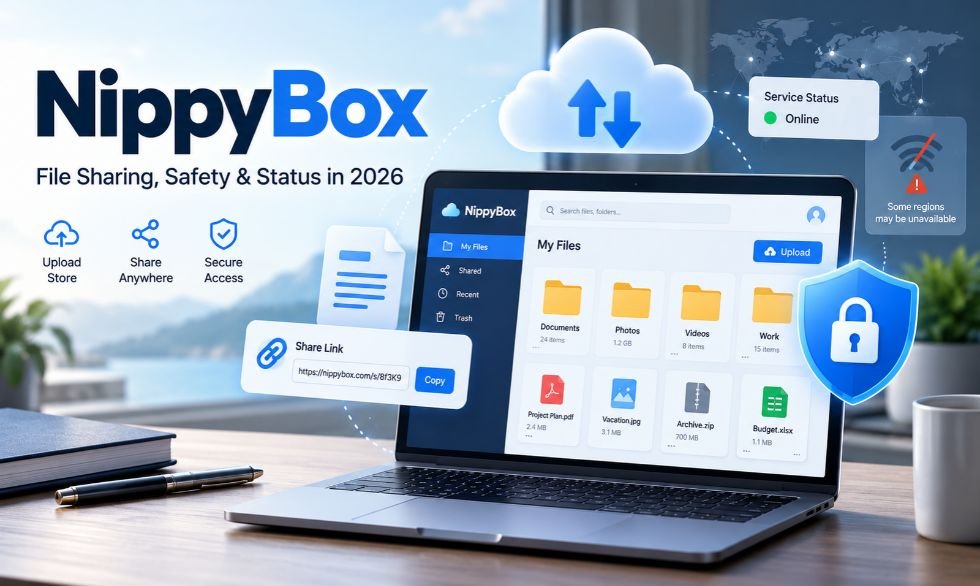
NippyBox was an online service used to store and share files. Users could upload documents, photos, and other files and share them through web links. The service focused on simple file hosting. However, many claims about its features, prices, and security remain unverified.
It became unavailable in the UK in June 2025. In February 2026, UK regulator Ofcom closed its investigation into the service. Here is what we know about its features, file limits, safety, reviews, and current status.
What Is NippyBox?
NippyBox was an online file hosting service. It was used to upload, store, and share digital files. Users could share documents, photos, and other content through web links. This helped people send files without large email attachments.
Online reviews describe It as a basic cloud storage tool. They mention a simple dashboard, file uploads, and folder tools. Some reviews also list features for teams. However, many of these claims lack clear proof from the original service.
NippyBox focused on file hosting rather than online document editing. Services like Google Drive and OneDrive offer more tools for work and file management. It was mainly linked to storing and sharing files through a web browser.
How Does NippyBox Work?
NippyBox used a web-based file hosting system. Users could open the website and upload files from their devices. The uploaded files were stored on remote servers. Users could then access or share them through web links.
The basic file-sharing process was simple:
- Open the file hosting website.
- Select a file from your device.
- Upload it to the server.
- Copy the sharing link.
- Send the link to another person.
- Open the link to access or download the file.
File hosting and cloud backup are not the same. File hosting keeps uploaded files online. Cloud backup can save new copies when files change. Some reviews claim NippyBox supported automatic backups, but this feature has not been confirmed.
Key Features of NippyBox
NippyBox was known for basic file hosting. Its main purpose was to help users upload and share files online. Third-party reviews describe several other features, but not all have been verified.
The most common reported features include:
- File Uploads: Upload documents, photos, and other files.
- Simple Dashboard: Manage uploaded files from one page.
- Folder Management: Create and organize file folders.
- File Sharing: Send files through web links.
- Drag-and-Drop: Move files into an upload area.
- Password Protection: Some reviews claim users could protect shared links.
- Link Expiration: Set a time limit for shared links, according to some guides.
- File Previews: View supported files before downloading them.
Some articles also mention photo sorting, old file versions, team access, and offline syncing. These claims are not fully supported by reliable records. Reports about mobile apps also differ. The safest description is that It was a web-based file hosting service.
Pricing and Storage Plans
Several online reviews describe NippyBox as a low-cost storage service. They mention free and paid plans for different users. However, no reliable current pricing page confirms these offers.
The following prices and storage limits come from third-party reviews.
| Plan | Reported Price | Reported Storage |
|---|---|---|
| Free | $0 | 5GB |
| Personal | $3 per month | 1TB |
| Pro / Team | From $10 per month or custom | Varies |
| Enterprise | Custom | Varies |
Some reviews say paid plans included password links, extra storage, and team tools. Others mention unlimited storage or family plans. These details do not match across all sources.
The listed prices should not be treated as current offers. It became unavailable in 2025, and its active billing plans have not been confirmed for 2026.
How to Use NippyBox?
Older guides describe NippyBox as a simple website for uploading files. Users could select content from their devices and create links to share it. Some guides also mention account registration, but it is unclear whether every user needed an account.
The reported process included these steps:
- Visit the Website: Open the original NippyBox website.
- Register if Required: Create an account if the service asks for one.
- Choose a File: Select a document, image, or other file.
- Upload the File: Use the upload button or drag-and-drop tool.
- Complete the Upload: Wait for the file to reach the server.
- Copy the Link: Get the sharing link for the uploaded file.
- Share the Link: Send it through email or a messaging app.
- Download the File: Open the link to access the file, if available.
These steps describe how older guides presented the service. They may no longer work. Users should check the website before entering personal details. Similar-looking domains may not belong to the original provider.
Is NippyBox Safe and Secure?
Some NippyBox reviews claim the service used TLS 1.3 and AES-256 encryption. TLS helps protect data while it moves between a device and a server. AES-256 can protect files while they are stored. However, there is no clear technical proof that NippyBox used these exact systems.
Reviews also disagree about zero-knowledge encryption. Some claim that users held their own encryption keys. Others say the provider could access those keys. In a true zero-knowledge system, the storage company cannot read the user’s files. NippyBox’s encryption model has not been clearly confirmed.
Some guides also mention two-factor login and password-protected links. These tools can help keep accounts and shared files safe. Yet their use by It remains unclear. The UK investigation into the service dealt with illegal content safety duties. It did not prove that NippyBox’s file encryption had failed.
File Size Limit and Common Problems
Several reviews claim NippyBox had a 100MB limit for each uploaded file. If true, this would make it more useful for small files than large media projects. The exact limit and its rules for paid plans have not been confirmed.
A 100MB limit could affect users who work with:
- Large video files
- RAW camera photos
- Design projects
- Big ZIP archives
- Presentations with videos
- Large software files
File compression may help reduce upload size. Tools like 7-Zip can also split large files into smaller parts. However, users must download every part to rebuild the full file.
Other reported problems include failed uploads, expired links, and poor mobile access. Upload errors can also happen due to weak internet connections or server issues. Keeping local copies of important files helps reduce the risk of losing them.
NippyBox’s Reviews and User Feedback
Many online reviews describe NippyBox as a simple file-sharing service. Its basic layout is often mentioned as a benefit. Reviewers say the platform focused on uploads and links rather than complex work tools.
The reported 100MB file limit is a common complaint. Reviewers say it made the service less useful for videos, large photos, and design files. Some articles also mention weak mobile support and limited team features.
Several review websites claim to have tested NippyBox over many days. They discuss upload speed, file access, and sharing tools. However, their results are not backed by enough proof to confirm each claim. One review gives the service 3 out of 5 stars, but this is not a verified average user rating.
Benefits and Drawbacks
NippyBox was mainly used for file hosting and sharing. Its simple design may have helped people send documents without email attachments. Web-based sharing can also make it easier to send files to people using different devices.
The reported benefits include:
- Simple file uploads
- Basic folder management
- File sharing through links
- Web browser access
- Claimed low-cost storage plans
- Reported password and link controls
The reported drawbacks include:
- A claimed 100MB file limit
- Unclear mobile app support
- Limited advanced work tools
- Conflicting encryption claims
- Unverified backup and recovery options
- Uncertain service availability
The main concern today is whether users can still access the original service. File storage is only useful when saved data remains available. This makes service status a key issue for anyone looking into NippyBox in 2026.
What Happened to NippyBox?
NippyBox faced a formal investigation by Ofcom, the UK’s communications regulator, in 2025. The case was linked to the Online Safety Act 2023. This law places safety duties on certain online services. These include checking risks linked to illegal content and taking steps to reduce them.
On April 1, 2025, Ofcom sent an official request for information to several file-sharing services. NippyBox’s provider was among them. On June 10, 2025, Ofcom opened an investigation after the provider did not give the required response. The case also looked at duties linked to illegal content risks, including risks involving child sexual abuse material.
Around June 15, 2025, NippyBox became unavailable in the UK. Ofcom later reported that it appeared unavailable more widely. On February 12, 2026, the regulator closed its investigation due to the service’s lack of availability and its impact on UK users. Ofcom said it could reopen the case if needed. The closure was not proof that NippyBox had met every legal duty.
Is NippyBox Still Working in 2026?
NippyBox’s full service status in 2026 is unclear. Ofcom confirmed in February 2026 that it remained unavailable in the UK. The regulator also said the service appeared unavailable more widely. No confirmed date for a full return was announced.
A website can still appear in search results after its main service stops working. A domain may open a page without offering file uploads or downloads. For this reason, a working web address does not prove that the original storage service has returned.
Users should be careful with websites using similar names. There is no clear proof that old It accounts and files can still be recovered. Do not enter old passwords or upload private files to an unknown replacement website.
NippyBox vs. Other Cloud Storage Services
NippyBox was often compared with Google Drive, Dropbox, and OneDrive. These services offer file storage, syncing, and sharing. They also provide tools for people who work across several devices.
Other services focus more on privacy. Proton Drive and Tresorit offer encrypted file storage. pCloud provides cloud storage with an optional private encryption feature. MEGA and Sync.com also offer tools for users who want more control over their files.
Here is a simple comparison of their main uses.
| Platform | Main Use | Best For |
|---|---|---|
| NippyBox | Basic file hosting | Former small-file sharing |
| Google Drive | Storage and document editing | Students and teams |
| Dropbox | Storage and file syncing | Freelancers |
| OneDrive | Microsoft file storage | Microsoft 365 users |
| pCloud | File and media storage | Personal use |
| Proton Drive | Encrypted cloud storage | Privacy-focused users |
| MEGA | Encrypted file sharing | Personal storage |
| Tresorit | Secure file sharing | Business teams |
When choosing a cloud storage service, users should check storage limits, file size rules, security, and mobile access. A low monthly price is not enough if files cannot be accessed when needed.
Best Alternatives
Google Drive is a useful option for storing documents and working with others. It connects with Google Docs, Sheets, and Slides. Dropbox is designed for file syncing and sharing. OneDrive works with Microsoft 365 tools such as Word and Excel.
For users who need privacy-focused storage, Proton Drive, Tresorit, MEGA, and Sync.com are worth comparing. These services provide different encryption and sharing options. pCloud also supports file storage and offers optional client-side encryption through pCloud Crypto.
Nextcloud is another choice for users who want to host or control their own storage. Backblaze is useful for computer backups. Each service has different plans and limits, so users should check its official features before choosing.
Tips for Safe Online File Storage
Cloud storage makes files easy to access, but users still need backups. Keep important documents in more than one place. A second cloud account or external drive can help if a service closes or an account becomes unavailable.
Follow these basic safety tips:
- Use strong passwords for storage accounts.
- Turn on two-factor authentication when available.
- Keep a second copy of important files.
- Do not upload private files to unknown websites.
- Check who can open a shared link.
- Use link passwords when supported.
- Remove old sharing links when no longer needed.
- Read file size and deletion rules.
- Check the website before entering account details.
- Avoid sites that make security claims without proof.
NippyBox was known as a basic online file hosting service. However, many claims about its prices, tools, and security remain unverified. Its loss of availability in 2025 and Ofcom’s investigation are key parts of its history. In 2026, users who need stable cloud storage should choose an active service with clear security rules, working support, and reliable access to files.
(FAQs)
1. What is NippyBox used for?
NippyBox was an online file hosting service used to upload, store, and share digital files through web links.
2. Is NippyBox still working in 2026?
Its full service status is unconfirmed; Ofcom reported that NippyBox was unavailable in the UK as of February 12, 2026.
3. Is NippyBox safe and legit?
NippyBox was a real file-sharing service, but its security claims remain unverified, and it faced a UK regulatory investigation.
4. Does NippyBox have a 100MB file upload limit?
Several online reviews report a 100MB limit per file, but the original service’s exact upload rules have not been confirmed.
5. Why did NippyBox shut down?
NippyBox became unavailable around June 15, 2025, during an Ofcom investigation, but the exact reason it stopped operating has not been confirmed.
MORE INTERESTING: GrammarVista.com USA: What It Is, Features, Content, and Safety Guide (2026)

SEO Instant Appear HighSoftware99.com: Does It Really Work?

Is FintechZoom.com Legit? Safety, Pricing, and User Guide

NippyBox Review 2026: Features, Benefits, and Major Drawbacks

Jason Lawson: The Story of Hayley Mills’ Son

Nina Weiss: All You Need to Know About Manuel Neuer’s Ex-Wife

Sandra Davenport: The Untold Story of Jim Belushi’s First Marriage
-
 Celebrity3 months ago
Jason Lawson: The Story of Hayley Mills’ Son
-
 Celebrity3 months ago
Nina Weiss: All You Need to Know About Manuel Neuer’s Ex-Wife
-
 Celebrity3 months ago
Sandra Davenport: The Untold Story of Jim Belushi’s First Marriage
-

 News1 month ago
Meet Lisa Ann Mudd, Sydney Sweeney’s Mother and Former Attorney
-

 News2 months ago
Who Is Rebecca Dyer? Meet David Foster’s Ex-Wife
-

 Celebrity3 months ago
Jack Scarborough: Everything About Joe Scarborough’s Son
-

 Biographies1 month ago
Who is Thomas Earle? All About Alix Earle’s Father
-

 Celebrity3 months ago
Debra Rodman: Inside the Life of Dennis Rodman’s Powerful Sister