
Blogs & Guides
Mimshacks Guide: How It Works, Features, and User Reviews


Mimshacks is a gaming website that offers browser games, Roblox guides, gaming tools, and helpful articles. The name is also linked to a creative studio in Mauritius. The studio provides photography, video production, branding, and advertising services.
The name has been used for different online projects over the years. This can confuse people who search for it. This article covers its history, gaming features, online tools, creative services, pricing, safety, and user reviews in 2026.
What Is Mimshacks?
Mimshacks.com is a gaming website where users can find browser games, Roblox codes, guides, and gaming tools. It also shares articles about game updates, gaming facts, and useful tips. Most of its content can be viewed through a web browser.
The name is also linked to a creative studio in Chamouny, Mauritius. The studio offers photography, video editing, branding, and social media advertising. The two services have different goals. Public records do not clearly confirm whether they share the same current owner.
Background
The website began as an online business project. According to a public LinkedIn post by Avinesh Bundhoo, it first focused on dropshipping. It later moved into browser gaming. Bundhoo has also described working on a messenger automation project in 2020.
In 2024, Bundhoo reported selling the gaming website through Flippa for $4,500. He also shared these figures from that period:
- Monthly page views: 178,800
- Monthly revenue: $834
- Monthly profit: $587
- Advertising services: Adsterra and GameMonetize
These figures came from his account of the sale. They do not show the website’s current traffic or earnings.
Main Features
The website offers games, guides, and online tools in one place. Visitors can play browser games, read Roblox guides, check game codes, and use gaming calculators. It also shares gaming facts, news, and articles about popular games.
Its main features include:
- Browser games from different categories
- Roblox guides, codes, and community links
- Mouse sensitivity tools and calculators
- Gaming statistics and helpful articles
- Guides about gaming terms and settings
Some games and resources come from outside providers. Their content and access may change over time.
Unblocked Games
Unblocked games are browser games that may work on networks where gaming sites are restricted. The website has featured games from several categories, including racing, driving, boxing, shooting, sports, and puzzles.
Games mentioned on its pages include:
- Stumble Guys
- Spelunky
- Wheely
- Snow Rider 3D
The website’s About page names GameMonetize and HTML5Games as game providers. Some games are hosted or supplied by outside services. Their availability may change. Schools and workplaces can also block gaming websites, so users should follow their network rules.
Roblox Guides and Codes
The website publishes Roblox guides, game codes, Discord links, and Trello resources. These pages help players learn about games, find rewards, and follow updates.
Its Roblox content has covered games such as:
- Cursed Sea
- Grimoires Era
- AOPG and GPO
- Eternal Nen
- Fire Force Online
Roblox codes can give players items, boosts, or in-game money. Players must enter each code in the correct game. Codes may stop working after updates or special events. Discord groups and Trello boards can also provide game news and details. Players should check official game sources for the latest information.
Gaming Tools Available on Mimshacks
The website has tools that help gamers adjust their mouse settings. One example is its eDPI calculator. eDPI means effective dots per inch. Players calculate it by multiplying mouse DPI by game sensitivity. For example, 800 DPI with a sensitivity of 0.5 gives an eDPI of 400.
The website also has sensitivity converters for games such as Valorant, Counter-Strike, Apex Legends, and Overwatch. These tools help players find similar mouse settings across games. It also lists a TikTok Diamonds to USD converter. Players may need to adjust the results based on their own setup.
How to Use Mimshacks?
The gaming website works through a web browser. Users can visit Mimshacks.com and explore games, Roblox guides, or gaming tools. Its search feature helps visitors find a specific topic.
Follow these steps to use the website:
- Step 1: Open the website in your browser.
- Step 2: Choose games, guides, or tools.
- Step 3: Select a game or open the page you need.
- Step 4: Follow the instructions shown on the page.
- Step 5: Check outside links before opening them.
Roblox codes must be entered inside the related Roblox game. Gaming calculators need values such as mouse DPI or sensitivity. Some resources open on other websites.
Is Mimshacks Free to Use?
Most of the website’s public content appears to be free. Users can read gaming guides, browse articles, and use online calculators without a standard paid membership. Many browser games are also free to access.
The website has used advertising to earn money in the past. A former operator named Adsterra and GameMonetize as revenue sources. This does not confirm how the website earns money in 2026. Some outside games may sell paid items or offer extra services. Users should check payment details before making a purchase.
Is Mimshacks Safe and Legit?
The gaming website has an active online presence, public pages, and an About section. It uses HTTPS, which helps protect data sent between a browser and the site. However, HTTPS does not prove that every page, advertisement, or outside link is safe.
Users should follow these basic safety tips:
- Avoid unknown downloads and browser extensions.
- Do not share passwords with unfamiliar websites.
- Check links before opening outside pages.
- Be careful with ads and unexpected redirects.
- Keep your browser and device updated.
Parents should check the games and outside links used by children. Website content and third-party ads may change over time.
What Is Mimshacks Studios?
Mimshacks Studios is a creative media business based in Chamouny, Savanne, Mauritius. Its LinkedIn profile lists Royal Road, Chamouny, as its address. The company works in the movies, video, and sound industry.
LinkedIn lists 2020 as its founding year and gives a company size of 2 to 10 employees. Avinesh Bundhoo has also linked his work to the studio. Its services include event photography, video production, editing, branding, and advertising. The studio’s work is different from the gaming content found on the website.
Services Offered by Mimshacks Studios
The studio provides creative services for businesses and events. It produces photos, records videos, edits footage, and creates visual content. Its company profile also lists logo design, branding, and social media advertising.
Its main services include:
- Photography: Photos for events and business use
- Videography: Video recording and production
- Video Editing: Editing recorded footage
- Branding: Logos and visual identity design
- Advertising: Social media ad creation and management
The name has also been linked to earlier messenger automation work. However, this is not confirmed as a current studio service. Businesses should contact the studio to check its services, prices, and booking process.
Reviews and User Feedback
Public customer feedback about the creative studio is limited. A listing on Loop Mauritius has shown a rating of 4.8 out of 5 based on four reviews. This is a small number of reviews, so it does not show the full customer experience.
For the gaming website, visitors can check how well games load, whether guides are useful, and whether online tools work as expected. Roblox codes may expire, and some outside games may become unavailable. Recent user feedback can help, but readers should check important details for themselves.
Benefits and Limitations
The gaming website offers several types of content in one place. Users can find browser games, Roblox guides, gaming tools, and useful articles. Much of this content can be opened without installing a separate application.
Some key benefits include:
- Free access to many public resources
- Different browser game categories
- Roblox guides and code lists
- Mouse sensitivity calculators
- Gaming facts and helpful articles
There are limits as well. Games may stop working, codes can expire, and some pages depend on third-party services. The creative studio offers several media services, but public details about its prices and project delivery times are limited.
Mimshacks vs. Other Gaming Websites
Poki and CrazyGames are two other websites that offer browser games. Both have large game collections with different categories. The Mimshacks website also includes gaming guides, Roblox information, statistics, and sensitivity tools.
The main differences include:
- Poki: Focuses on browser games.
- CrazyGames: Offers browser games across many categories.
- Mimshacks.com: Combines browser games with guides, gaming articles, and online tools.
Players who mainly want games may prefer sites with more playable titles. Those looking for Roblox information or sensitivity tools may find the extra resources useful. Game access, loading speed, and device support can differ between websites.
Who Should Use Mimshacks?
The gaming website may be useful for casual players who enjoy browser games. Roblox fans can use its guides to find codes and community resources. Players who want to change their mouse settings can use its eDPI calculator and sensitivity converters.
The website also suits readers looking for gaming tips, terms, and statistics. People searching for creative services may instead need the Mauritius studio. Its public profile covers photography, video production, branding, and advertising. Users should check the exact service they need before contacting a business or opening outside links.
Bottom Line
Mimshacks has a history linked to different online projects. Its gaming website offers browser games, Roblox resources, gaming calculators, and articles. These features give players access to games and useful information through one website.
The name is also linked to a creative studio in Mauritius. The studio provides photography, video production, branding, and advertising services. The two services have different purposes, and their current ownership relationship has not been clearly confirmed. Users should check current details, follow safe browsing practices, and confirm service information before making payments.
Frequently Asked Questions
What is Mimshacks used for?
Mimshacks.com offers browser games, Roblox guides, gaming tools, and helpful articles.
Is Mimshacks free to use?
Most games, guides, and tools appear to be free, with no standard paid membership confirmed.
Is Mimshacks safe and legit?
It has an active website and uses HTTPS, but users should be careful with ads and outside links.
Who owns Mimshacks.com?
The current owner has not been clearly confirmed through public information.
What services does Mimshacks Studios offer?
The Mauritius studio offers photography, video production, editing, branding, and advertising.
MORE INTERESTING: Is TheAliteKeepSafe.com Trustworthy? A Complete Website Review
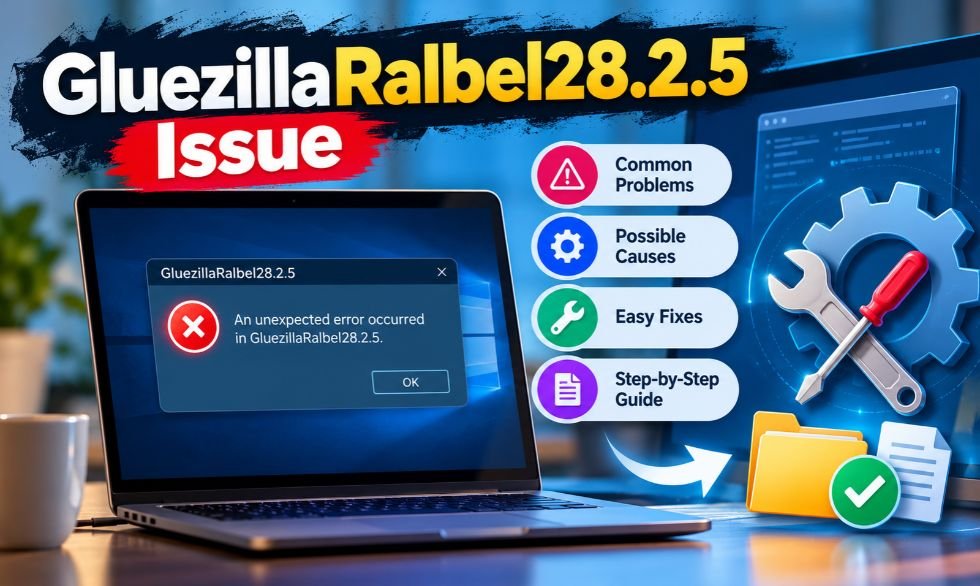
Software errors can happen at any time. A program may work well one day and stop the next. It may freeze, load slowly, or close without warning. The GluezillaRalbel28.2.5 Issue is a term found on websites that discuss software errors and system problems.
Some websites describe it as a problem with software version 28.2.5. However, there is no confirmed official software product or error code with this name. This article explains the reported problems, possible causes, safe fixes, and ways to keep your computer running well.
What Is the GluezillaRalbel28.2.5 Issue?
The GluezillaRalbel28.2.5 Issue is a term used on some tech websites. They link it to software crashes, slow loading, and system errors. Some also claim it affects a program called Gluezillaralbel. Yet there is no confirmed developer, official guide, or release record for this software.
The number 28.2.5 looks like a software version. Many programs use three numbers to track updates and bug fixes. However, a version number alone does not prove that a program exists.
Before trying any fix, users should check:
- The name of the affected program.
- The installed software version.
- The exact error message.
- The time the problem first appeared.
These details can help find the real cause.
Common Signs of the Issue
Some websites connect this term to crashes, freezing, and slow performance. A program may take too long to open or close during use. Certain features may stop working after an update. These are common software problems, but they have not been confirmed as symptoms of this specific issue.
Other possible signs include:
- Programs freezing during startup.
- Slow response times.
- Missing files or library errors.
- Failed software updates.
- Broken buttons or missing features.
- Problems saving or opening files.
- Database connection failures.
If a program fails more than once, record what happened before each error. Check whether it occurs during startup, file saving, or another task. This can help narrow down the cause.
What Causes the GluezillaRalbel28.2.5 Issue?
There is no confirmed cause for this reported error. However, many software problems come from damaged files or failed updates. If an installation stops before it finishes, some parts of the program may be missing. Wrong settings can also stop an application from working.
Other common causes include:
- Outdated software libraries.
- Missing or damaged program files.
- Conflicts between installed applications.
- Incorrect system settings.
- Low RAM or storage space.
- Old or incompatible drivers.
- Faulty plugins and extensions.
- Network or database connection problems.
These issues can affect different programs in different ways. The exact cause depends on the software, system settings, and error details.
How to Fix the GluezillaRalbel28.2.5 Issue
Start by checking the program that shows the error. Write down its name, version, and full error message. Close the program and open it again. If the problem continues, restart your computer.
Follow these basic steps:
- Find the affected application.
- Check the exact error message.
- Restart the program.
- Check for official software updates.
- Review recent system changes.
- Check for missing program files.
- Use the official repair tool if one exists.
If the error appeared after an update, check whether the developer offers a fix or a safe way to return to an older version. Avoid unknown repair tools. Change one setting at a time so you can see what works.
Check System Logs for GluezillaRalbel28.2.5 Errors
System logs keep records of errors, crashes, and failed services. They can help users find out why a program stopped working. Windows has a built-in tool called Event Viewer that shows these records.
To check application errors on Windows:
- Press
Windows + R. - Type
eventvwr.msc. - Press Enter.
- Open Windows Logs.
- Select Application.
- Look for errors near the time of the crash.
Check the program name, error message, and time. Some applications also save their own log files. Keep a copy of useful records before changing settings. Remove passwords, tokens, and other private details before sharing logs with support staff.
Fix Memory and Performance Problems
Low memory can make programs slow or cause them to close. High CPU use can also delay tasks. These problems often appear when several large programs run at the same time.
On Windows, press Ctrl + Shift + Esc to open Task Manager. Check which programs use the most CPU, memory, and disk space. Close apps you do not need. Do not stop unknown Windows services.
Windows also uses a paging file to help manage memory. You can find it under Advanced System Settings > Performance Settings > Advanced > Virtual Memory.
In most cases, Windows can manage the paging file size on its own. Increasing it is not a confirmed fix for this error. Users should first check actual memory use and available storage.
Fix Software Compatibility and Driver Issues
Some programs need certain system files or drivers to work. If these parts are missing or too old, the software may fail. A new update can also create problems with older plugins or system parts.
Users can check compatibility by:
- Reading the program’s system requirements.
- Installing trusted software updates.
- Updating drivers from official sources.
- Checking required libraries.
- Removing recently added plugins.
- Testing the program after each change.
Windows Compatibility Mode may help some older desktop programs. To find it, right-click the program file, open Properties, and select the Compatibility tab.
This option is not suitable for every application. Use it only when the program needs support for an older Windows version.
Clear Cache and Repair Damaged Files
Programs save temporary files to help them load faster. These are called cache files. Sometimes, damaged cache data can stop a feature from loading or cause the program to show old information.
Many applications have a built-in option to clear the cache. Use that option first. Some Windows programs store files in these folders:
%localappdata%%appdata%
To open them, press Windows + R, enter one of the paths, and press Enter.
These folders may hold important settings, user files, and saved sessions. Do not delete them without knowing what they contain. Back up needed data and follow the program’s official repair guide.
Reinstall Software to Fix the Issue
Reinstalling software may help when important files are missing or damaged. However, users should first confirm the program’s name and developer. This helps prevent downloads from unsafe websites.
Follow these steps for a clean installation:
- Back up important files and settings.
- Open the operating system’s app settings.
- Uninstall the affected program.
- Restart your computer.
- Visit the official developer’s website.
- Download the correct installer.
- Install the program and test it.
If the error started after an update, check whether the developer supports an older release. Do not download unknown installers labeled Gluezillaralbel28.2.5. No official installer has been verified for that exact name.
Advanced Solutions
Some software problems need more detailed checks. IT staff may test a program on another computer or in a virtual machine. This helps them find conflicts without changing the main system.
Advanced checks may include:
- Testing the program in a separate environment.
- Checking software library versions.
- Reviewing system settings.
- Testing database connections.
- Monitoring memory use.
- Checking network errors.
- Reviewing crash reports.
- Installing verified patches.
For business systems, new fixes should be tested before use. A software rollback may help if a recent update caused the problem. However, users should only install supported versions from trusted sources.
Is the GluezillaRalbel28.2.5 Issue a Virus?
There is no verified evidence that this exact term is a virus or malware. An unusual error message does not always mean a computer is infected. Missing files, wrong settings, and software bugs can also cause errors.
Still, users should be careful with unknown programs and downloads. On Windows, open Windows Security > Virus & threat protection to scan your computer.
For better safety:
- Download software from trusted sources.
- Avoid unknown repair tools.
- Keep antivirus protection active.
- Scan suspicious files.
- Do not open unknown email attachments.
A security scan can help find malware, but it cannot confirm the meaning of an unverified software error.
Is GluezillaRalbel28.2.5 Related to GlueZilla?
GlueZilla is the name of a real computer security research project. Researchers presented a paper titled GlueZilla: Efficient and Scalable Software to Hardware Binding using Rowhammer at the DIMVA 2024 conference.
The project studies ways to link software to a specific physical computer. Its goal is to make unauthorized software copying and reverse engineering harder.
The research uses two main ideas:
- Rowhammer: A memory behavior that can cause changes in stored bits.
- Physically Unclonable Function (PUF): A method that uses physical differences between devices to create unique responses.
GlueZilla is a research system. There is no verified evidence connecting it to Ralbel28.2.5 or the reported software error. The similar names do not mean they are related.
How to Prevent the GluezillaRalbel28.2.5 Issue?
Regular software care can help prevent common errors. Keeping programs updated reduces the risk of known bugs and security problems. Backups also help protect files when an update or repair goes wrong.
Useful prevention steps include:
- Update Windows and trusted applications.
- Back up files before major updates.
- Check system requirements.
- Avoid unknown plugins and patches.
- Keep enough free storage space.
- Review error logs when problems occur.
- Record recent changes to software settings.
- Test major updates before using them on work systems.
These steps can improve system stability. They are general safety measures, not confirmed ways to prevent a specific Ralbel28.2.5 error.
When Should You Contact Technical Support?
Some errors continue even after basic troubleshooting. Contact technical support if a program keeps crashing, fails to install, or cannot open important files. Repeated database errors and lost work may also need expert help.
Before contacting support, collect these details:
- Application name and version.
- Operating system.
- Exact error message.
- Date and time of the problem.
- Recent software updates.
- Relevant log files.
- Troubleshooting steps already tried.
Contact the verified software developer or your IT team. Share the error details through an official support channel. This information can help them find the cause and suggest the right fix without putting your files or system at risk.
FAQs
What is the GluezillaRalbel28.2.5 Issue?
It is an unverified software error term linked online to crashes, slow loading, and installation problems.
How can I fix the GluezillaRalbel28.2.5 Issue?
Check the real software name, restart the program, review error logs, and install trusted updates.
What causes the Ralbel28.2.5 error?
Its exact cause is unknown, but damaged files, old drivers, and software conflicts can cause similar errors.
Is GluezillaRalbel28.2.5 a virus?
There is no confirmed evidence that it is a virus, but unknown files should be scanned before use.
Is GluezillaRalbel28.2.5 an official software version?
No official developer or release record has been verified for this software name.
MORE INTERESTING: Is TheAliteKeepSafe.com Trustworthy? A Complete Website Review

Want to view Instagram stories without signing in? Many people use online tools to check public profiles, photos, and videos without an Instagram account. InstaPV is one such tool. It lets users search for public Instagram content through a web browser.
However, several websites use this name. They may offer different features, prices, and safety rules. Some also claim to show follower activity or let users download media. This article explains how the tool works, its main features, pricing, safety risks, common errors, and alternatives in 2026.
What Is InstaPV?
InstaPV is a third-party Instagram viewer. It helps users browse public Instagram profiles, stories, posts, and reels without signing in. People can search for an account using its username. The website then tries to show the public content linked to that profile.
The service is not owned by Instagram or Meta. It works outside the official Instagram app. Users can view content, but they cannot use it to send direct messages or manage their own posts. The tool also has limits because Instagram controls which account details are public.
What Is InstaPV Used For?
People use InstaPV to explore public Instagram content without opening the app. It can help users check stories, profile photos, reels, and posts. Some people use these tools because they do not have an Instagram account. Others want to browse stories without using their personal login.
Businesses and content creators may also use public profile viewers for research. They can study posts, captions, likes, comments, and follower counts. This helps them see what other creators share. However, third-party follower reports may not always be correct. Instagram Insights is a better choice for checking data from an account you own.
Key Features of InstaPV
The tool offers several ways to browse public Instagram content. Its main feature is anonymous story viewing. Users can also search for profiles and check available photos or videos. Some websites offer more features than others.
The main advertised features include:
- Story Viewer: Claims to show public Instagram stories without using your account.
- Profile Viewer: Shows public profile photos, bios, and posts.
- Followers Tracker: Claims to show recent changes in followers and following lists.
- Reels Viewer: Helps users watch available public reels.
- Highlights Viewer: Shows saved public stories when they are available.
- Media Downloader: Some versions let users save photos and videos.
- Post Insights: Displays available likes, comments, and other public details.
Some related services also advertise AI tools for writing captions and replies. These features are not available on every site using the same name. Follower tracking may also show old or incomplete data. Users should not treat these reports as fully accurate without proof.
How Does InstaPV Work?
InstaPV works through a website. Users enter a public Instagram username into its search box. The service then tries to find the account and load its public content. If the search works, users can browse the available posts, stories, reels, and profile details.
The exact way the service gets this data is not fully known. Third-party viewers may use their own servers to load public pages. Instagram can also limit access to certain information. Meta ended the Instagram Basic Display API on December 4, 2024. This change affected outside apps that used the API to access personal account data.
These access rules can affect how well a viewer works. A profile may load one day and fail the next. Stories or posts may also be missing when Instagram changes its website or blocks certain requests.
How to Use InstaPV Step by Step?
Using InstaPV is simple when the website is working. You only need a web browser and the username of a public Instagram account. Before starting, check the website address. Several similar names exist, and not every site has the same owner.
Follow these steps:
- Open the website: Check the domain name and look for a clear privacy policy.
- Find the search box: Look for the field used to search Instagram profiles.
- Enter a username: Type the exact name of a public Instagram account.
- Click Search: Press the Search or View button.
- Open the results: Check the available profile details, posts, and stories.
- Browse the content: Use the site’s tabs if it offers reels, highlights, or follower details.
- Download media carefully: Only save content when the option is available and you have permission.
- Avoid unsafe links: Do not click strange ads or install unknown files.
If a profile does not load, check the username first. The account may be private, deleted, or restricted. The website may also have a server problem. Do not enter your Instagram password or login code to fix a failed search.
InstaPV and PV Story: Are They the Same?
PV Story says it was formerly known as InstaPV. On February 11, 2026, its operators posted a notice about a domain change. They named pvstory.com as their official website and warned users about copycat sites.
This notice comes from PV Story itself. It does not prove that every website using the InstaPV name belongs to the same company. Other sites use addresses such as instapv.ai and instapv.io. Each may have different features, prices, and rules.
People also search for similar spellings, such as instpv, instaov, intapv, and instapv com. Many of these are typing mistakes. Users should check the full website address before opening a link. A similar name or logo does not prove that a website is genuine.
Is InstaPV Really Anonymous and Safe?
InstaPV claims to let people view public Instagram stories without using their personal accounts. When someone watches a story through Instagram, the account owner can normally see that person’s username in the viewer list. A third-party viewer may avoid showing your username, but Instagram does not guarantee this.
Anonymous viewing does not mean complete privacy. A website can still collect data about its visitors. This may include:
- IP addresses and browser details
- Device information
- Cookies and site activity
- Pages visited and search times
- General location data
There are also risks from fake websites. Some may show unsafe ads, unwanted downloads, or login forms that ask for private details. Never share an Instagram password, recovery code, or two-factor login code with these services. Keep your browser updated and leave any page that asks you to install unknown software.
Can InstaPV View Private Instagram Accounts?
InstaPV cannot bypass Instagram’s private-account settings. Instagram lets account owners choose who can see their posts and stories. Public content is open to more viewers. Private content is limited to approved followers.
Some websites claim they can reveal private Instagram photos or stories. These claims are misleading. Such sites may ask people to complete surveys, download apps, or enter account details. None of these steps gives a third-party viewer permission to open private content.
If you want to view a private account, you must send a follow request. The account owner can then accept or reject it. This is the normal way to gain access to private posts and stories.
Pricing, Plans, and Limits
InstaPV websites may offer both free and paid features. However, they do not all have the same plans. Some provide free public searches, while others charge for extra viewing options, downloads, or profile features.
The instapv.ai website advertises three types of access:
| Plan | Main Features | Limits |
|---|---|---|
| Free | Basic previews of recent public content | Limited viewing |
| Profile Pro | More profile searches and recent content previews | No original HD downloads |
| Premium Viewer | More post history, highlights, and HD downloads | Requires payment |
These plans belong to instapv.ai and should not be confused with PV Story. Prices and payment rules may change. Claims about 10 free searches per day, business plans, and large user numbers have not been confirmed across all versions.
Before paying, check the current price and what each plan includes. Read the refund and renewal rules as well. Avoid payment pages that do not clearly explain the service or its charges.
Why Is InstaPV Not Working?
InstaPV may sometimes fail to load a profile or show a server error. This can happen for several reasons. The username may be wrong, the account may be private, or the content may no longer be available. Instagram stories normally disappear after 24 hours unless saved as highlights.
The website itself may also have problems. Instagram can change its access rules, and third-party tools may stop working until they adjust. Server limits, heavy traffic, and website errors can also cause failed searches.
Try these steps if the tool is not working:
- Check the Instagram username for mistakes.
- Confirm that the profile is public.
- Make sure the story or post has not expired or been removed.
- Reload the page once.
- Clear your browser cache if the page fails to load.
- Try another updated browser.
- Look for a service notice about website problems.
If the tool still fails, it may be down for a time. Avoid opening random websites with similar names. A working search page does not prove that a site is safe.
InstaPV Alternatives
Several other websites offer ways to view public Instagram content. Some focus on stories, while others provide profile tools or activity reports. Their features, costs, and safety rules may differ. It is important to check each service before using it.
Here are some alternatives to compare:
| Alternative | Main Focus |
|---|---|
| StoriesIG | Public Instagram story and media viewing |
| InstaNavigation | Online profile and story browsing |
| iGanony | Anonymous viewing of public stories |
| AnonyIG | Public Instagram content viewing |
| PeekViewer | Instagram viewing tools and access plans |
| Snoopreport | Instagram activity reports and tracking |
| Instagram Insights | Official account data and performance reports |
Instagram Insights is useful for creators and businesses that want data about their own accounts. It can show reach, engagement, and audience activity for eligible professional accounts. Third-party viewers are mainly used to browse public content without signing in.
(FAQs)
Is InstaPV safe to use in 2026?
Its safety is not fully verified, so avoid fake websites, unsafe downloads, and requests for Instagram passwords.
Can InstaPV view private Instagram accounts?
No, it cannot bypass Instagram’s privacy settings or show private content without approval.
Does InstaPV show your name when viewing Instagram stories?
It claims to hide your Instagram username, but complete anonymity is not guaranteed.
Why is InstaPV not working?
The account may be private, the story may have expired, or the website may have a server problem.
Is InstaPV free to use?
Some versions offer free basic viewing, while extra features and downloads may require payment.
MORE INTERESTING: Is TheAliteKeepSafe.com Trustworthy? A Complete Website Review

Digital banking and cryptocurrency have changed how people use money. People now use apps to pay bills, send money, and manage their accounts. Many also want to learn how blockchain and new financial tools work.
Coyyn.com is a website that shares information about digital finance, crypto, business, and investing. It also covers freelance work and the gig economy. Some online articles describe it as a financial platform, but its main purpose is to publish educational content.
This guide covers the website’s history, features, content, safety, pricing, ownership, and reviews. It also explains how to use the site and how it compares with other finance websites in 2026.
What Is Coyyn.com?
Coyyn is an online information website about finance, business, and technology. It publishes guides on digital banking, cryptocurrency, venture capital, private equity, and freelance work. Visitors can read these articles without opening an account.
The website helps readers learn about modern financial systems. For example, beginners can read about Bitcoin, crypto wallets, and blockchain. Business owners can explore topics such as funding, payments, and online business tools.
The website mainly offers information, not financial services. It does not show a working banking system, crypto exchange, or investment dashboard. Its official pages also state that the content is for general information, not personal financial advice.
History and Background
The domain was registered on October 25, 2017, according to domain records listed by ScamAdviser. However, the registration date does not prove that the current website started publishing in 2017.
Its visible article archive includes content from 2025 and 2026. These articles cover digital banking, crypto, investments, and business. Some older pages describe a larger financial platform with blockchain payments, smart contracts, and other digital tools.
The current website mainly shows articles and guides. There is no clear proof that the older financial tools are active services. It is also not known whether those features were planned, tested, or only discussed in published content.
How Does Coyyn.com Work?
The website works like an online magazine. Visitors open the homepage, choose a topic, and read an article. The main categories cover banking, cryptocurrency, business, investing, and freelance work.
Each category contains guides about related subjects. For example:
- Banking: Online transfers, mobile payments, and account safety.
- Crypto: Bitcoin, blockchain, wallets, and digital assets.
- Business: Funding, startups, and business tools.
- Gig Economy: Freelance jobs, income, and independent work.
Articles also show publication dates and author names. Readers can use the archive to find older posts. The public website does not show a confirmed service for holding money, trading crypto, or managing investments.
Main Topics
The website covers several areas of modern finance. Its digital banking content explains online payments, money transfers, and banking apps. Coyyn Money covers saving, budgeting, and personal finance. Coyyn Capital focuses on venture capital, private equity, and business funding.
Business and investing are also key subjects. Readers can find guides about startups, business growth, investment risks, digital assets, and rare coins. These articles explain financial topics but do not offer direct investment services.
The gig economy is another major area. It covers:
- Freelancing and independent jobs.
- Managing income from different sources.
- Taxes and business costs.
- Rideshare and delivery work.
- The sharing economy and new work trends.
These topics can help workers and business owners learn about changes in the digital economy.
Key Features
The main feature is free access to financial articles. Readers can browse guides without paying for a subscription. The site groups its content into categories, which makes it easier to find information.
It offers two main types of content:
- Beginner guides: Explain topics such as crypto, banking, and business funding.
- News and trend articles: Cover current issues involving technology, money, jobs, and financial risks.
The website also shows article dates, author names, and monthly archives. A contact page allows visitors to send questions or feedback. These are features of an information website, not proof of banking or trading services.
Crypto, Banking, and Digital Capital
Cryptocurrency is one of the main subjects on the site. Its articles explain Bitcoin, stablecoins, blockchain, crypto wallets, and digital security. Some guides also cover crypto laws and the risks of digital assets.
The banking section discusses mobile banking, online transfers, electronic payments, and financial technology. Its capital-related content covers business funding, venture capital, private equity, and investment markets.
Older articles also mention several advanced technologies:
- DeFi: Financial services built on blockchain networks.
- Smart contracts: Programs that run when set rules are met.
- Tokenization: Creating digital tokens linked to assets.
- AI tools: Software that can study financial data.
These are topics linked with modern finance. However, the public website does not show confirmed working products for these services.
How to Use Coyyn.com?
Start by opening the official website at https://coyyn.com. Check the address before browsing because other domains may use similar names. On the homepage, choose a category that matches your interests.
Follow these steps to find useful information:
- Step 1: Open the official website.
- Step 2: Select a finance or business category.
- Step 3: Choose an article about your topic.
- Step 4: Check the author and publication date.
- Step 5: Read related guides for more details.
- Step 6: Verify important claims using trusted sources.
Financial rules can change from one country to another. For legal or investment questions, check official sources such as the SEC in the United States or the FCA in the United Kingdom. A qualified expert can also help with personal financial decisions.
Latest Updates
The website published articles about several new topics in September 2026. One article discusses verifiable digital identity and how businesses check identity records. Another covers insurance and legal issues after accidents involving gig drivers.
Other September articles focus on:
- Vehicle sensors and road safety.
- NFTs and digital ownership in gaming.
- Cryptocurrency and digital money.
- Business growth and financial planning.
- Banking and modern payment tools.
In August 2026, the site also covered AI deepfakes and investment scams. These articles discuss how fake videos, voices, and online messages can be used to trick people. The recent content shows that the website covers both basic finance and new technology risks.
Is Coyyn.com Free?
The website’s public articles are free to read. Visitors can open guides, browse categories, and read older posts without paying a monthly fee. There is no clearly listed premium reading plan.
The site also does not show confirmed pricing for banking accounts, crypto trades, investment accounts, or payment tools. These services are not clearly offered through its public pages.
Finance blogs can earn money from advertising, partnerships, or sponsored content. However, the exact income sources of this website have not been confirmed. Readers should check the terms of any paid service or offer before sharing payment details.
Who Owns Coyyn.com?
The legal owner of the website has not been clearly confirmed through public information. Domain records show that its WHOIS ownership details are private. This is common for many websites and does not prove anything harmful.
Many articles are published under the name Alfred Payne. His name appears on guides about cryptocurrency, banking, business, and the gig economy. The contact page also mentions the Coyyn Team.
However, an author’s name does not prove company ownership. No verified founder, CEO, or parent company has been identified in the reviewed information. More details about the writers and editorial team would help readers check the source of financial articles.
Is Coyyn.com Legit and Safe?
The website appears to be a working online publication. It has articles, categories, an archive, and a contact page. It also uses HTTPS, which encrypts data sent between a browser and the website.
HTTPS does not prove that every article is correct or that a website is fully safe. It also does not mean the business has a banking or investment license. No working banking or crypto trading service has been confirmed on the public website.
Readers should follow a few safety rules:
- Check the exact website address.
- Never share banking passwords or crypto recovery phrases.
- Avoid sending money to unverified services.
- Read the privacy policy before sharing personal details.
- Verify investment claims through trusted sources.
These steps are useful when reading any financial website.
Reviews, Ratings, and User Feedback
Independent website checkers provide some details about the domain. ScamAdviser has reported an older domain registration, an SSL certificate, and a low traffic ranking. These checks focus on website signals rather than the quality of every article.
An August 2026 review reported a ScamAdviser score of 61 out of 100. However, the checker has shown different score information, and its assessment may be outdated. That number should not be treated as a confirmed current rating.
There is also limited verified customer feedback about the website. Claims about large numbers of active accounts, payment problems, or thousands of business users are not supported by clear evidence. Since the website mainly publishes information, its content quality and source details are more useful than claims about financial customers.
Benefits, Pros, and Cons
One main benefit is access to free information. The website brings together articles about banking, cryptocurrency, business, and freelance work. This can help beginners learn basic terms and understand financial topics.
Main benefits include:
- Free public guides and articles.
- Several finance and business categories.
- Information for freelancers and small businesses.
- Articles about new technology and financial risks.
- Publication dates and archive pages.
The main limitations are:
- Limited public ownership details.
- No confirmed banking or trading services.
- Older claims about digital tools remain unclear.
- Financial articles may need further fact-checking.
- No confirmed professional review process for every article.
Readers can use the website for basic learning but should check important facts before making money decisions.
Useful Alternatives
Several other websites cover finance, technology, and investments. Investopedia offers guides about money, investing, and financial terms. Finextra focuses on banking technology and fintech news. Koyfin provides financial charts, market data, and investment research tools.
Other platforms offer different services:
- FintechZoom: Finance news and market-related articles.
- Coinbase: Crypto buying and selling where supported.
- BitPay: Cryptocurrency payment services for eligible businesses.
The right choice depends on what a person needs. Educational websites are useful for learning. Market research tools help users study prices and data. Banks, payment providers, and crypto exchanges offer financial services, but users should check their fees, rules, and legal status first.
Final Thoughts
Coyyn is mainly an online information website about digital finance, cryptocurrency, business, investing, and the gig economy. It provides free articles that explain financial terms, technology, and work-related topics.
Its public pages show a working content website, but they do not confirm banking accounts, crypto trading, digital wallets, or other advanced financial services. Its ownership details are also limited, and some older product claims remain unverified.
The website can help readers learn about finance and business. However, important money decisions should be based on current facts from trusted sources. Readers should also check local rules and seek professional advice when needed.
(FAQs)
What is Coyyn.com used for?
Coyyn.com provides free articles about digital banking, cryptocurrency, investing, business growth, and freelance work.
Is Coyyn.com legit and safe to use in 2026?
It appears to be a legitimate information website, but readers should verify important financial claims before acting on them.
Does Coyyn.com offer cryptocurrency trading or digital wallets?
No working crypto exchange, trading dashboard, or official digital wallet has been confirmed on its public website.
Is Coyyn.com free, or does it have paid plans?
Its public articles are free to read, and no paid reader subscription plans have been confirmed.
Who owns Coyyn.com, and who writes its articles?
The legal owner is not publicly confirmed, while many articles are published under the name Alfred Payne.
MORE INTERESTING: NippyBox Review 2026: Features, Benefits, and Major Drawbacks

Mimshacks Guide: How It Works, Features, and User Reviews

How to Fix GluezillaRalbel28.2.5 Issue? Step-by-Step Guide

InstaPV: How to View Public Instagram Stories Without Login?

Jason Lawson: The Story of Hayley Mills’ Son

Meet Lisa Ann Mudd, Sydney Sweeney’s Mother and Former Attorney

Sandra Davenport: The Untold Story of Jim Belushi’s First Marriage
-
 Celebrity3 months ago
Jason Lawson: The Story of Hayley Mills’ Son
-
 News2 months ago
Meet Lisa Ann Mudd, Sydney Sweeney’s Mother and Former Attorney
-
 Celebrity3 months ago
Sandra Davenport: The Untold Story of Jim Belushi’s First Marriage
-

 Celebrity3 months ago
Nina Weiss: All You Need to Know About Manuel Neuer’s Ex-Wife
-

 News2 months ago
Who Is Rebecca Dyer? Meet David Foster’s Ex-Wife
-

 Celebrity3 months ago
Jack Scarborough: Everything About Joe Scarborough’s Son
-

 Biographies1 month ago
Who is Thomas Earle? All About Alix Earle’s Father
-

 Celebrity3 months ago
Debra Rodman: Inside the Life of Dennis Rodman’s Powerful Sister